Industries

Providers and platform engineering teams shipping at scale

Cloud service providers, platform engineering, DevOps, SRE, and DevSecOps teams building internal platforms customers and developers trust.

Industry · Cloud Service Providers

Cloud Service Providers

Multi-tenant Kubernetes your customers can trust

If you offer managed Kubernetes or sovereign cloud to customers, you need tenant isolation, metering, and operator efficiency—not a single shared admin account. FusioNative's tenant portal and fleet tools are built for providers who resell capacity.

Give each customer workspaces, quotas, and billing visibility while your NOC runs every cluster from one fleet view.

Who needs this

  • Managed Kubernetes and sovereign cloud providers
  • Hosted platform teams onboarding enterprise tenants
  • Product managers packaging GPU and AI add-ons for customers

Industry pressures (why change)

  • Customers demand self-service but providers cannot expose raw cluster admin
  • Chargeback and quota disputes need transparent usage meters
  • Provisioning new clusters and tenants must be repeatable, not ticket-driven

Why FusioNative fits

  • Tenant portal covers projects, quotas, billing, and audit per organization
  • Cluster provisioning and fleet inventory scale operator onboarding
  • Enterprise dashboard shows provider-wide utilization for capacity sales

How teams adopt it

  1. Define tenant organizations with quotas and RBAC boundaries
  2. Provision customer clusters through guided workflows
  3. Expose tenant portal for projects, usage, and billing transparency
  4. Monitor provider-wide GPU and CPU utilization to plan capacity purchases
In Cloud Admin

What Cloud Service Providers teams see in the product

Product screens with notes on when each view matters for your sector.
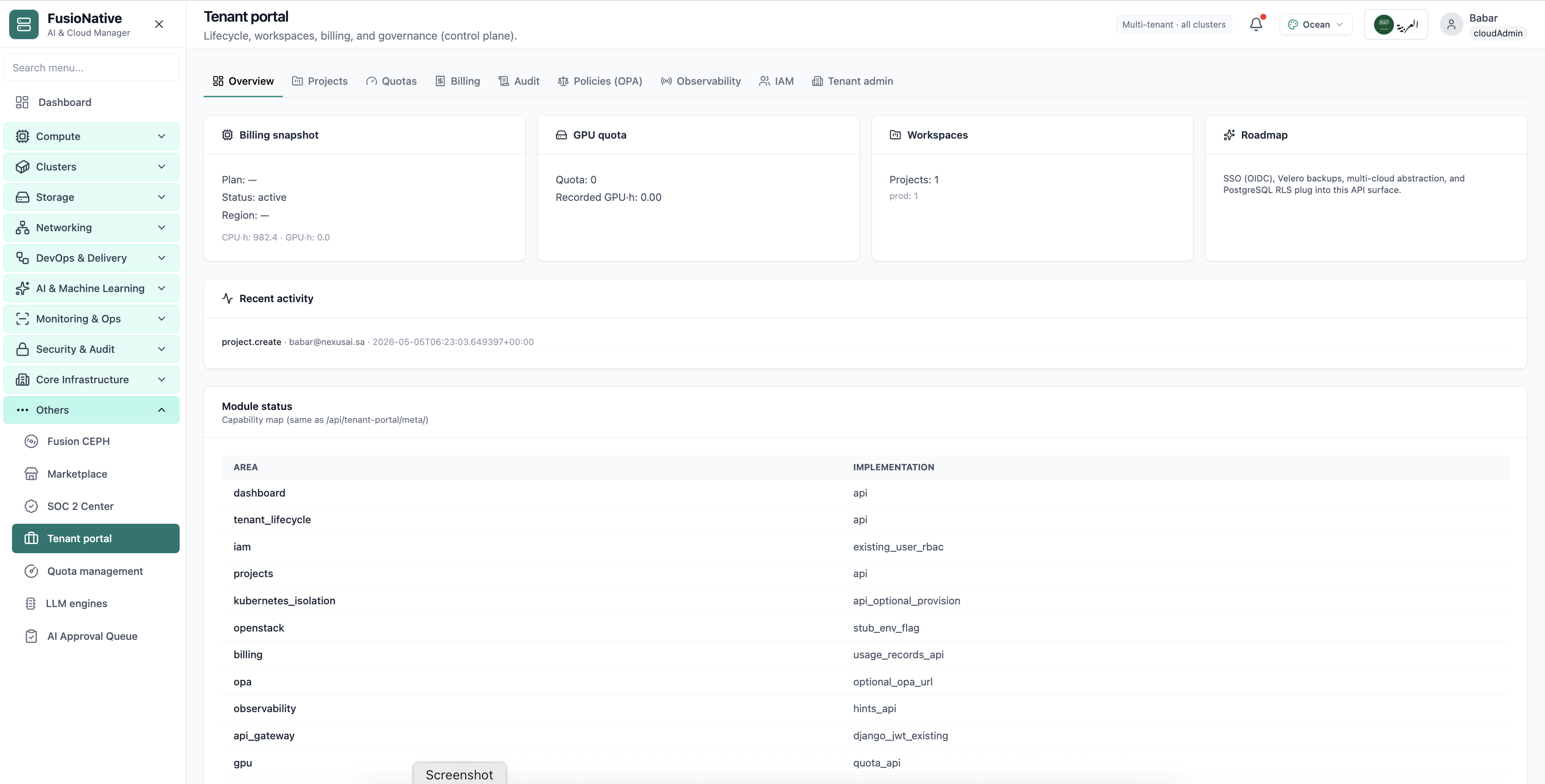
Each customer organization sees billing, GPU quota, and workspaces without accessing other tenants' data.
01of 03Cloud Admin

Tenant portal overview

Each customer organization sees billing, GPU quota, and workspaces without accessing other tenants' data.

  • Per-tenant KPIs
  • Clear quota consumption
  • Self-service project management

Click the screenshot to open full size, zoom, and pan.
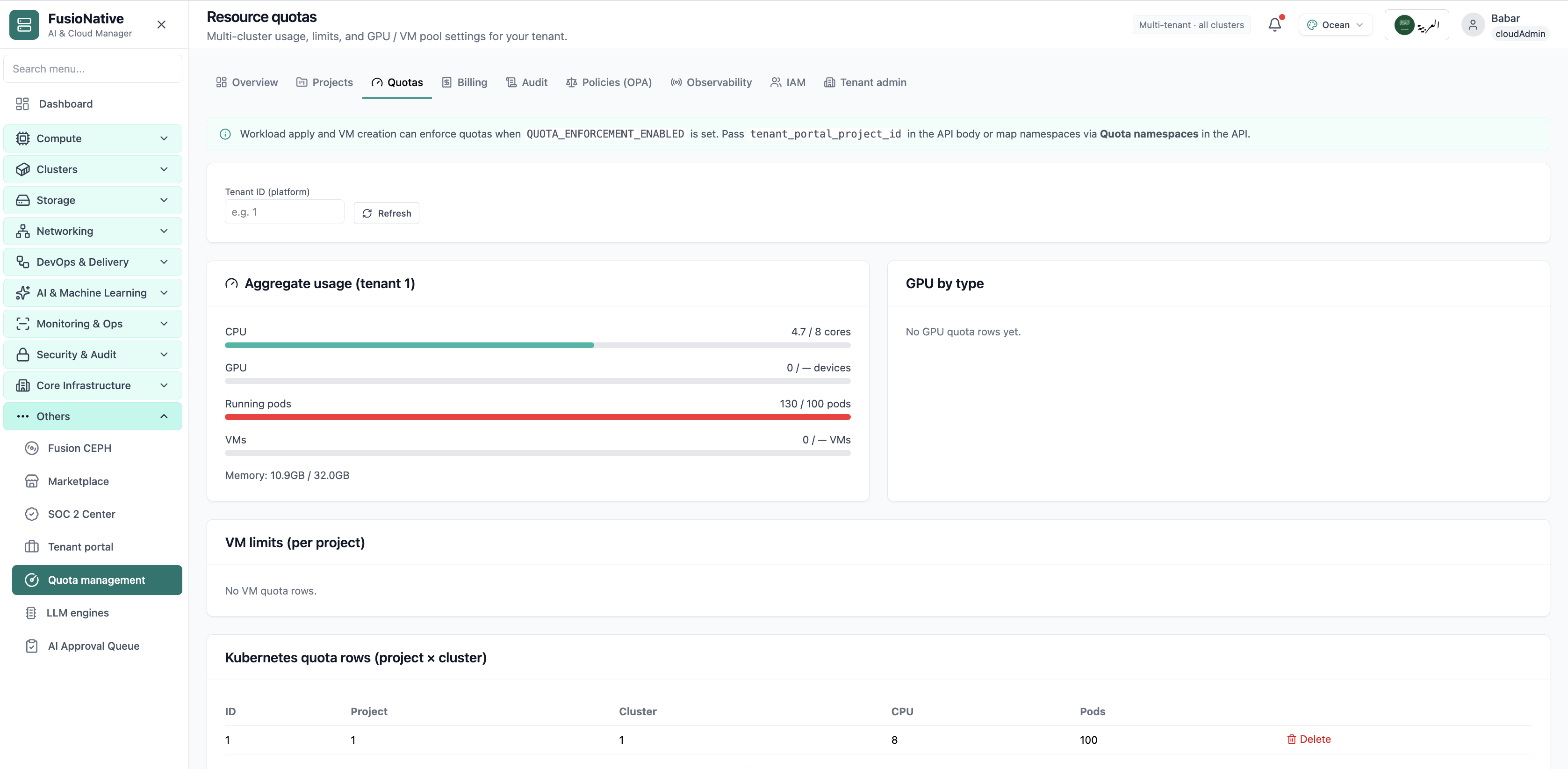
Hard and soft limits per tenant stop noisy neighbors from consuming provider-wide capacity.
02of 03Cloud Admin

Resource quotas

Hard and soft limits per tenant stop noisy neighbors from consuming provider-wide capacity.

  • Fair-share enforcement
  • Visible limit breaches
  • Supports commercial packaging

Click the screenshot to open full size, zoom, and pan.
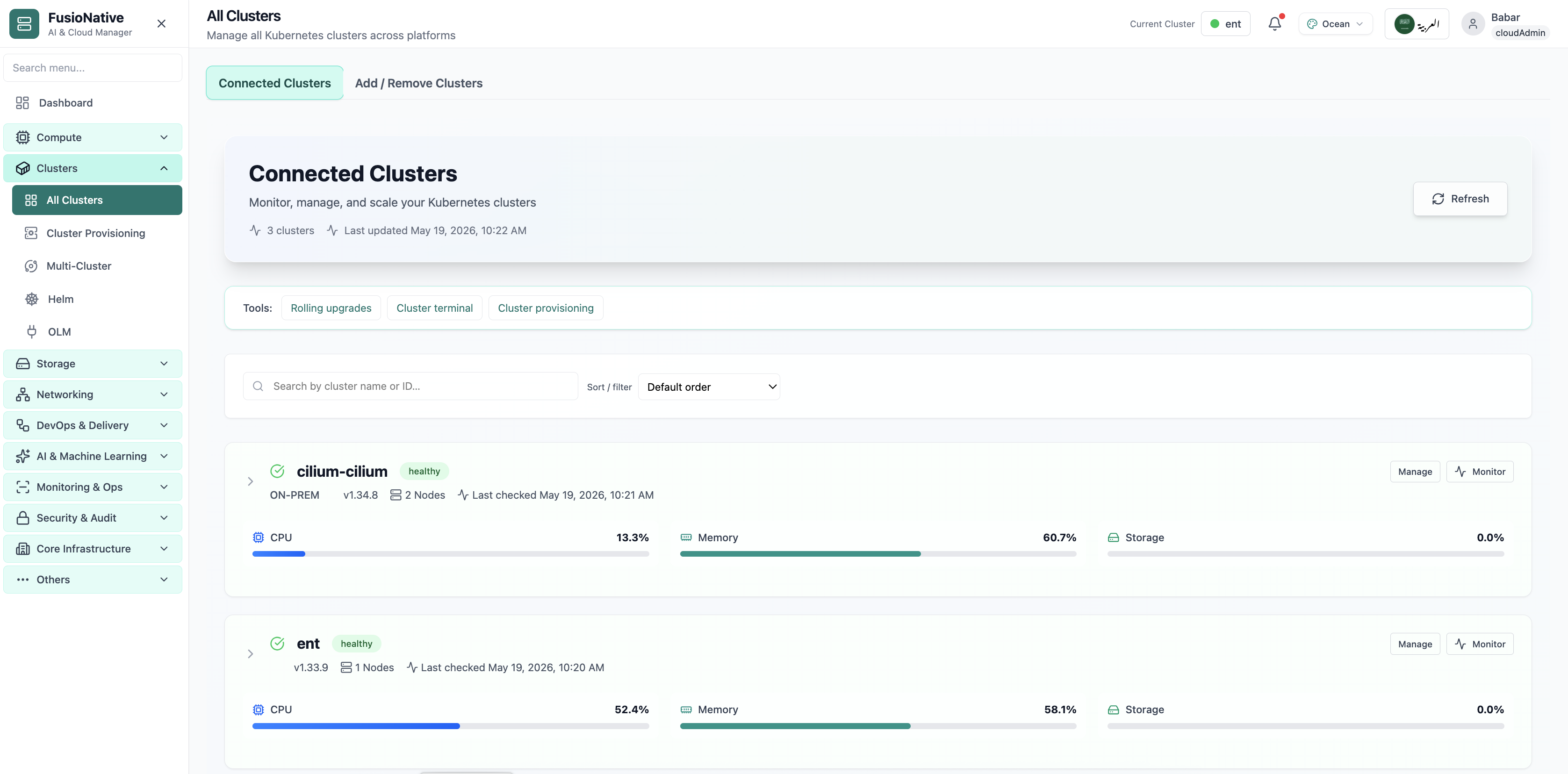
Provider NOC sees every customer cluster, version, and health in one sortable list.
03of 03Cloud Admin

Fleet cluster inventory

Provider NOC sees every customer cluster, version, and health in one sortable list.

  • Multi-customer fleet view
  • Health and version at a glance
  • Drill into customer context

Click the screenshot to open full size, zoom, and pan.

Industry · Platform engineering

Platform engineering

Fleet, GitOps, and clusters as a product

Platform teams sell reliability and self-service—not YAML. FusioNative is the storefront and the engine room: fleet health, cluster provisioning, GitOps deployments, and consistent navigation for every internal customer.

Run a multi-cluster platform with inventory, provisioning, and delivery screens your developers actually use.

Who needs this

  • Internal Kubernetes platform owners and paved-road teams
  • Staff engineers defining cluster standards and GitOps baselines
  • Managers reporting fleet health to engineering leadership

Industry pressures (why change)

  • Cluster sprawl outpaces documentation—nobody agrees how many environments exist
  • GitOps and cluster admin tools disagree on what is deployed where
  • Internal users open tickets because they cannot see quota or status themselves

Why FusioNative fits

  • Manage Clusters and Cloud Clusters unify inventory and provisioning
  • GitOps deployments tie repos, branches, and sync status to clusters
  • Tenant portal optional layer for self-service without raw admin keys

How teams adopt it

  1. Import or provision clusters with version and health metadata
  2. Connect GitOps repositories and standardize promotion paths
  3. Publish tenant or project workspaces for application teams
  4. Review fleet risk and capacity before quarterly planning
In Cloud Admin

What Platform engineering teams see in the product

Product screens with notes on when each view matters for your sector.
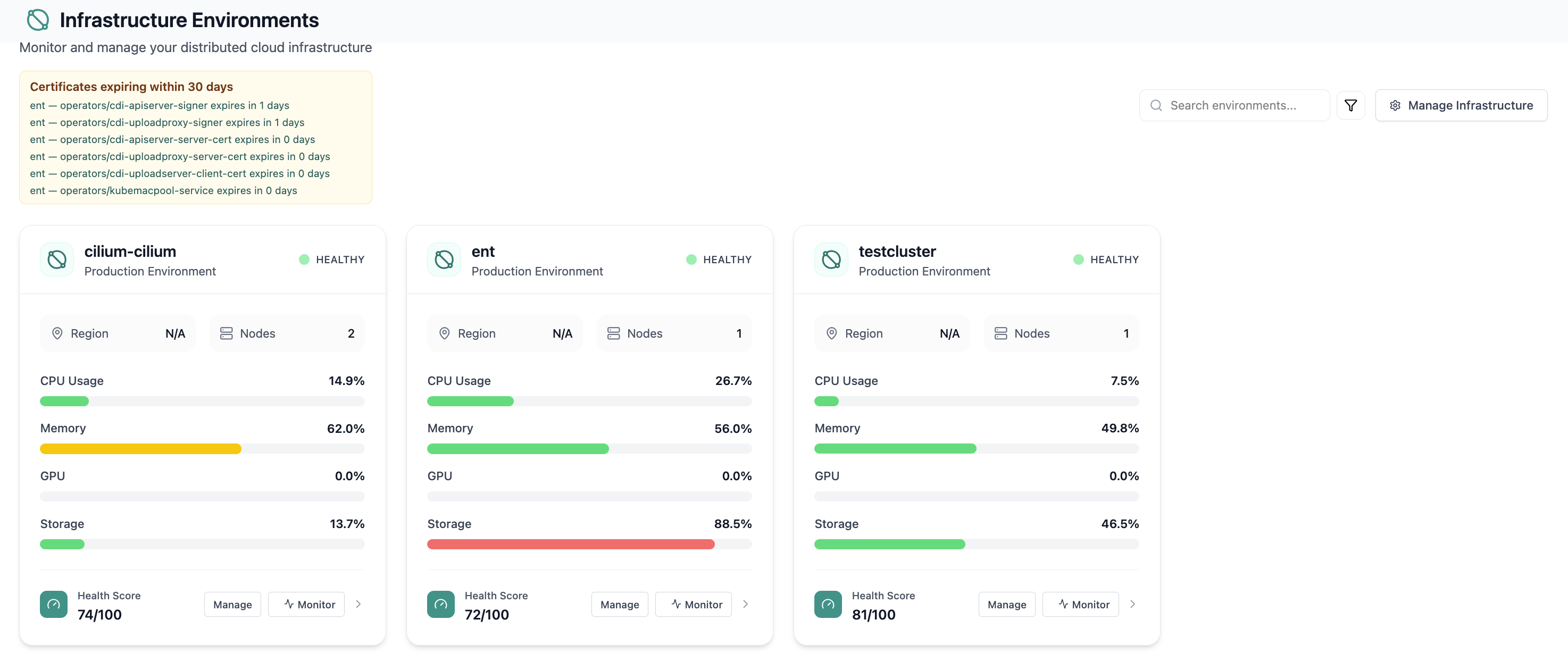
Health scores per environment—how platform teams prioritize remediation.
01of 03Cloud Admin

Infrastructure environments

Health scores per environment—how platform teams prioritize remediation.

  • Sortable fleet view
  • Utilization beside health
  • Executive-friendly summaries

Click the screenshot to open full size, zoom, and pan.
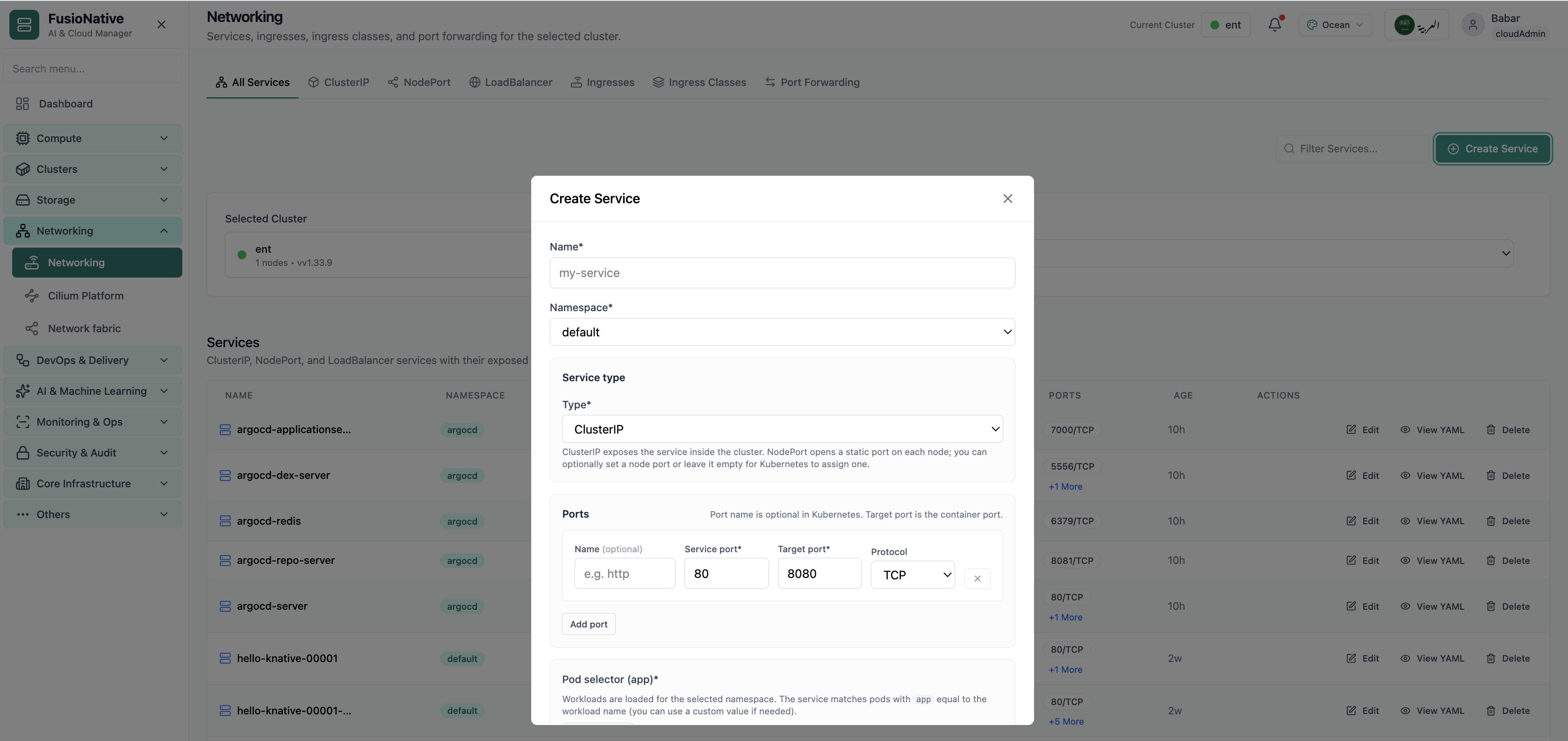
Cluster list with version, connection, and status—source of truth for platform inventory.
02of 03Cloud Admin

All clusters

Cluster list with version, connection, and status—source of truth for platform inventory.

  • Multi-cluster sort and filter
  • Connection health visible
  • Jump into cluster context

Click the screenshot to open full size, zoom, and pan.

Deployment rows with sync state, repo, and namespace—platform’s delivery ledger.
03of 03Cloud Admin

GitOps deployments

Deployment rows with sync state, repo, and namespace—platform’s delivery ledger.

  • Repo-branch-path traceability
  • Sync status at a glance
  • Fewer mystery drift debates

Click the screenshot to open full size, zoom, and pan.

Industry · DevOps & SRE

DevOps & SRE

Metrics, events, and reliability without tab overload

SREs live in graphs and event streams—but only if they trust the data and can stay inside one environment as they drill down. FusioNative connects live metrics, cluster events, and resource views without losing cluster scope.

Correlate metrics, events, and workloads on the same cluster context during incidents and reviews.

Who needs this

  • SREs on-call for production and shared services
  • DevOps engineers owning observability baselines
  • Incident commanders who need one screen for the bridge

Industry pressures (why change)

  • Metrics tools and ticketing systems disagree during outages
  • Event noise hides the few cluster-scoped signals that matter
  • Drill-down tools forget which cluster you started in

Why FusioNative fits

  • Live metrics and performance analytics with 24h history
  • Cluster events filtered by type, reason, and namespace
  • Resources map and cluster resources keep topology readable

How teams adopt it

  1. Baseline golden signals per critical cluster
  2. Wire cluster events into triage—filter to warnings and failures first
  3. Drill from fleet health into namespaces and pods without re-selecting context
  4. Feed capacity findings back to platform after every major incident
In Cloud Admin

What DevOps & SRE teams see in the product

Product screens with notes on when each view matters for your sector.
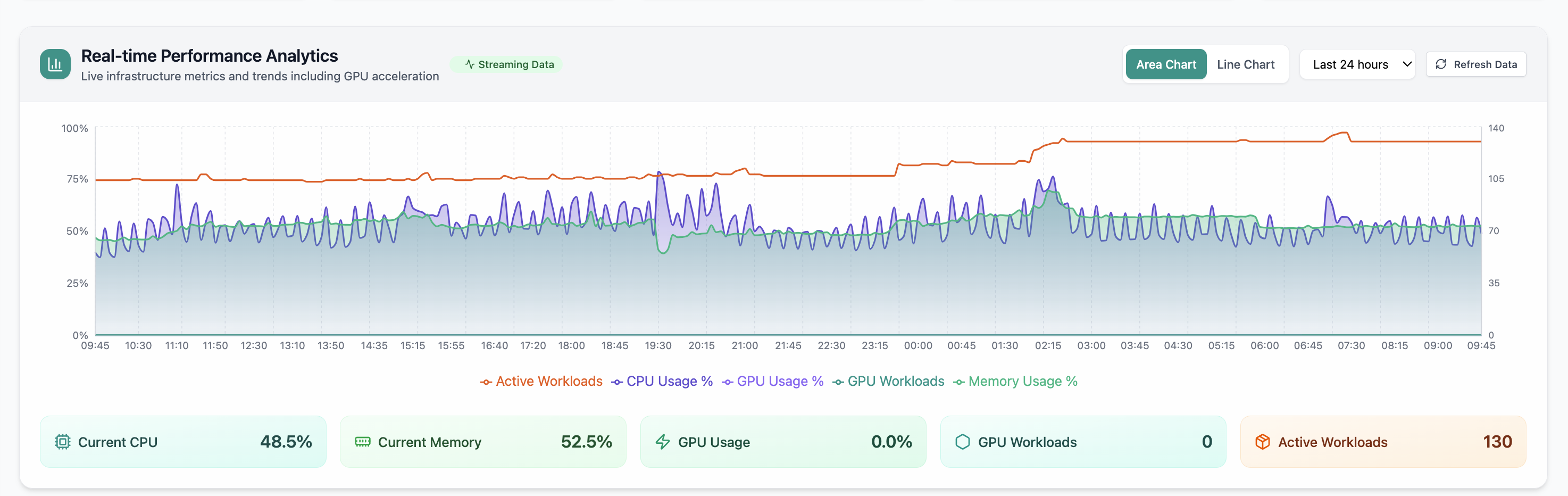
Fleet-wide utilization charts—the first screen in many incident bridges.
01of 03Cloud Admin

Performance analytics

Fleet-wide utilization charts—the first screen in many incident bridges.

  • CPU, memory, GPU in one timeline
  • Spot anomalies quickly
  • Links to deeper tabs

Click the screenshot to open full size, zoom, and pan.
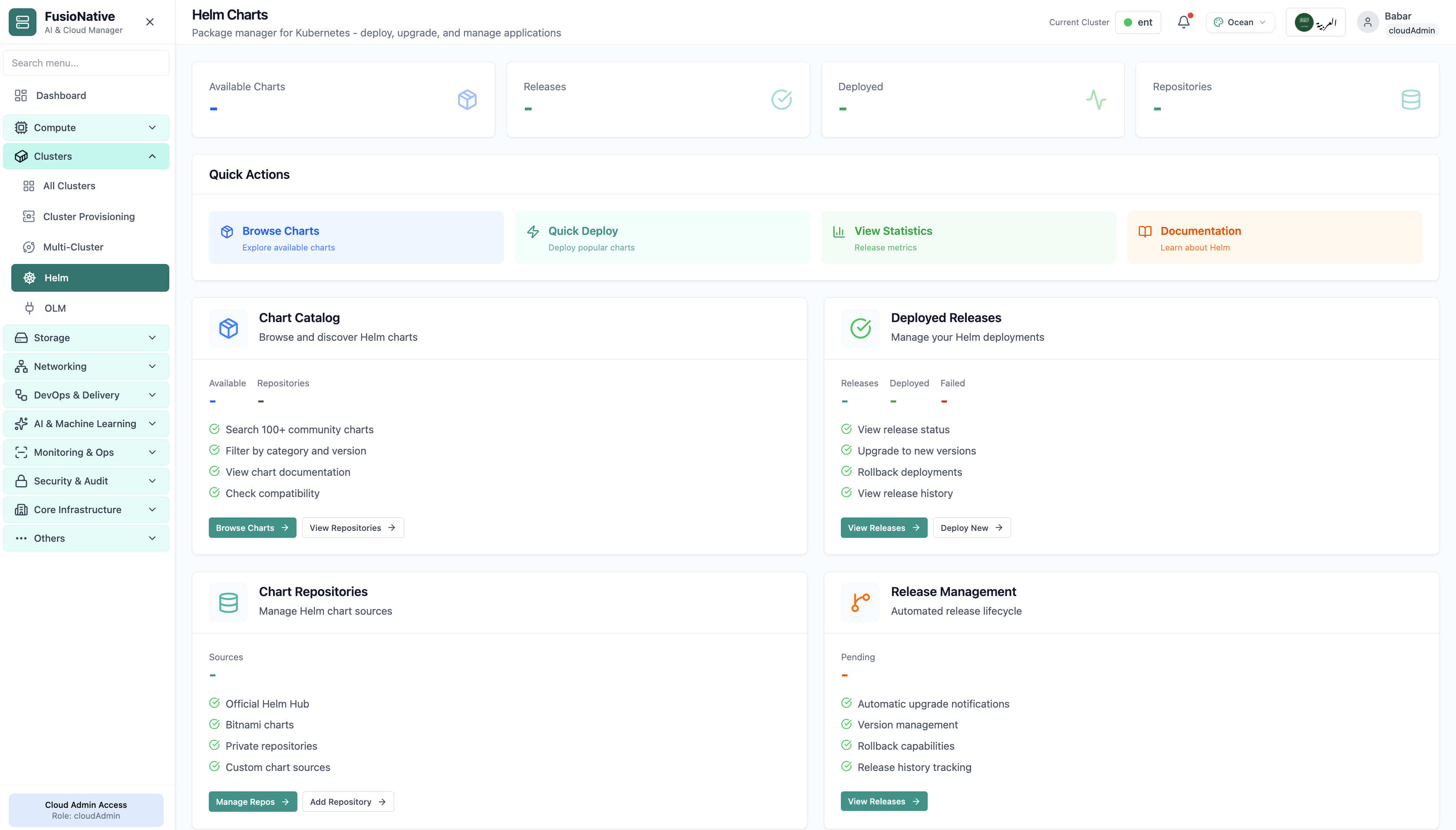
Event stream with filters—see admission failures, pulls, and scheduling issues early.
02of 03Cloud Admin

Cluster events

Event stream with filters—see admission failures, pulls, and scheduling issues early.

  • Type and reason breakdowns
  • Cluster-scoped filters
  • Faster root-cause hypotheses

Click the screenshot to open full size, zoom, and pan.
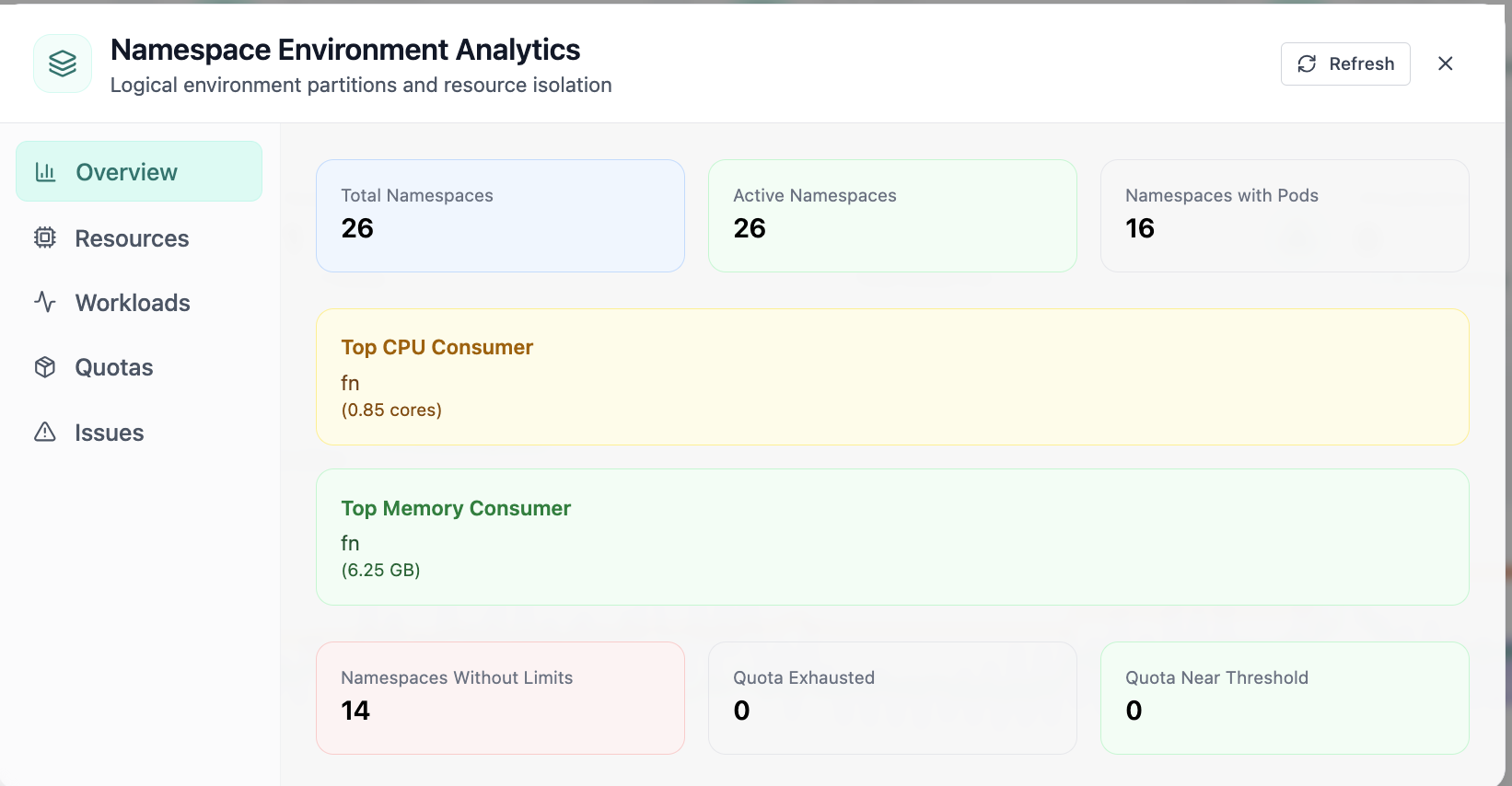
Namespace-level consumption—find noisy neighbors during saturation events.
03of 03Cloud Admin

Namespace analytics

Namespace-level consumption—find noisy neighbors during saturation events.

  • Top consumers visible
  • Quota issues surfaced
  • Same UI as fleet views

Click the screenshot to open full size, zoom, and pan.

Industry · DevSecOps

DevSecOps

Security and delivery in one narrative

DevSecOps is not a scanner bolted onto CI—it is how clusters enforce policy while teams deploy. FusioNative shows RBAC, admission-related events, GitOps releases, and audit exports from the same product your developers already navigate.

Connect delivery pipelines to live cluster policy state and exportable audit evidence.

Who needs this

  • DevSecOps engineers embedding controls in platform workflows
  • Application security teams reviewing Kubernetes posture
  • Release managers who need policy sign-off with evidence

Industry pressures (why change)

  • CI passes but cluster drift still fails audits
  • Security findings in tickets do not map to live objects
  • GitOps promotions lack a security checkpoint developers understand

Why FusioNative fits

  • Security Center for roles, PSS, network policies, secrets
  • GitOps deployments show what actually reached each cluster
  • Audit compliance closes the loop for assessors

How teams adopt it

  1. Baseline pod security and network policies per tier
  2. Monitor cluster events for admission and policy failures on every deploy
  3. Review GitOps sync status before production promote
  4. Export audit trails per release window for compliance
In Cloud Admin

What DevSecOps teams see in the product

Product screens with notes on when each view matters for your sector.
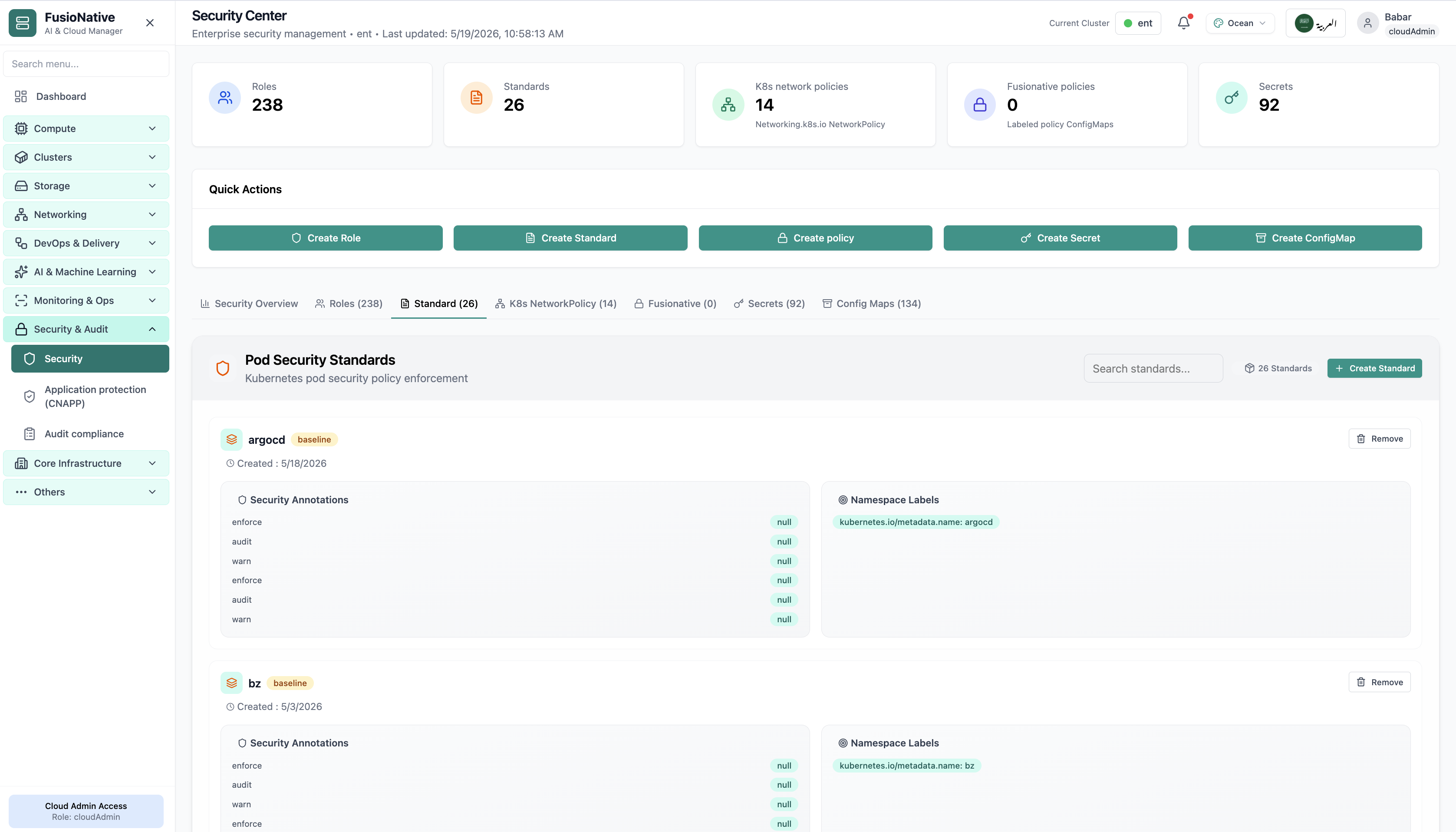
Enforcement view—prove restricted profiles land where policy expects.
01of 03Cloud Admin

Pod Security Standards

Enforcement view—prove restricted profiles land where policy expects.

  • PSS visibility
  • Guided remediation
  • Aligned with platform tiers

Click the screenshot to open full size, zoom, and pan.
What shipped, where, and whether it synced—delivery evidence for security review.
02of 03Cloud Admin

GitOps releases

What shipped, where, and whether it synced—delivery evidence for security review.

  • Repo traceability
  • Sync truth
  • Per-cluster scope

Click the screenshot to open full size, zoom, and pan.

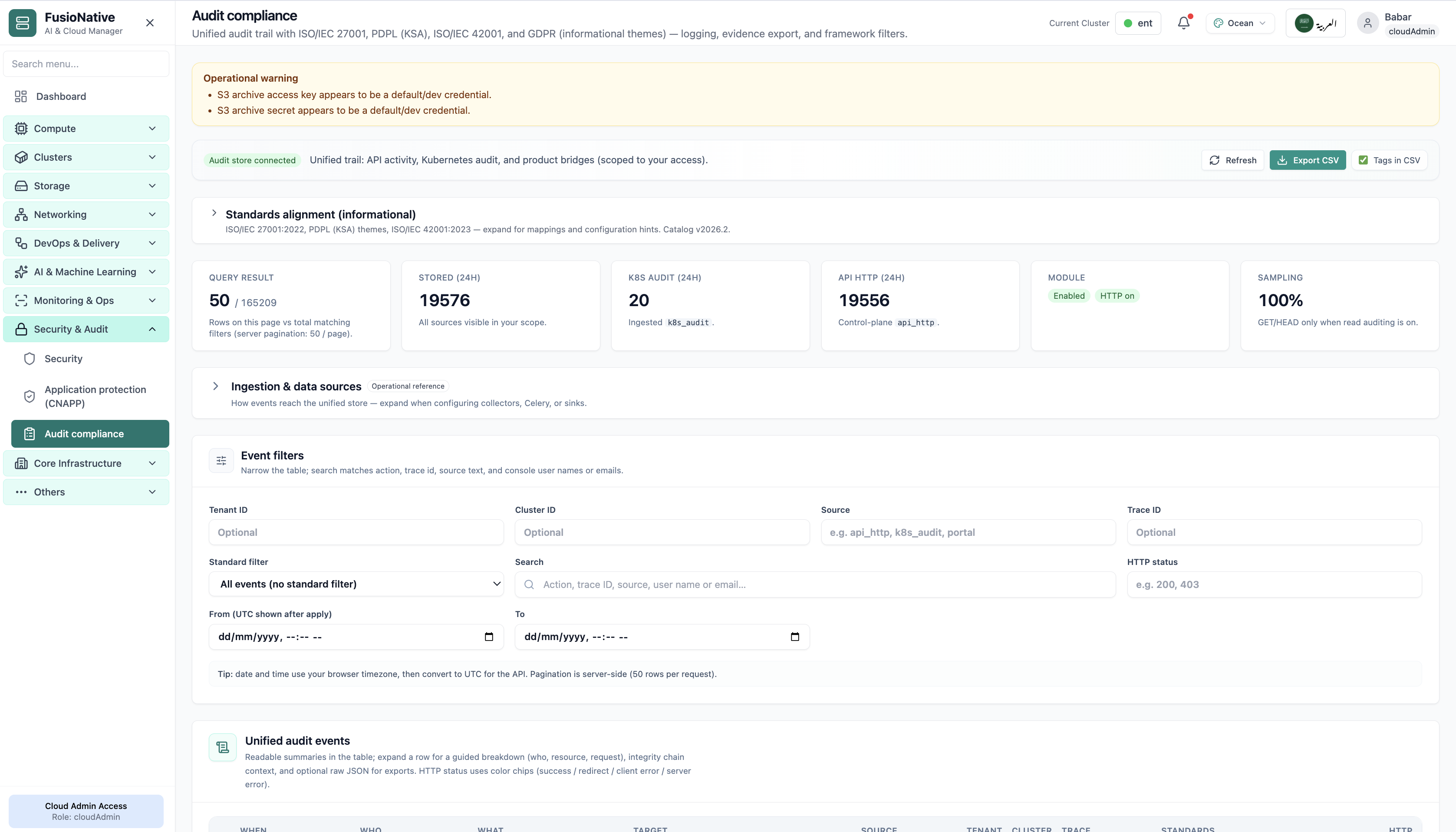
Exportable events for the release window under review.
03of 03Cloud Admin

Audit trail

Exportable events for the release window under review.

  • Framework filters
  • CSV export
  • Ties to tenant and cluster

Click the screenshot to open full size, zoom, and pan.