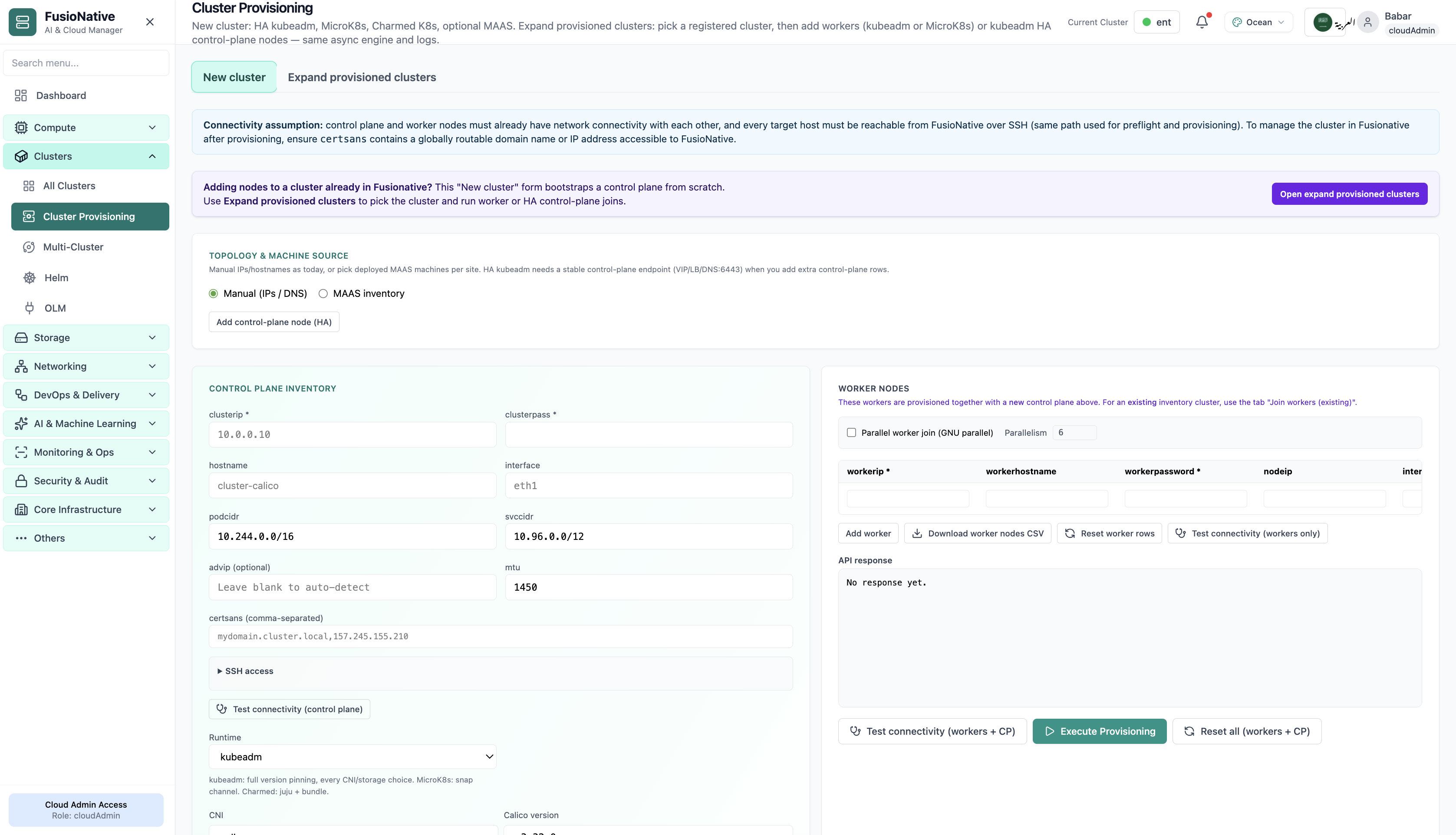
Cluster Provisioning
Cluster provisioning workflow and connectivity checks.
- Same layout your operators see in production
- Click to zoom in
- Works alongside the rest of Cloud Admin
Click the screenshot to open full size, zoom, and pan.
Kubernetes
Provision cloud clusters, orchestrate workloads, auto-scale, and manage Helm charts and operators — all from a single control plane.
K8s & Containers
Monitor, connect, and run day-2 operations across your Kubernetes fleet, resource usage on cards, secure kubeconfig and enterprise connection flows, in-browser kubectl, upgrade readiness, provisioning, and multi-cluster control plane settings.
Screens from the live product, with a short note on when you would open each view.
Cluster provisioning workflow and connectivity checks.
Click the screenshot to open full size, zoom, and pan.
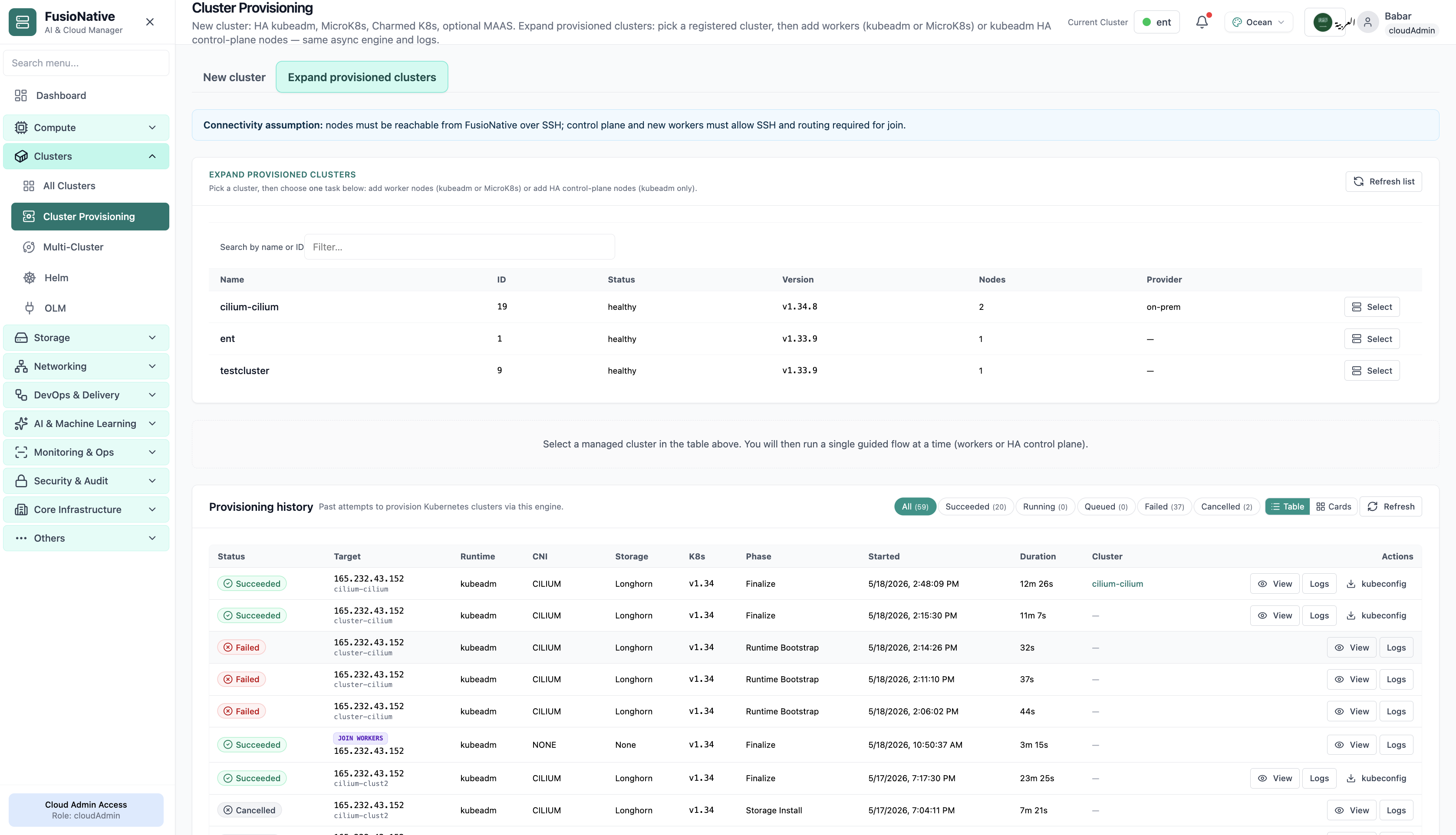
Cluster provisioning form with target version and readiness.
Click the screenshot to open full size, zoom, and pan.
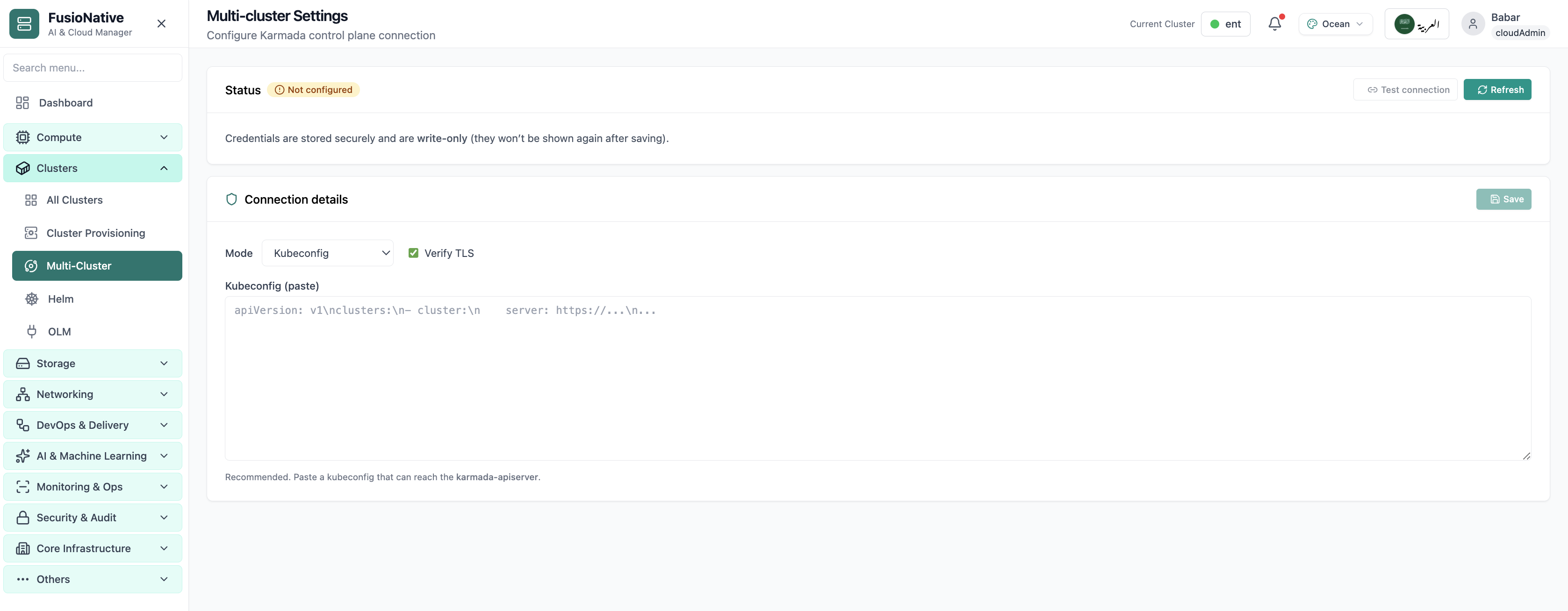
Multi-cluster Karmada-style control plane settings.
Click the screenshot to open full size, zoom, and pan.
Whether you are onboarding a new provider cluster or standardizing upgrades across tenants, Cloud Admin keeps connection security and operational velocity in the same product.
Healthy badges and utilization bars make it obvious where pressure shows up before alerts fire everywhere.
Prerequisites and RBAC expectations are spelled up front; recommended paths reduce misconfiguration during attach.
Terminal, upgrades, and multi-cluster settings live beside the same cluster truth. Fewer handoffs between tools.
Use Cloud Clusters in Cloud Admin as the hub for attach, observe, and change, across providers and teams.
Get a demoDay-2 Kubernetes
Day-2 is where platforms succeed or stall. FusioNative centralizes workload inventory with filters, refresh discipline, and per-workload actions so operators ship fixes, not spreadsheets.
Screens from the live product, with a short note on when you would open each view.
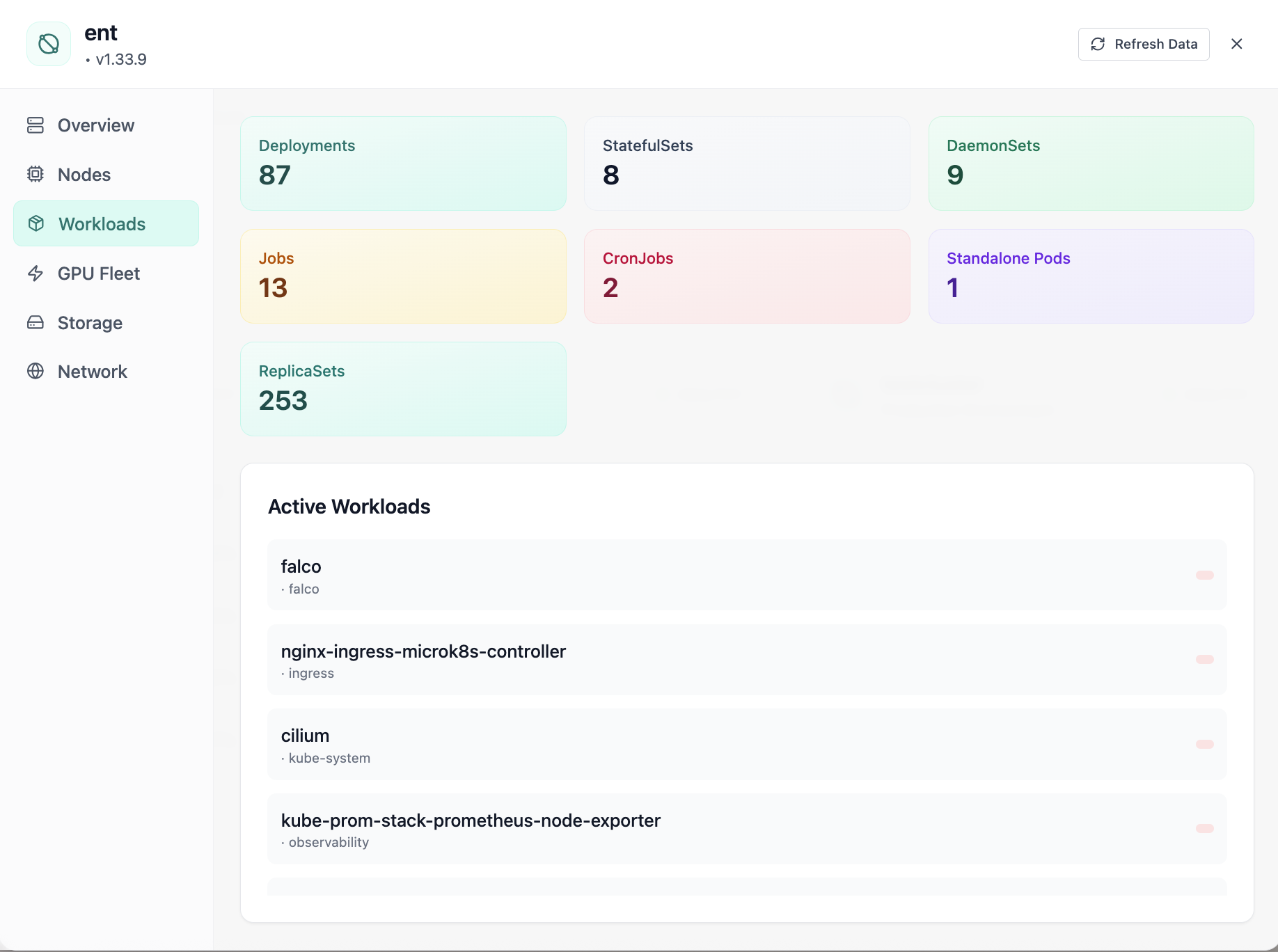
Cluster workloads: deployments, statefulsets, and daemonsets.
Click the screenshot to open full size, zoom, and pan.
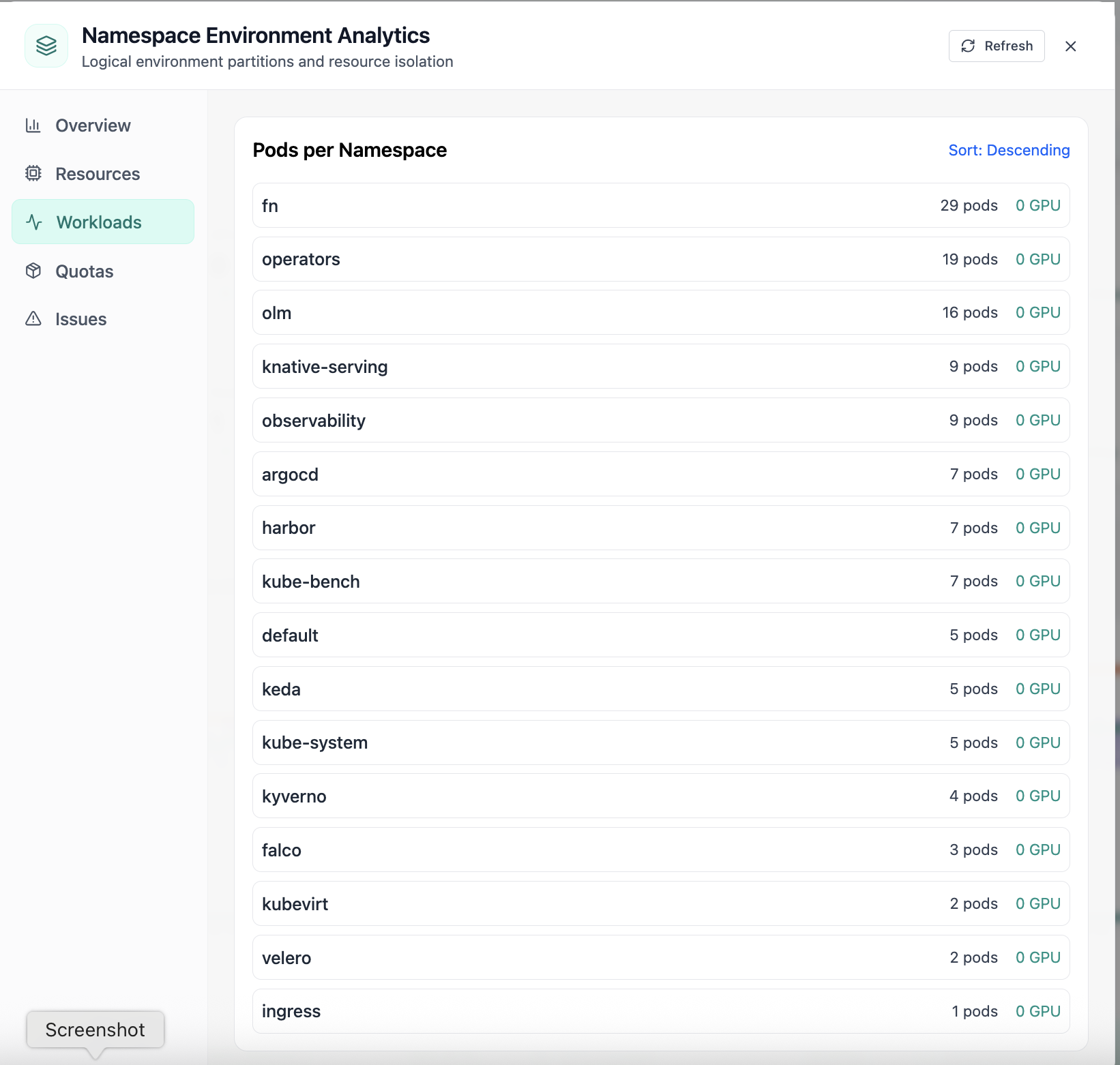
Pods per namespace sorted by count.
Click the screenshot to open full size, zoom, and pan.
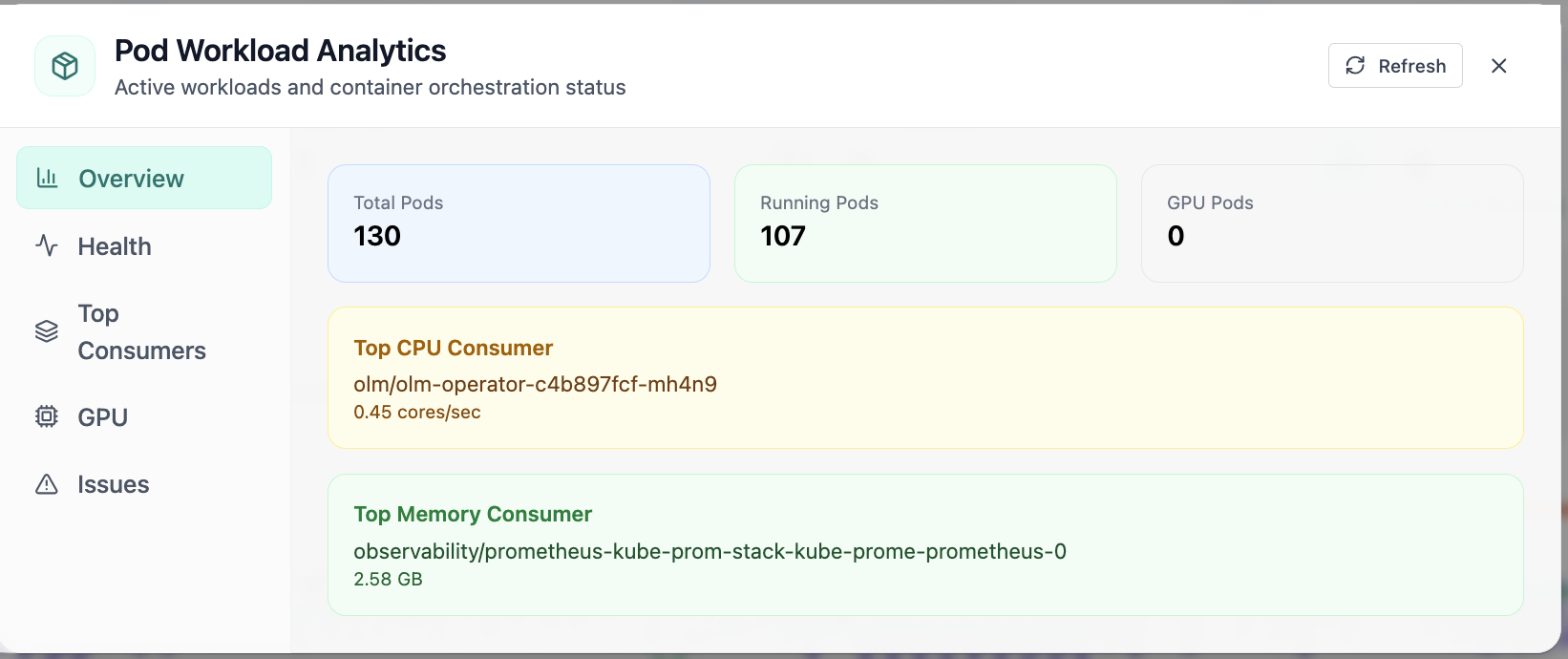
In Pod Analytics, the Overview view answers one operational question at a time, pod workload analytics with running and gpu pod counts. Part of workload operations; use it when you need evidence before changing limits, scaling, or opening a ticket.
Click the screenshot to open full size, zoom, and pan.
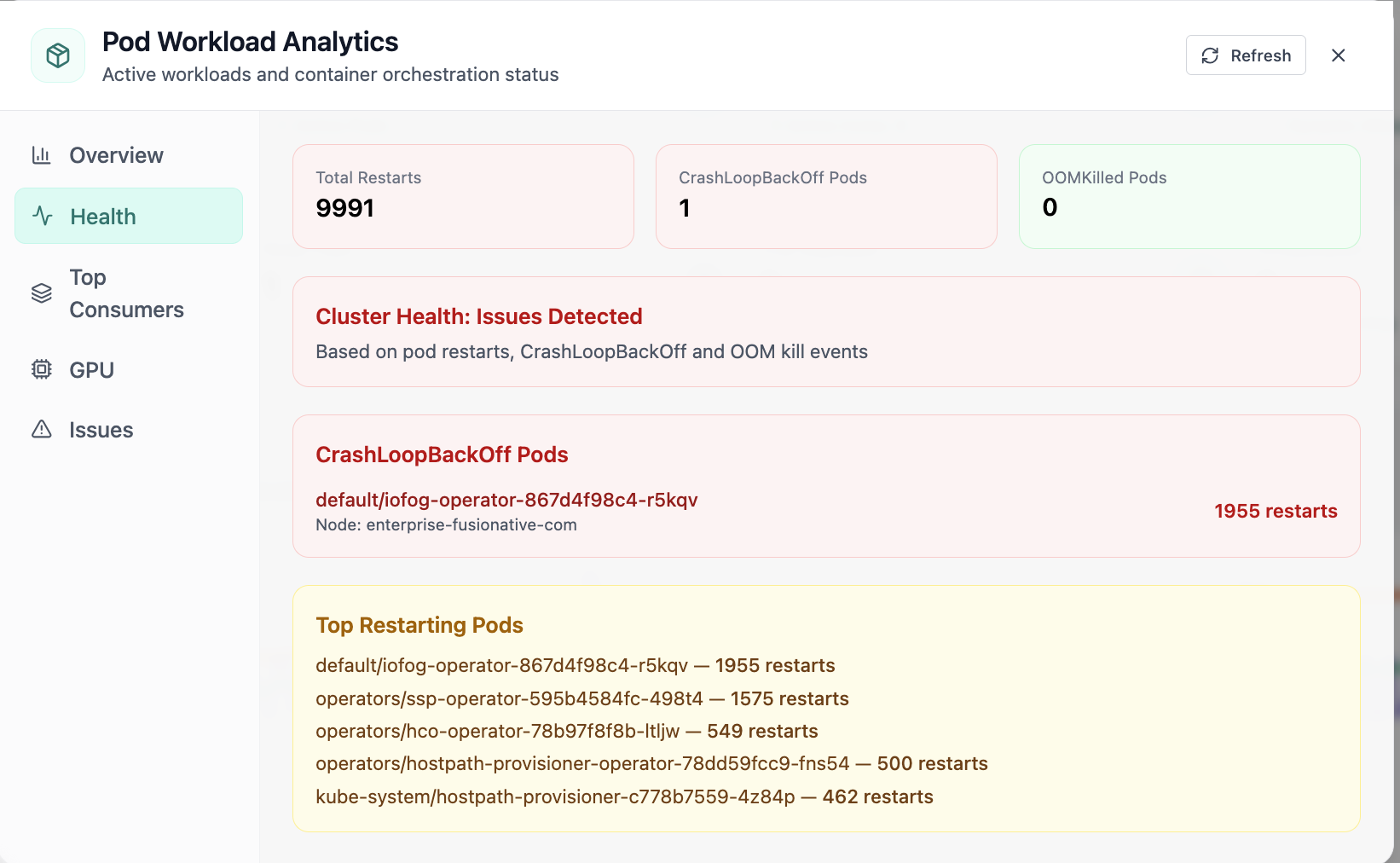
In Pod, the Health view answers one operational question at a time, pod health with restarts and crashloopbackoff visibility. Part of workload operations; use it when you need evidence before changing limits, scaling, or opening a ticket.
Click the screenshot to open full size, zoom, and pan.
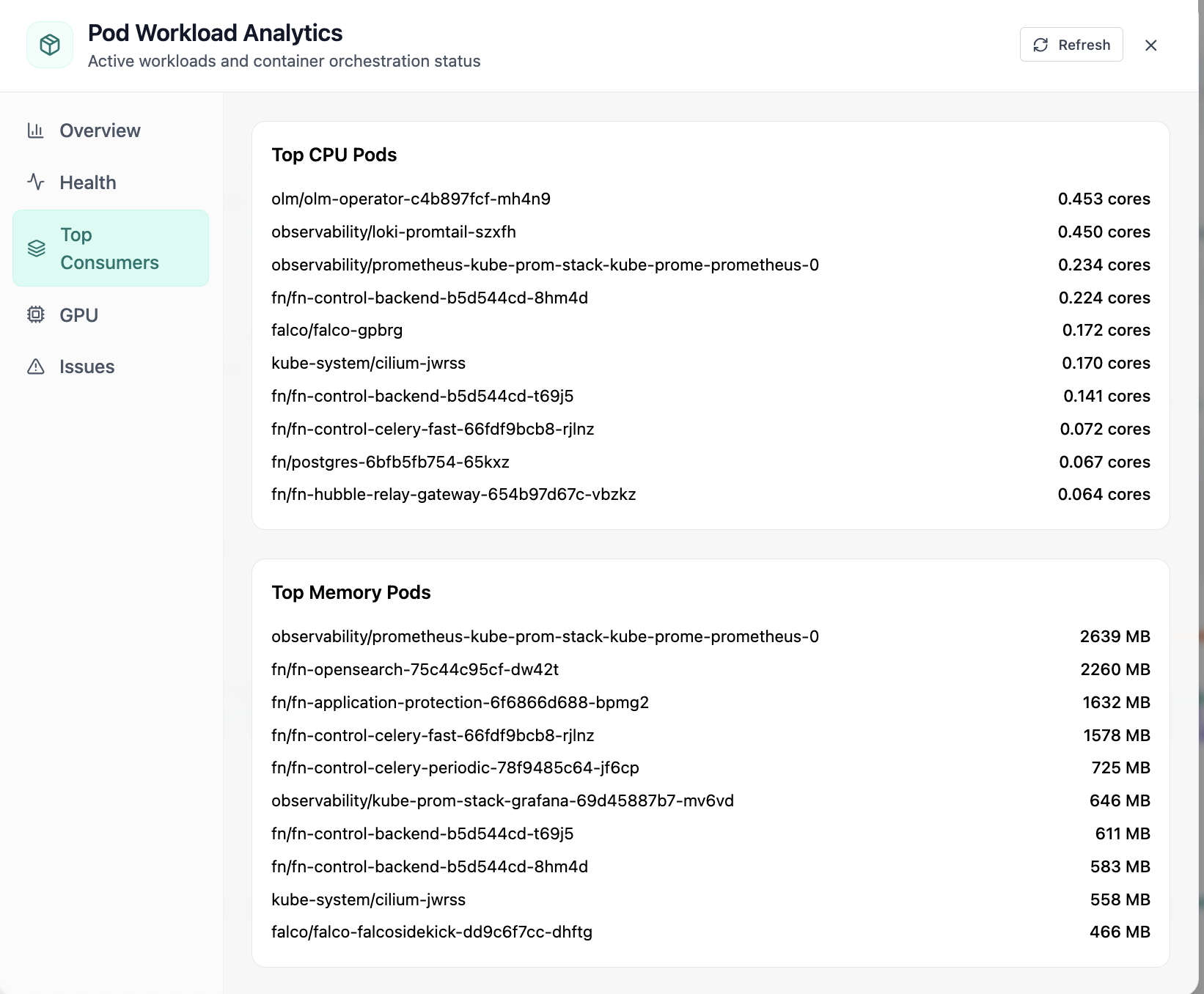
In Pod, the Top Consumers view answers one operational question at a time, top cpu and memory consuming pods. Part of workload operations; use it when you need evidence before changing limits, scaling, or opening a ticket.
Click the screenshot to open full size, zoom, and pan.
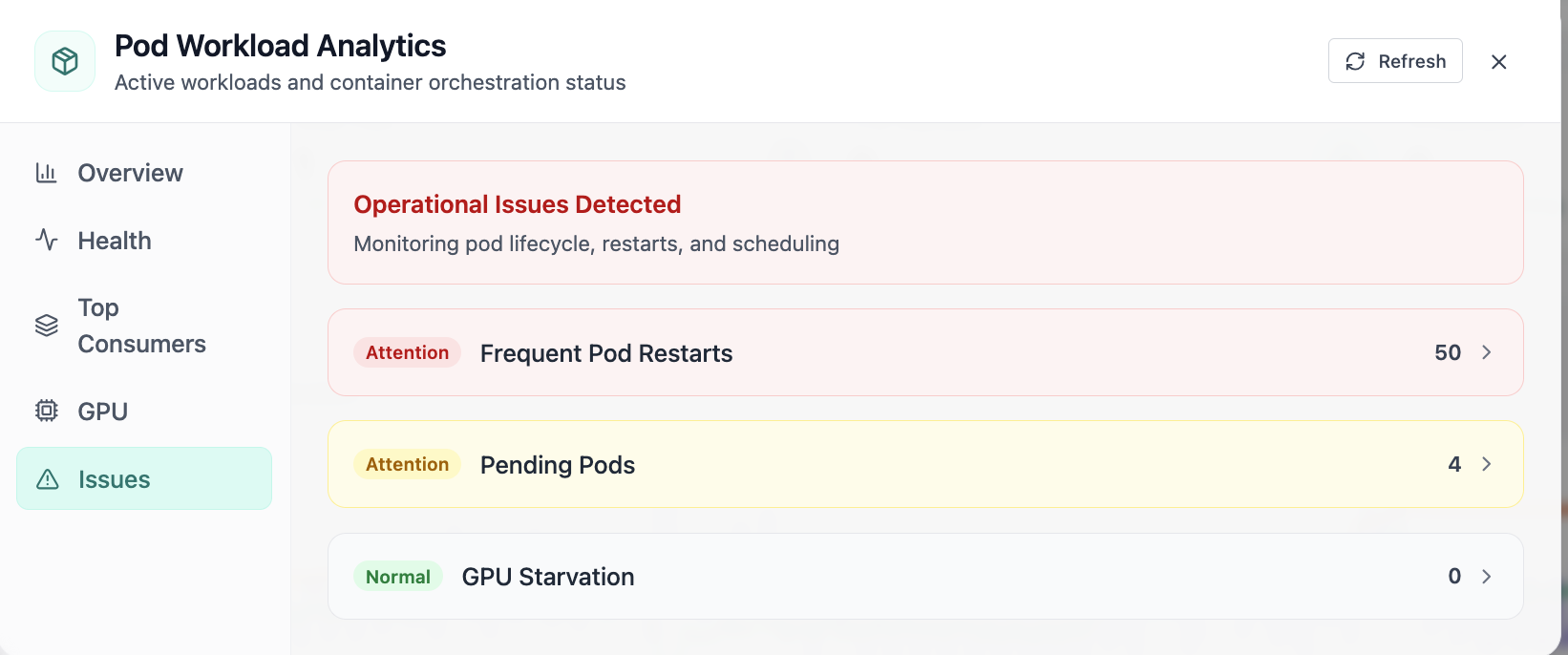
In Pod, the Issues view answers one operational question at a time, pod issues: restarts, pending pods, and gpu starvation. Part of workload operations; use it when you need evidence before changing limits, scaling, or opening a ticket.
Click the screenshot to open full size, zoom, and pan.
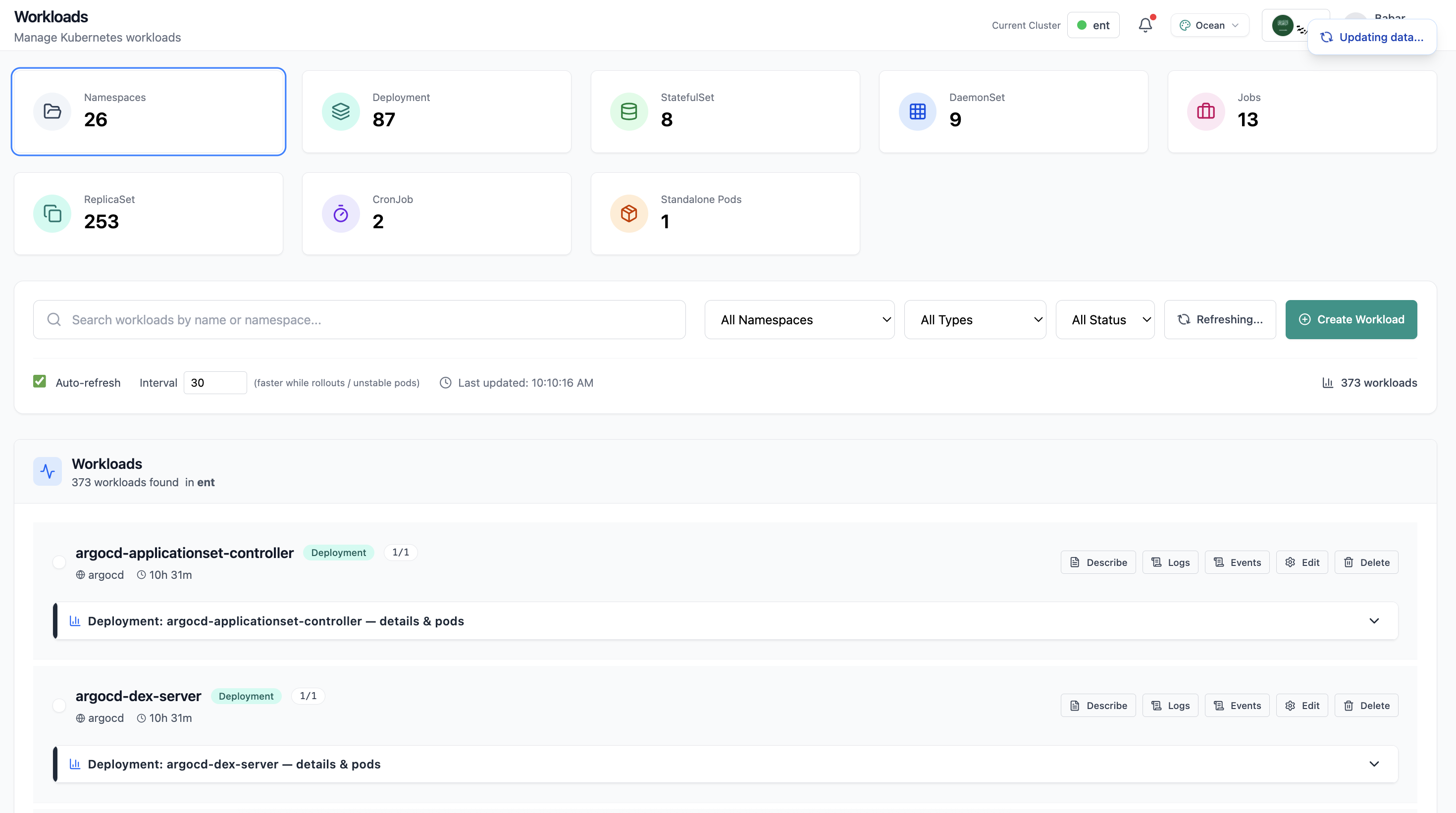
Workloads page with deployment list and resource summary.
Click the screenshot to open full size, zoom, and pan.
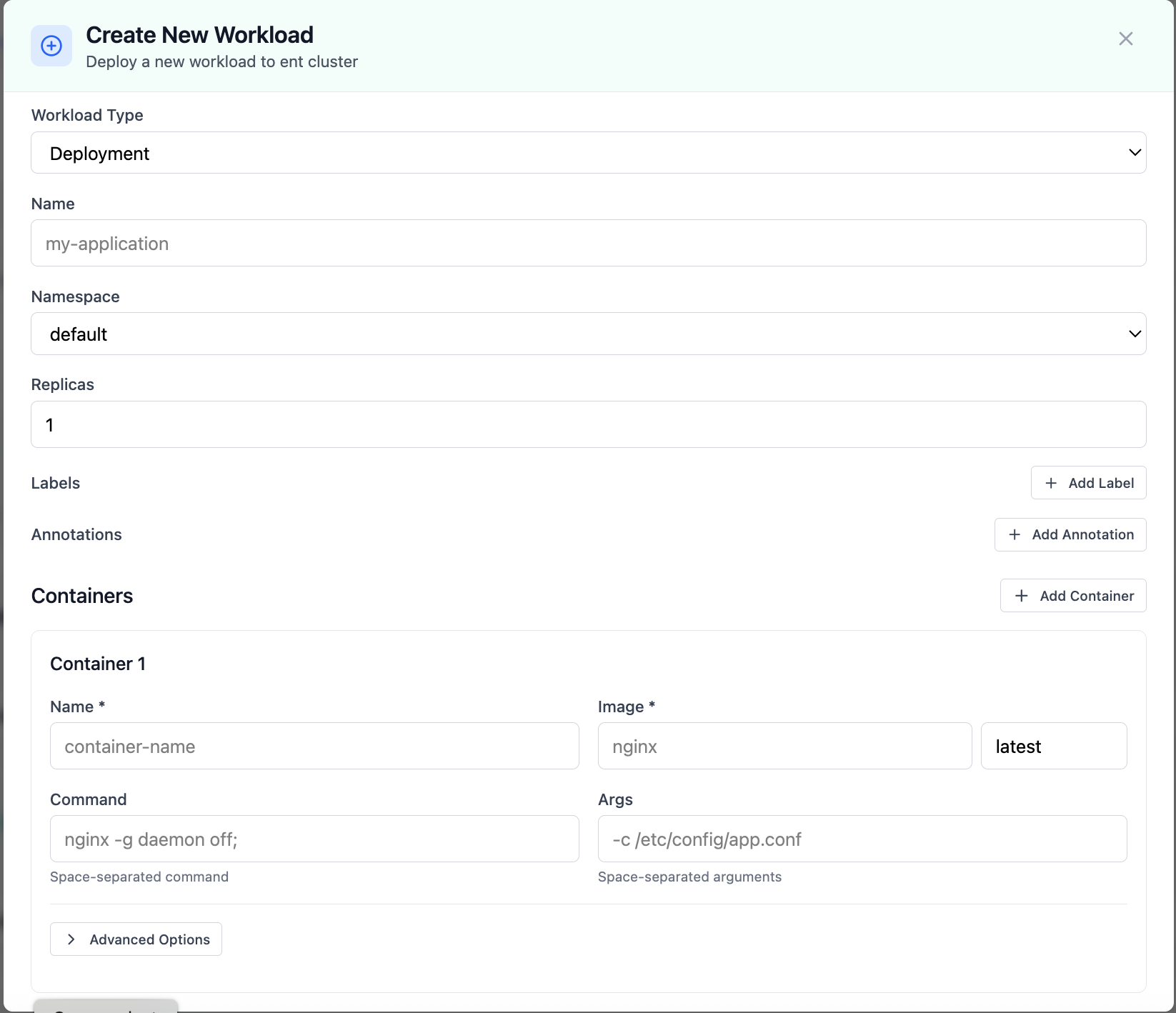
Create New Workload modal for deployments.
Click the screenshot to open full size, zoom, and pan.
Give developers self-service boundaries while operators retain audit-friendly controls and consistent workflows.
Compute · Kubernetes
Horizontal and vertical pod autoscaling, KEDA, cluster node autoscaling, events, recommendations, and scaling policies, cluster-scoped, with guided create flows for HPAs, VPAs, and KEDA ScaledObjects.
Screens from the live product, with a short note on when you would open each view.
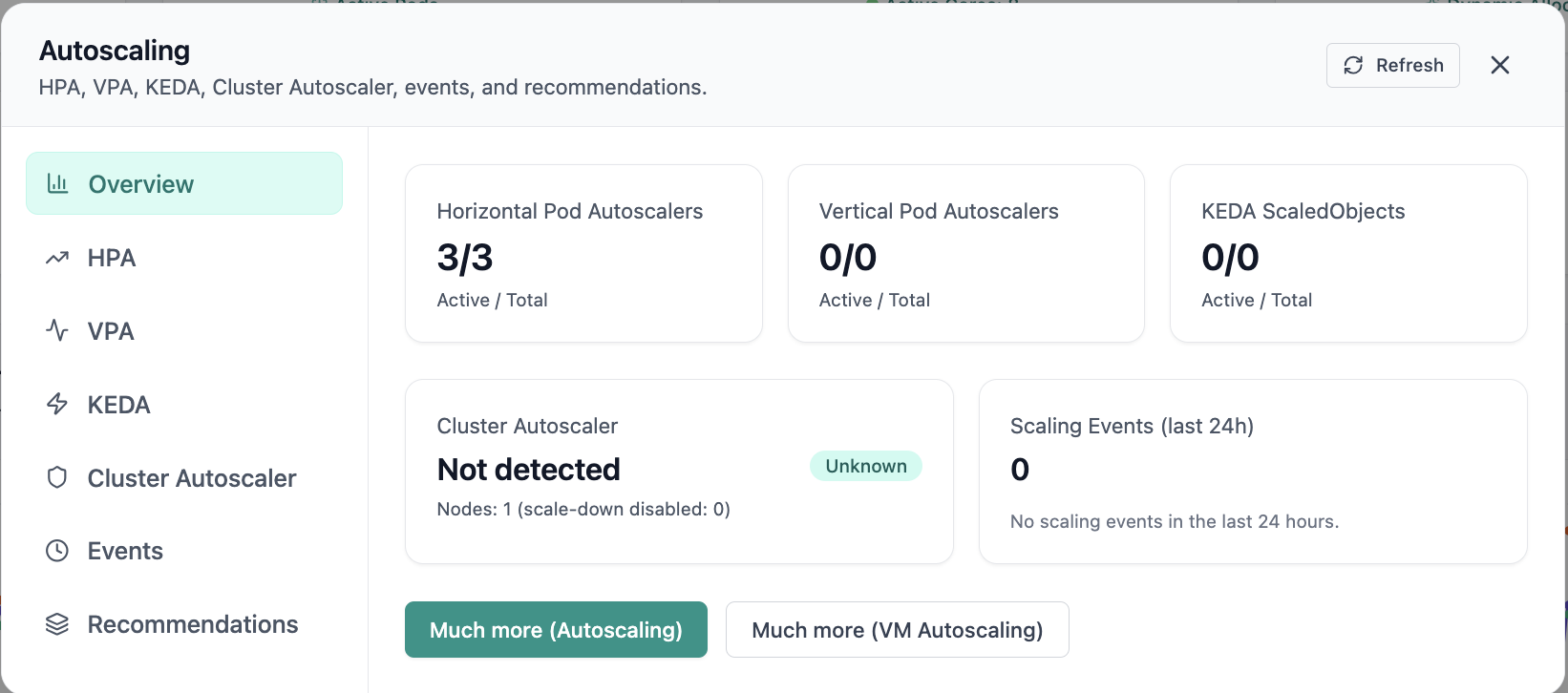
In Autoscaling, the Overview view answers one operational question at a time, autoscaling overview with hpa, vpa, keda, and ca cards. Part of autoscaling policies; use it when you need evidence before changing limits, scaling, or opening a ticket.
Click the screenshot to open full size, zoom, and pan.
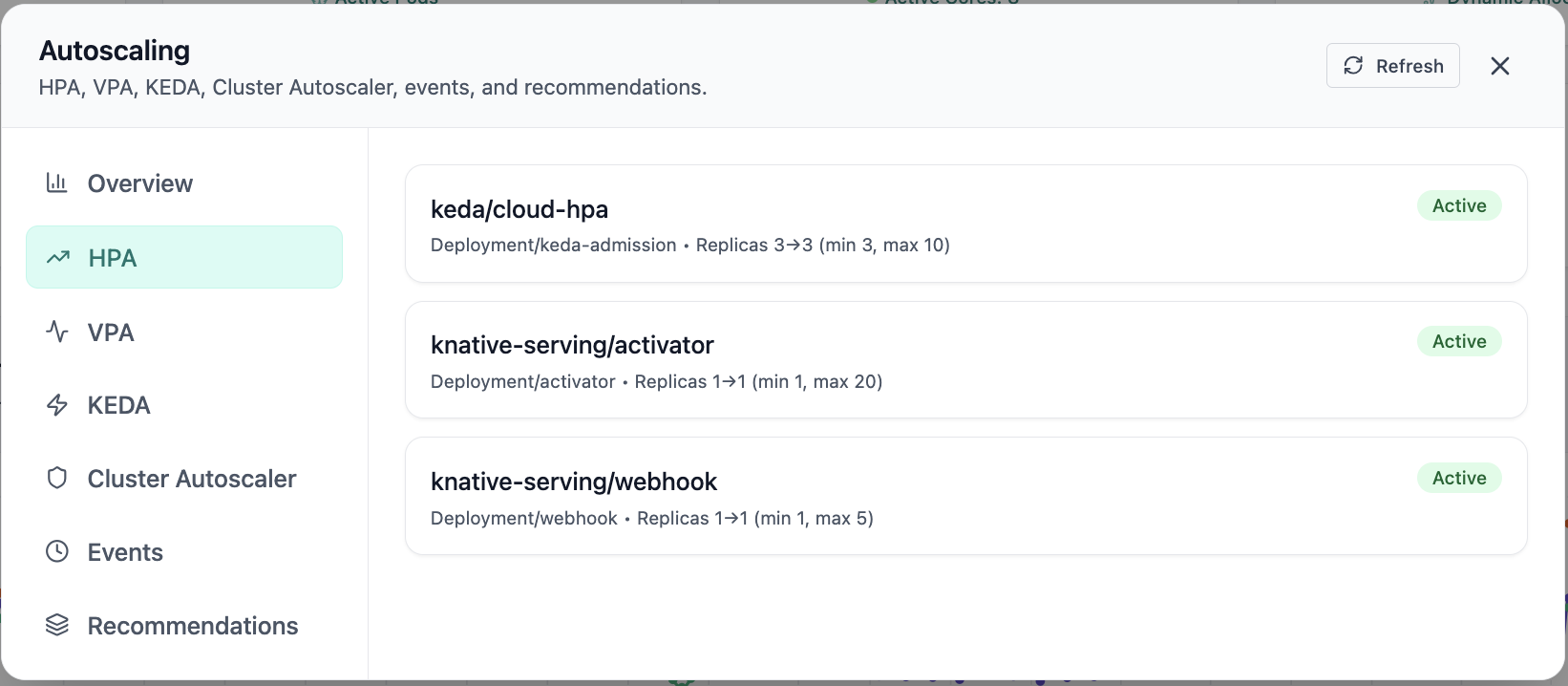
Active HPAs for keda and knative-serving.
Click the screenshot to open full size, zoom, and pan.
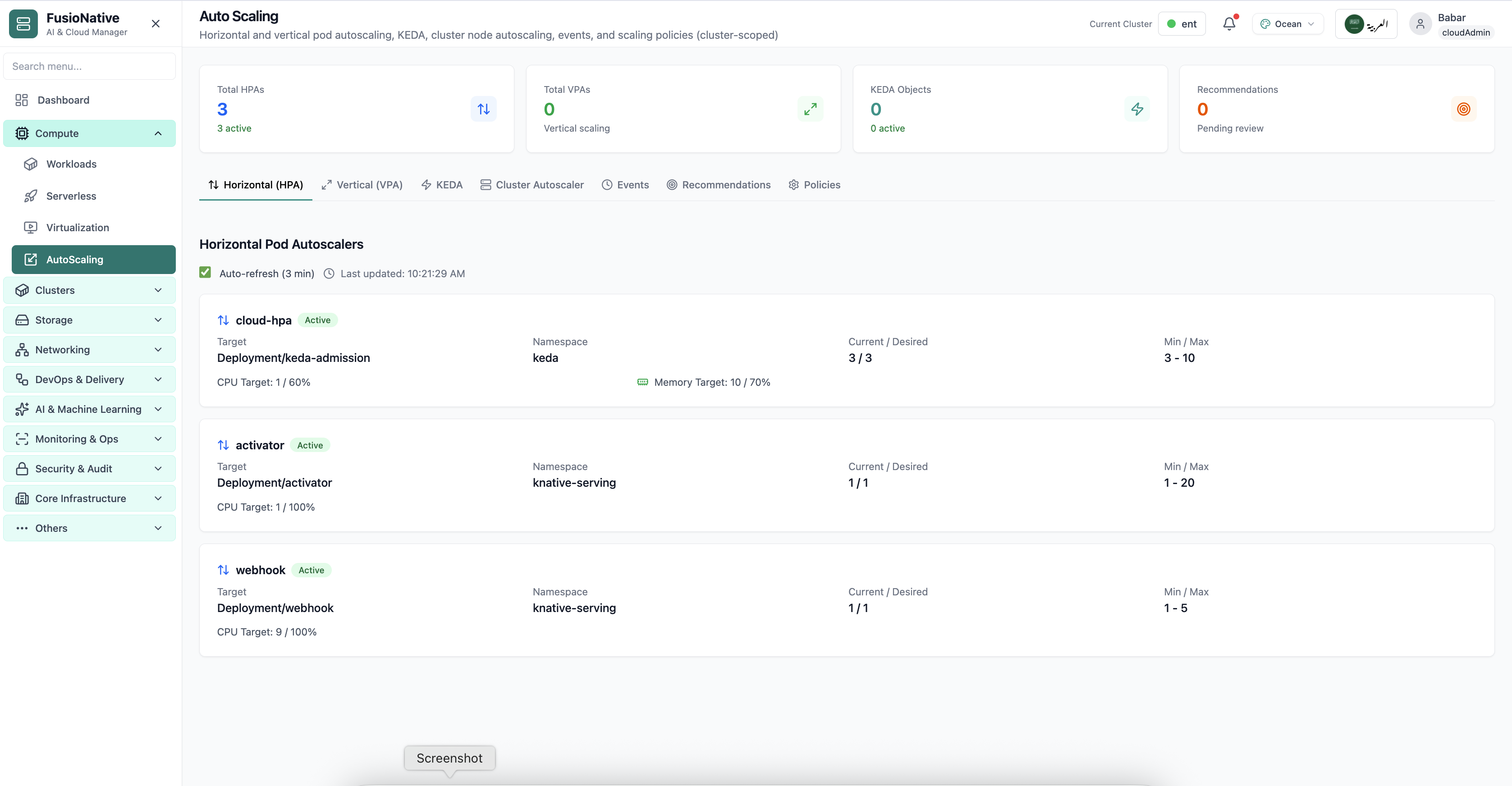
Kubernetes autoscaling configuration view.
Click the screenshot to open full size, zoom, and pan.
Whether you scale on CPU, memory, custom metrics, or external events, the same dashboard keeps workload owners and platform engineers aligned.
Define HPAs and VPAs with clear targets; wire KEDA to queues, metrics, or custom triggers, then review recommendations before they land in production.
Events and policies tie scaling decisions back to namespaces and workloads so audits and postmortems have a paper trail.
Cluster Autoscaler context sits beside pod autoscalers so node-level and workload-level scaling stay in sync.
See Auto Scaling in Cloud Admin alongside workloads, metrics, and clusters in one console for enterprise Kubernetes.
Get a demoK8s & Containers · Helm
The Kubernetes package manager in one place: browse catalogs and repositories, deploy popular charts, track releases and rollbacks, tune values and secrets, and monitor release health, and keep your place to the CLI.
Screens from the live product, with a short note on when you would open each view.
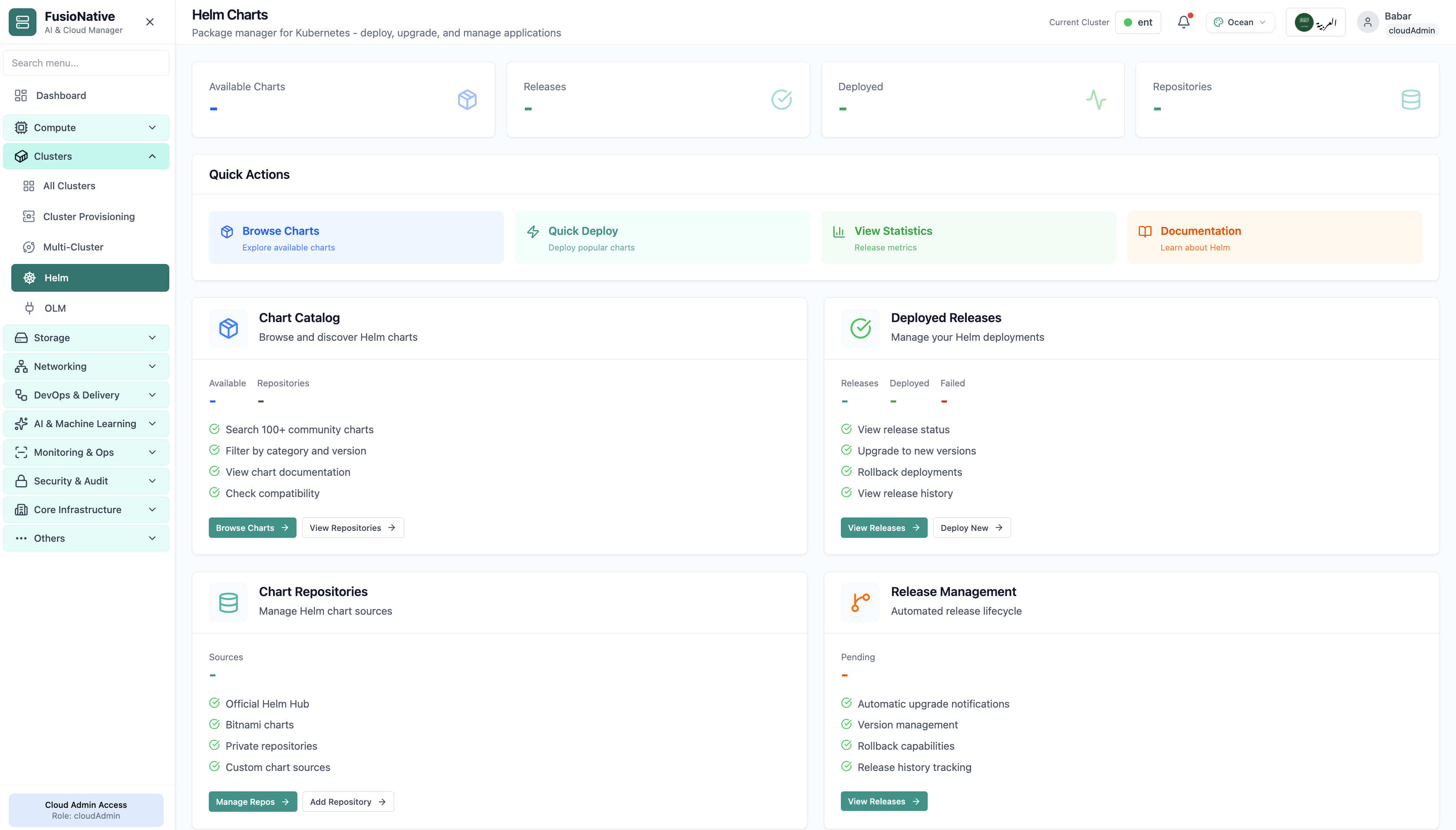
Helm charts management in Cloud Admin.
Click the screenshot to open full size, zoom, and pan.
FusioNative keeps catalog discovery next to live release truth so upgrades, rollbacks, and audits share one narrative.
Filter by category and version, read chart docs inline, and validate compatibility before you promote to prod.
See what failed, what upgraded, and what can roll back, and keep history when teams rotate.
Blend public hubs with private registries so platform teams control supply chain without blocking developers.
Run Helm Charts from Cloud Admin alongside clusters, workloads, and observability in one console.
Get a demoK8s & Containers · OLM
Discover and install Kubernetes operators from curated catalogs, manage installed releases and custom resources, wire Operator Hub and private sources, and track upgrades, rollbacks, and health, without losing track across clusters.
Screens from the live product, with a short note on when you would open each view.
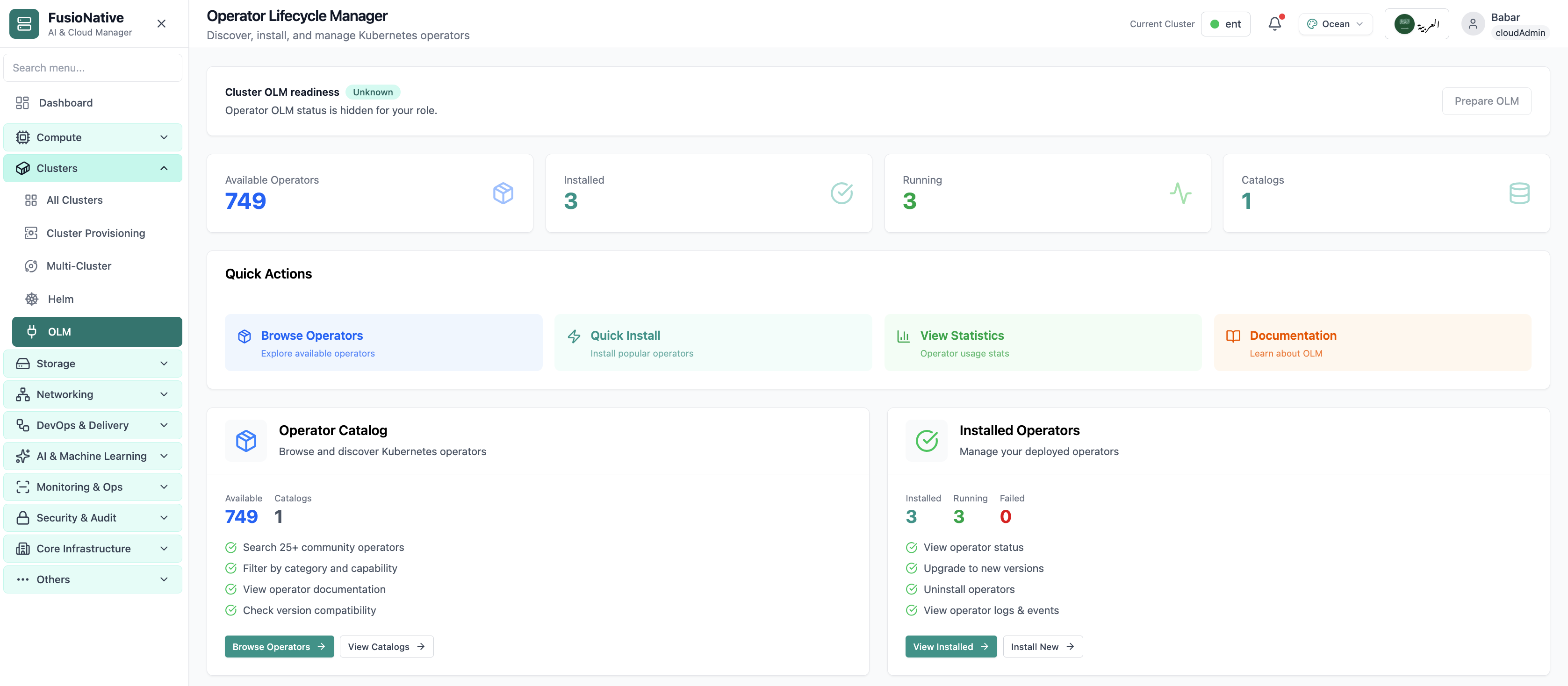
OLM operators and subscriptions view.
Click the screenshot to open full size, zoom, and pan.
Treat catalog, install, and CR lifecycle as day-2 operations, not afterthoughts for one cluster admin.
Community and private catalogs side by side so teams agree on what “approved” means.
Version paths and rollback signals stay visible while workloads keep running.
Instances and CR updates tie back to health and metrics. Fewer blind spots during change windows.
Run OLM from Cloud Admin next to Helm, clusters, and workloads in one console for Kubernetes extensions.
Get a demo