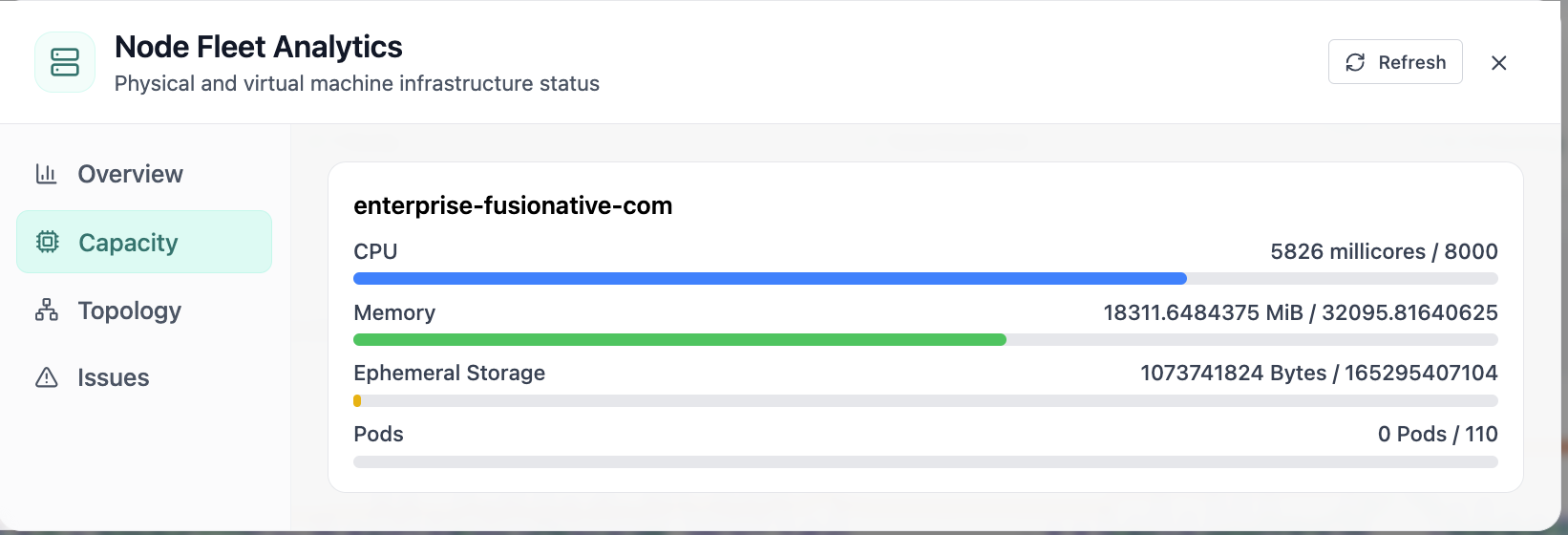
Node Capacity
Node fleet capacity for CPU, memory, storage, and pods.
- Same layout your operators see in production
- Click to zoom in
- Works alongside the rest of Cloud Admin
Click the screenshot to open full size, zoom, and pan.
Monitoring & Ops
In Cloud Admin, Monitoring & Ops → Capacity Planning turns Prometheus signals and Kubernetes inventory into snapshots, forecasts, and fleet-wide roll-ups, so finance and platform teams agree before spend or outages force the conversation.
Screens from the live product, with a short note on when you would open each view.
Node fleet capacity for CPU, memory, storage, and pods.
Click the screenshot to open full size, zoom, and pan.
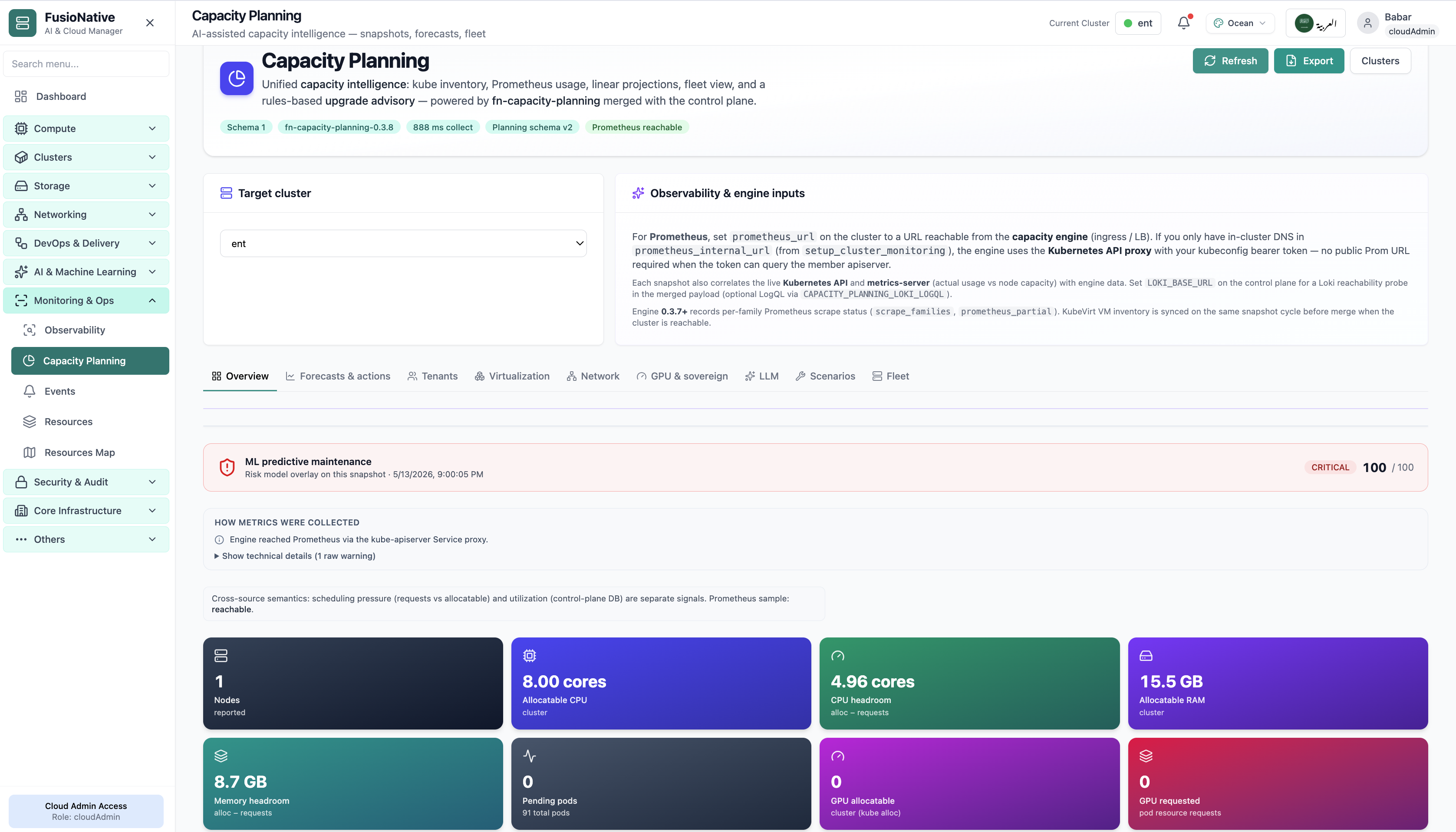
Capacity planning with headroom and predictive risk overlay.
Click the screenshot to open full size, zoom, and pan.
When capacity tiles, forecasts, and tenant overlays reference identical Prometheus series and Kubernetes objects, debates shift from “whose export is right” to “which scenario do we fund.”
Forecasts & actions stay grounded because collectors, schemas, and Prometheus health are visible, not hidden jobs in another portal.
Fleet and scenario tabs compare clusters without stripping virtualization, network, or LLM-specific overlays.
Dedicated tenant lenses translate raw cluster metrics into chargeback-ready narratives.