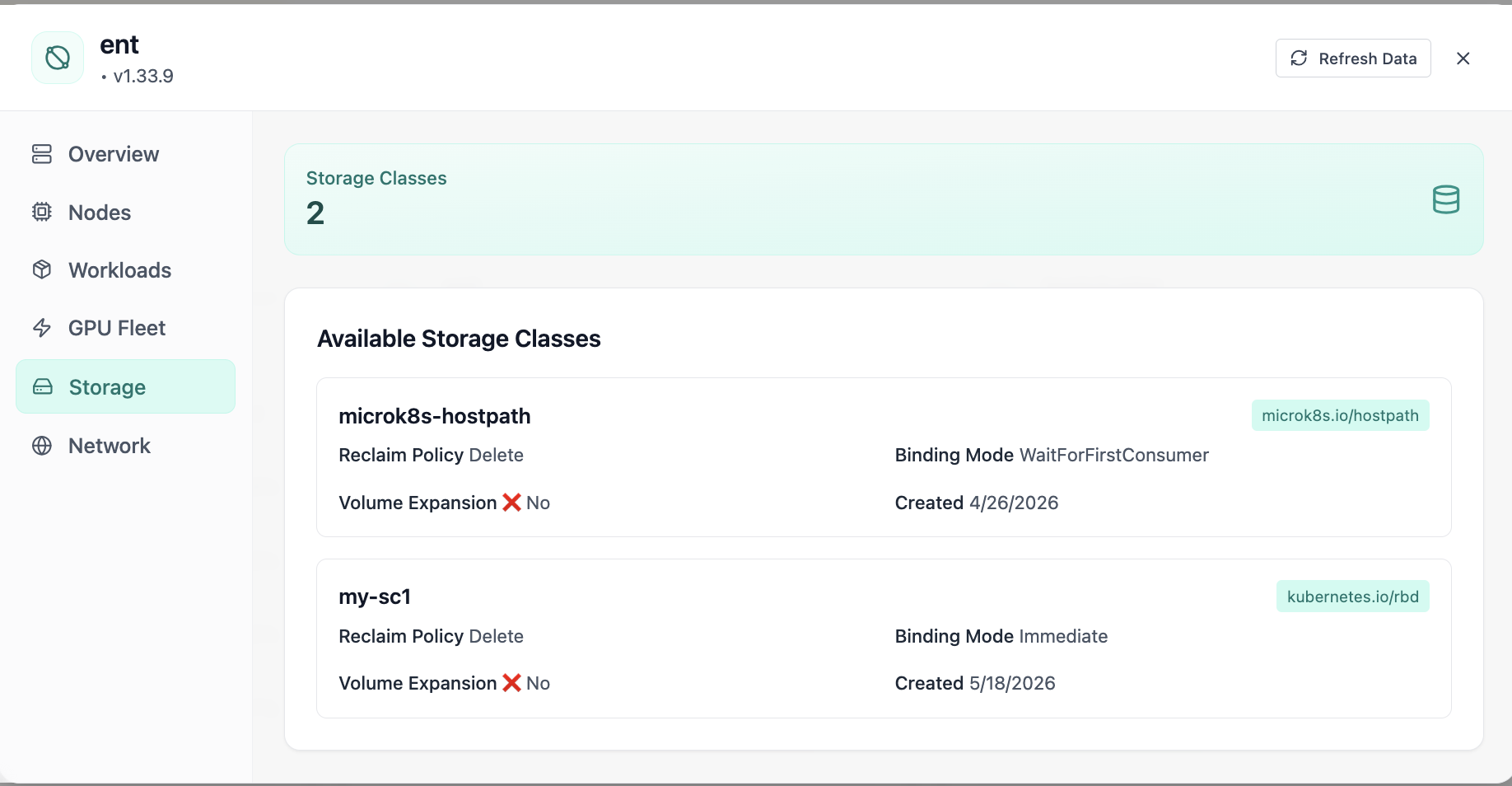
Storage Classes
Available storage classes with reclaim policies.
- Same layout your operators see in production
- Click to zoom in
- Works alongside the rest of Cloud Admin
Click the screenshot to open full size, zoom, and pan.
Storage
Manage storage infrastructure, backup and restore workflows, and networking across your Kubernetes estates.
Storage · Kubernetes
See Storage Classes, Persistent Volumes, and Volume Claims with live counts, bind ratio, and capacity vs requested totals. Drill into tabbed resource management, distribution charts, search and filters, card or list views, and create flows, without bouncing between CLIs and spreadsheets.
Screens from the live product, with a short note on when you would open each view.
Available storage classes with reclaim policies.
Click the screenshot to open full size, zoom, and pan.
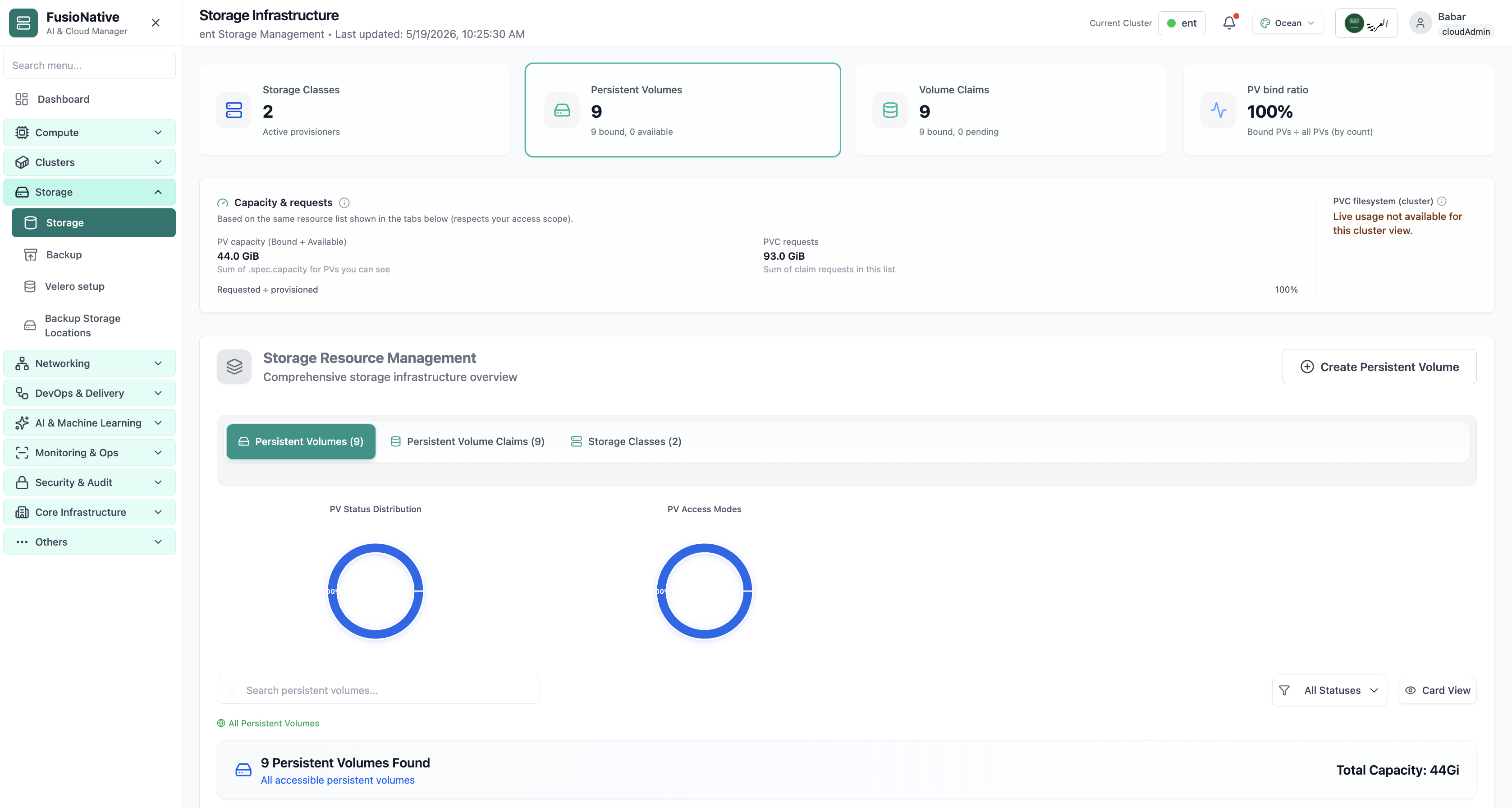
Storage infrastructure dashboard with PV, PVC, and capacity.
Click the screenshot to open full size, zoom, and pan.
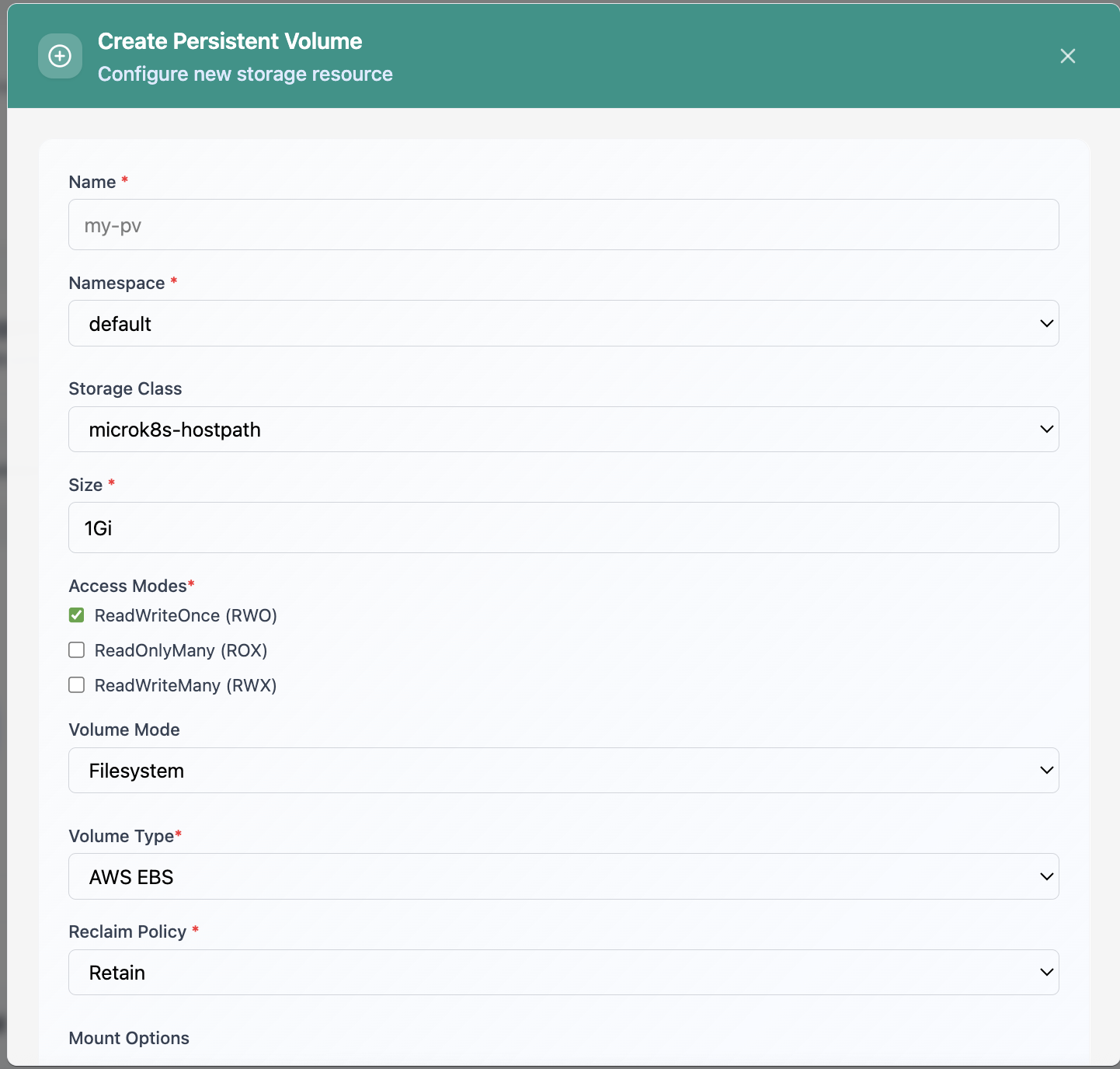
Create Persistent Volume form.
Click the screenshot to open full size, zoom, and pan.
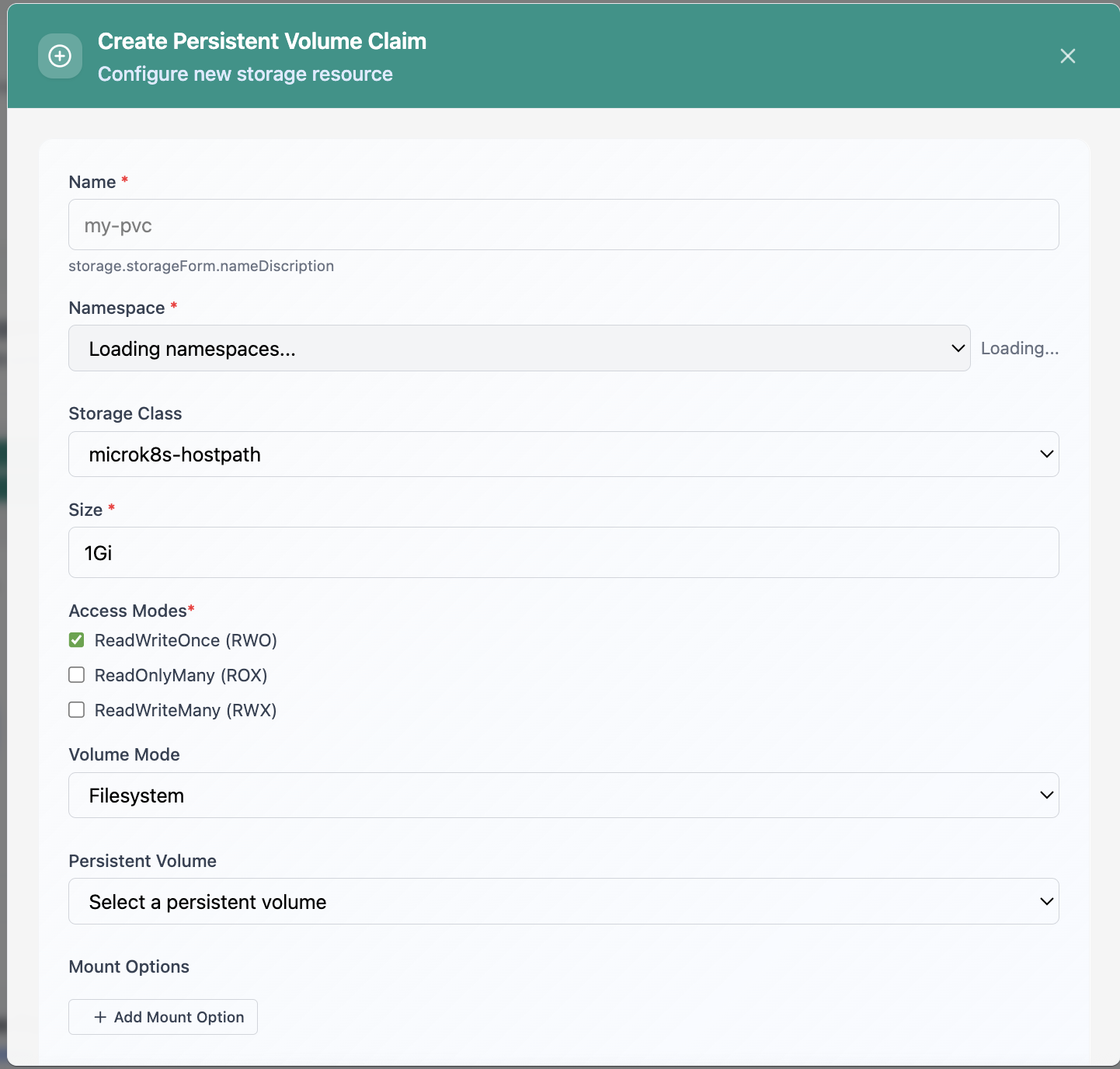
Create Persistent Volume Claim form.
Click the screenshot to open full size, zoom, and pan.
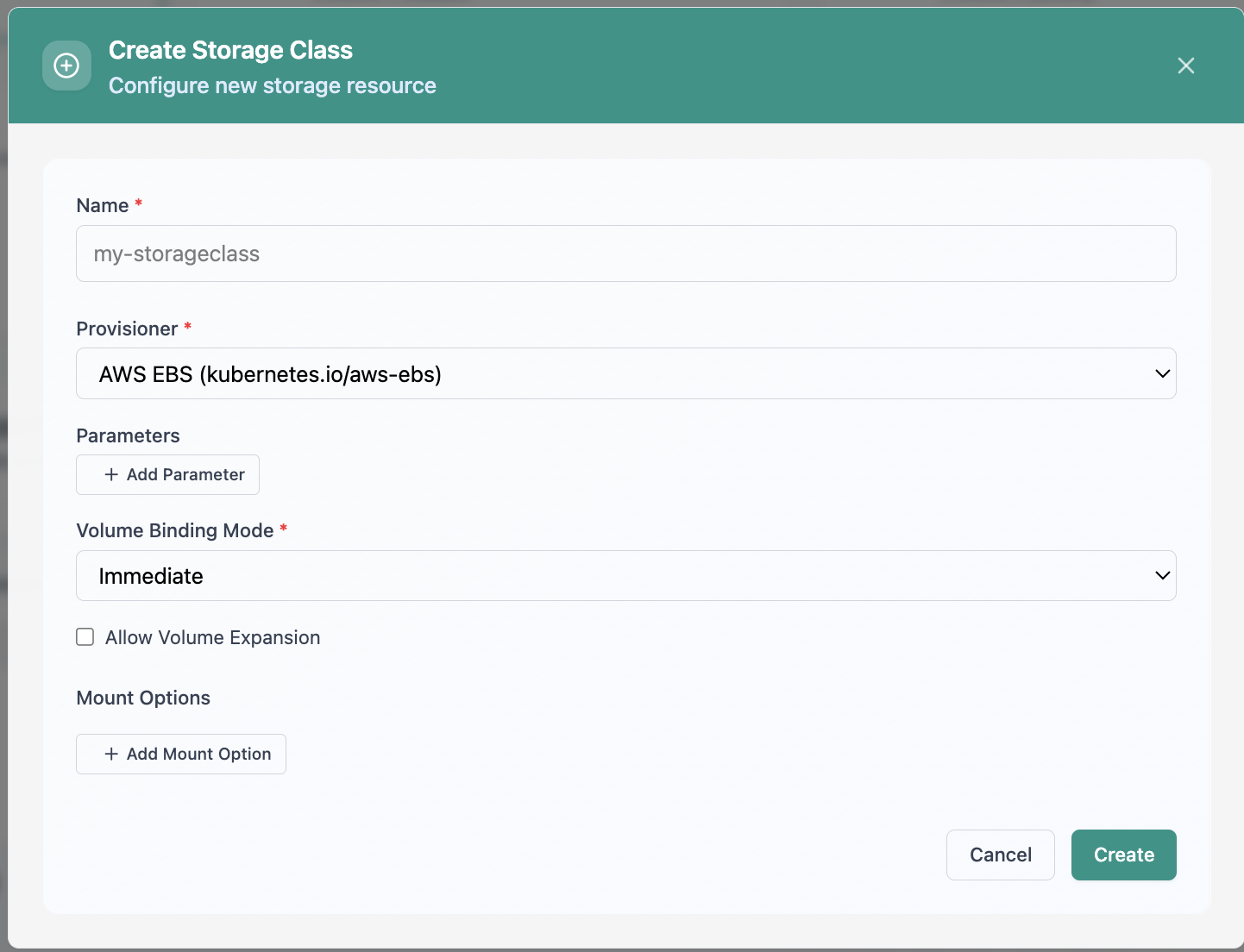
Create Storage Class configuration.
Click the screenshot to open full size, zoom, and pan.
When bind ratio, reclaim policy, and requested GiB share one surface, platform teams can plan changes instead of firefighting disk.
Classes, volumes, and claims together, charts for status and access modes, not guesswork.
Compare PVC requests to PV capacity totals for the same scoped list you operate on.
Search, filter, switch views, and create volumes where policy allows. Fewer context switches.
Run Storage Infrastructure from Cloud Admin next to workloads, clusters, and backup in one console for Kubernetes data paths.
Get a demoStorage · Data protection
Run cluster backups and VM snapshots from one place: Velero schedules, manual runs, history and restores, reported backup storage, export-friendly workflows, guided Velero install, and BackupStorageLocation targets from MinIO and S3-compatible endpoints to NFS CSI, Longhorn, and Ceph.
Screens from the live product, with a short note on when you would open each view.
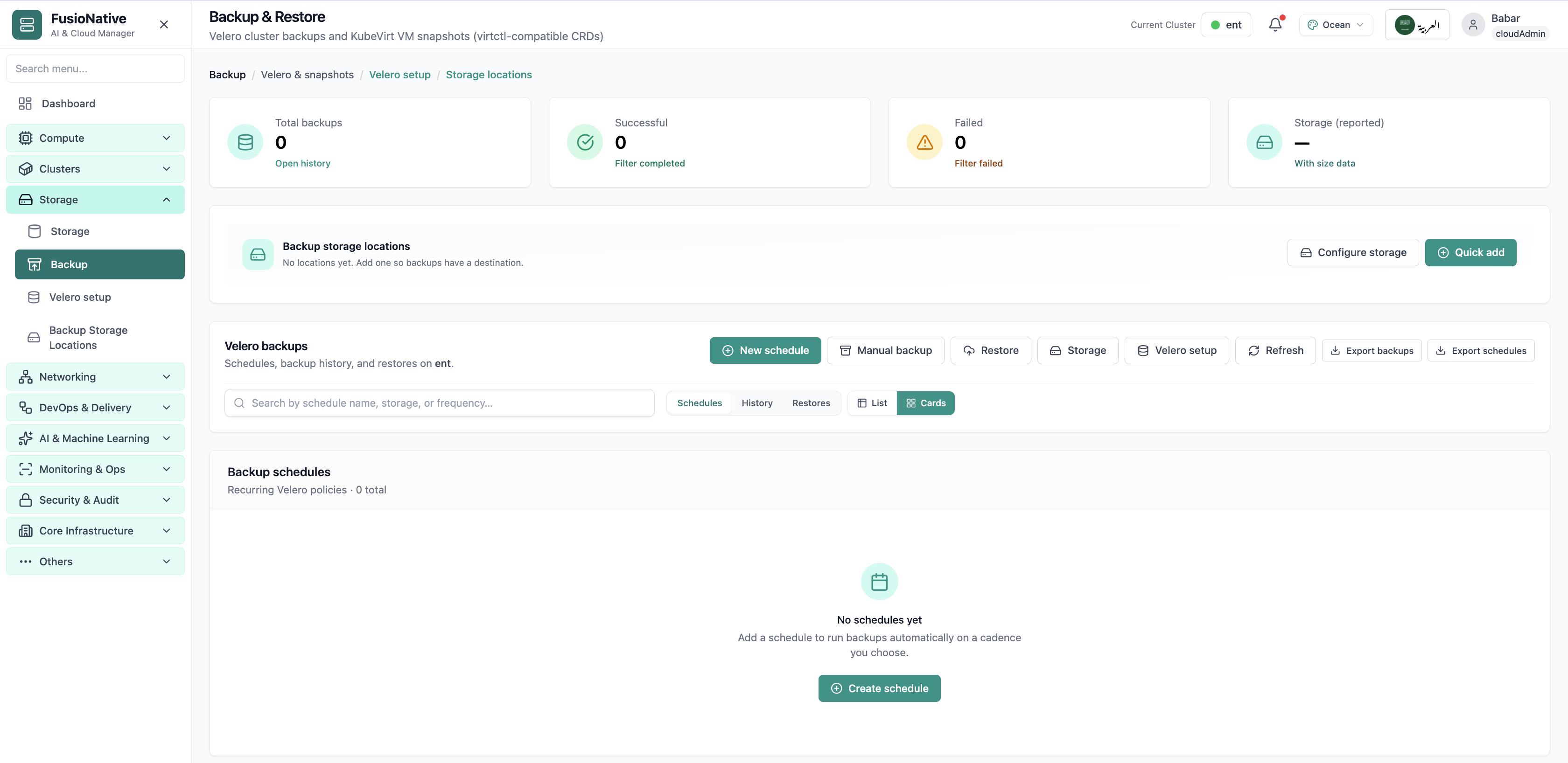
Velero backup and restore dashboard.
Click the screenshot to open full size, zoom, and pan.
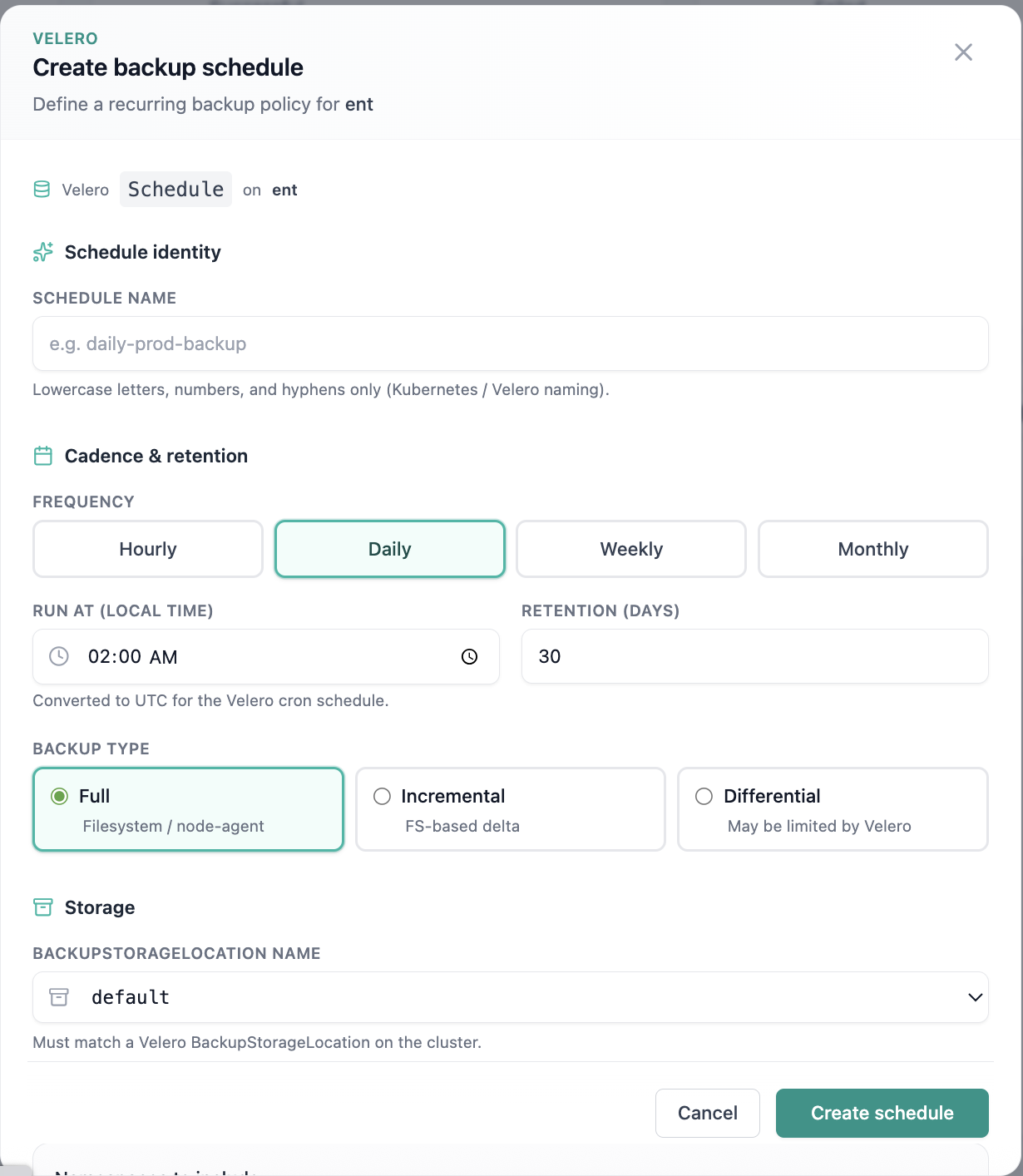
Create backup schedule form.
Click the screenshot to open full size, zoom, and pan.
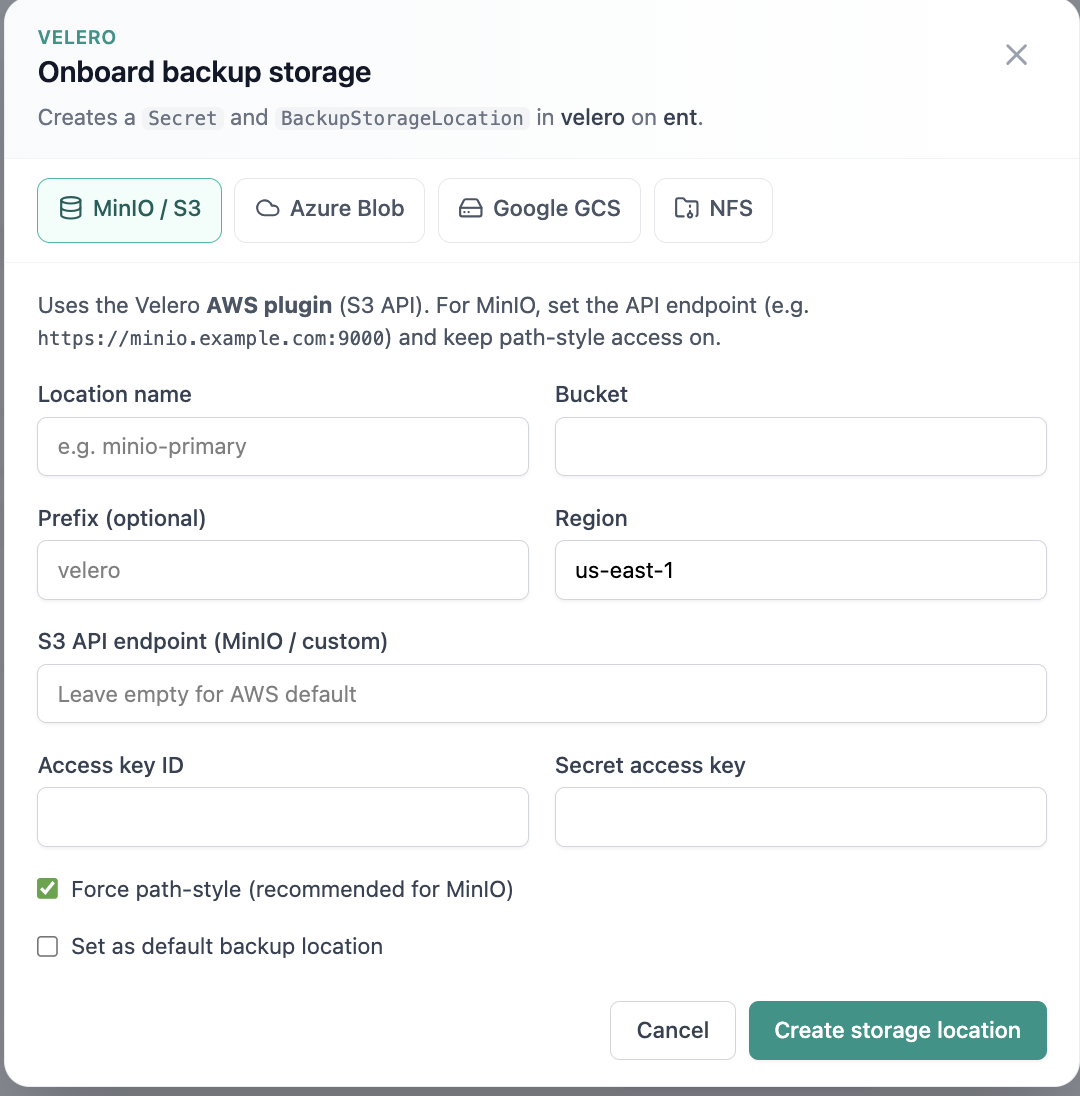
Onboard backup storage location.
Click the screenshot to open full size, zoom, and pan.
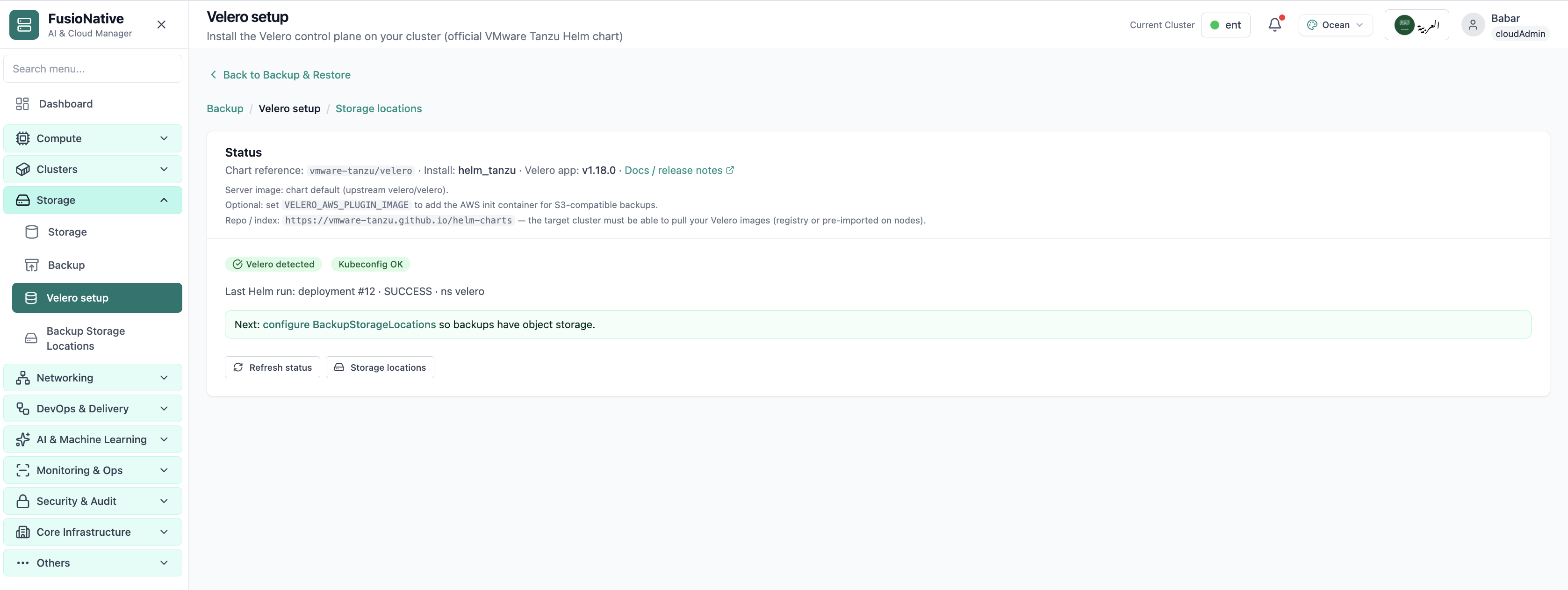
Velero installation and setup wizard.
Click the screenshot to open full size, zoom, and pan.
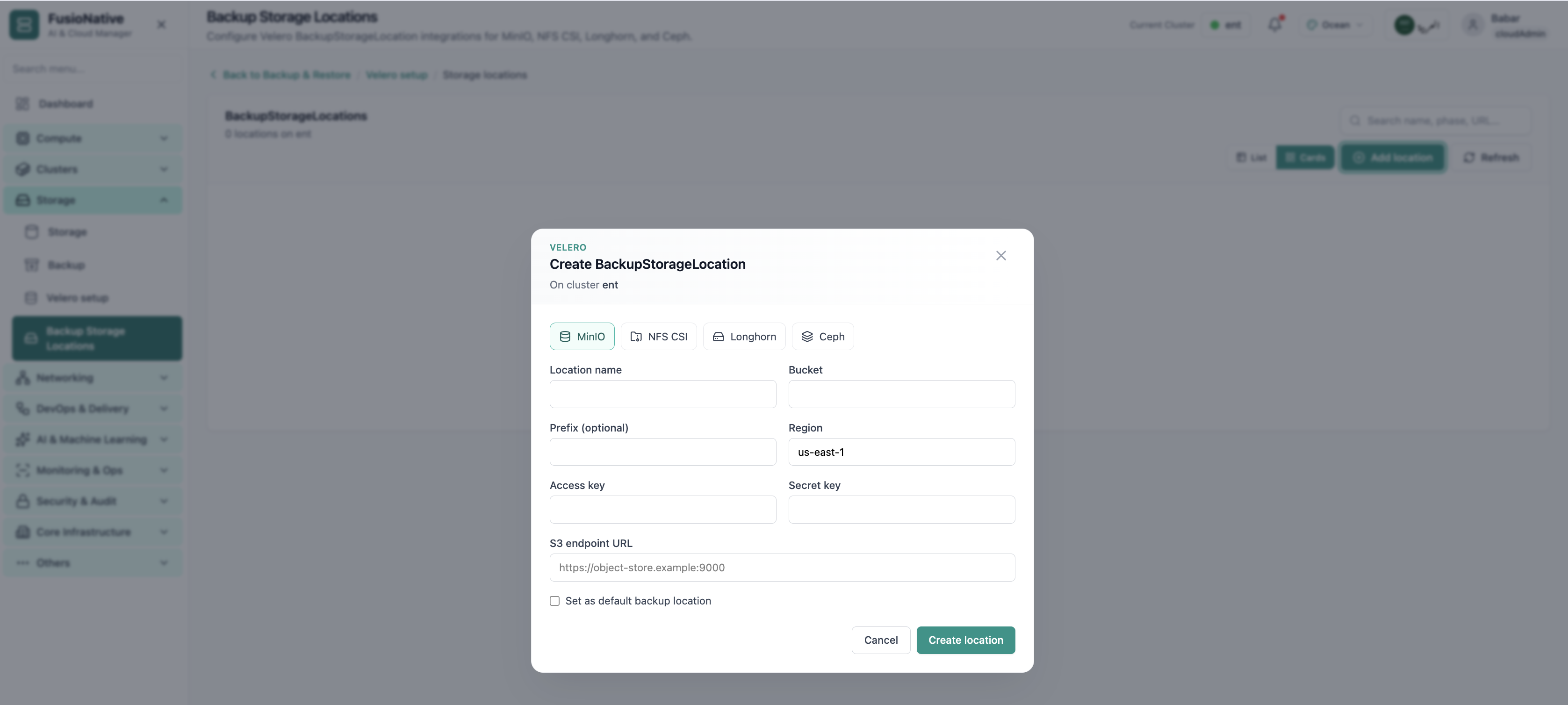
Backup storage locations configuration.
Click the screenshot to open full size, zoom, and pan.
When schedules, targets, and snapshot workflows share one UI, platform teams rehearse failure modes instead of discovering gaps during incidents.
Cadence, retention, and storage targets captured where admins already work, not buried in Git forks.
Velero for Kubernetes plus KubeVirt snapshots reduces parallel runbooks for mixed estates.
Explicit BSL modeling for common backends keeps restore objectives tied to real object-store endpoints.
See Backup & Restore, Velero setup, and Backup Storage Locations inside Cloud Admin, alongside Storage and workloads.
Get a demoNetworking · Kubernetes
Shape how traffic reaches your workloads: filter Services by ClusterIP, NodePort, and LoadBalancer; manage Ingresses and IngressClasses; use port forwarding when you need a fast path to a pod. Everything stays tied to the selected cluster and namespace scope you are allowed to see, search, create, edit, view YAML, or delete without leaving Cloud Admin.
Screens from the live product, with a short note on when you would open each view.
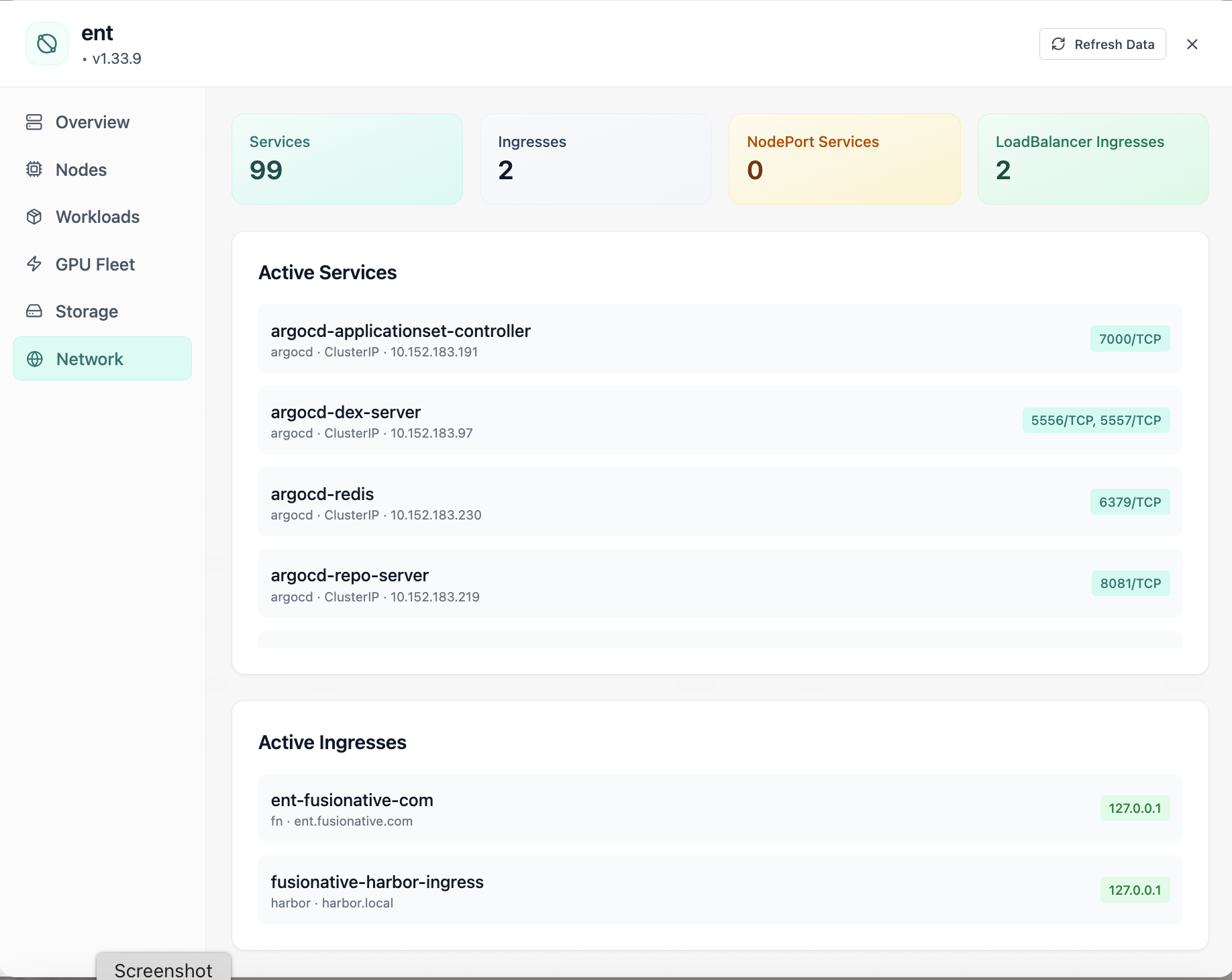
Cluster network services and ingresses.
Click the screenshot to open full size, zoom, and pan.
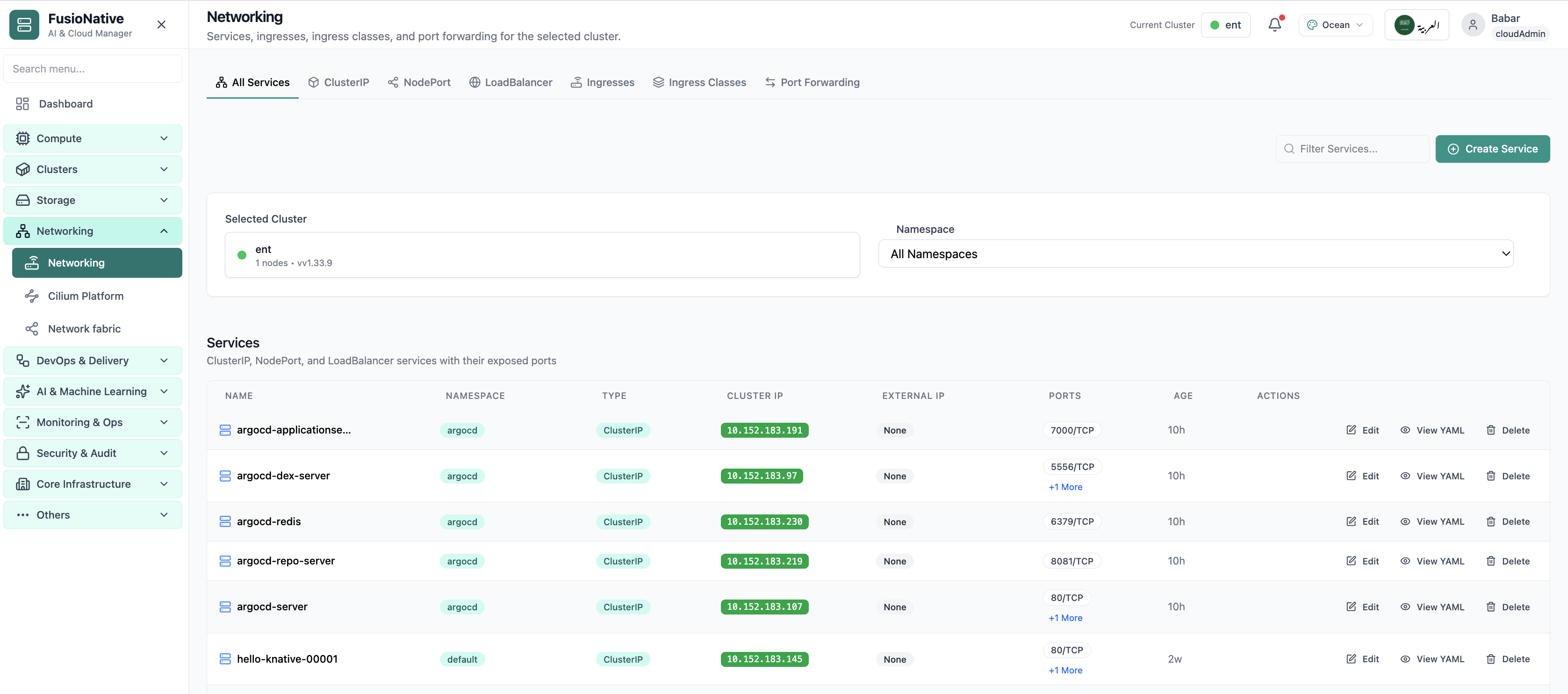
Kubernetes networking services and ingress management.
Click the screenshot to open full size, zoom, and pan.
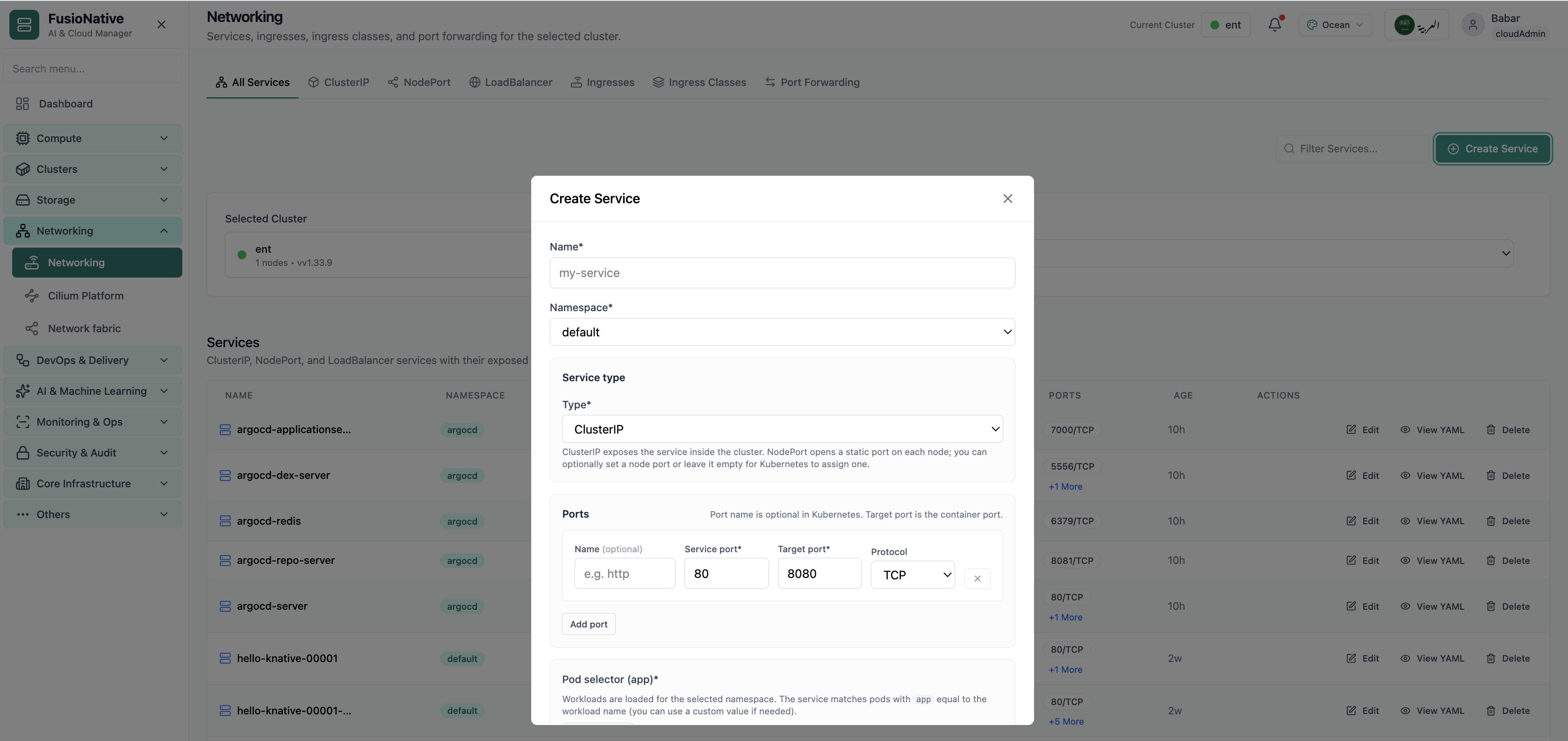
Networking configuration and service details.
Click the screenshot to open full size, zoom, and pan.
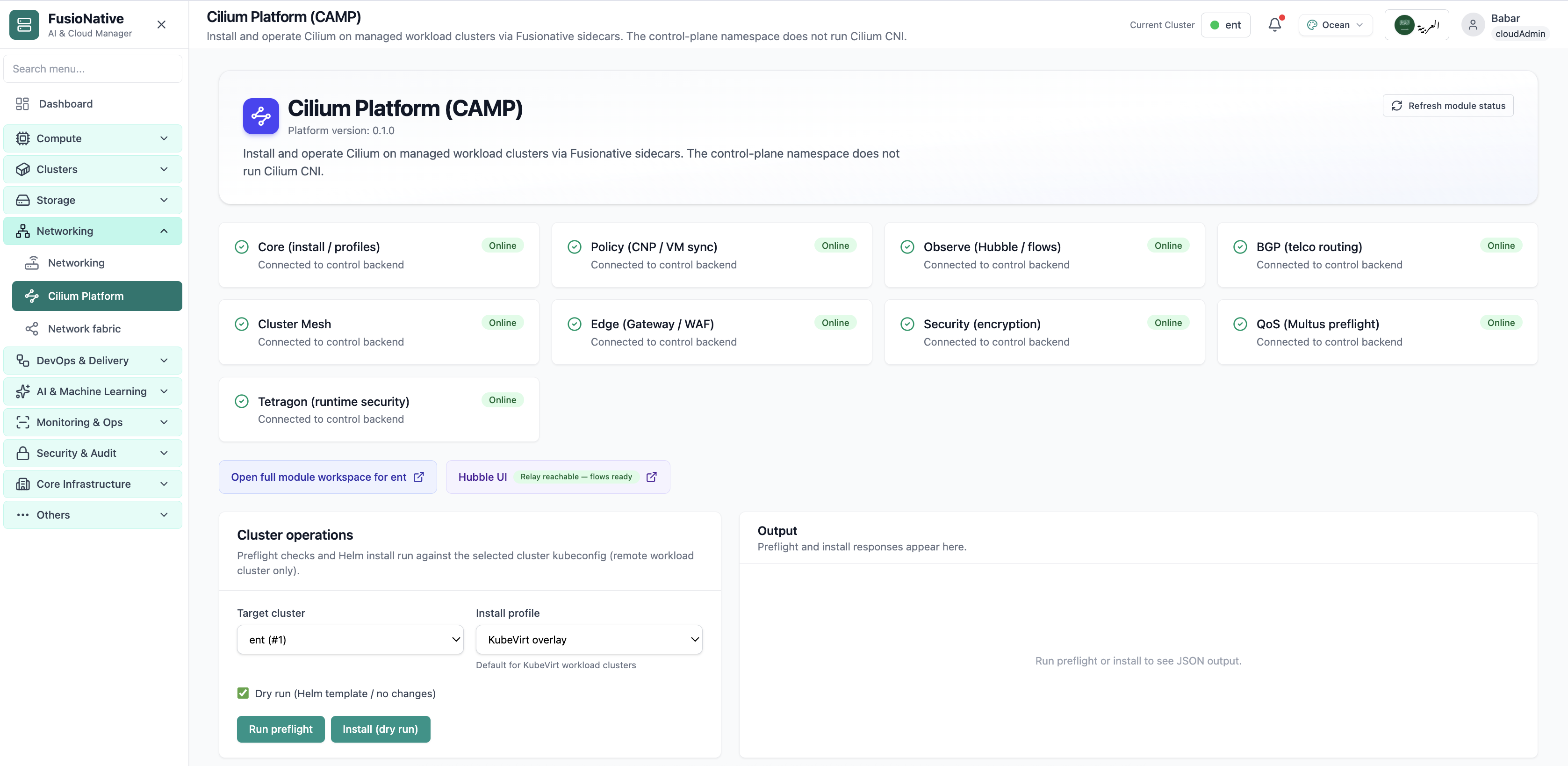
Cilium Platform module status and Helm install controls.
Click the screenshot to open full size, zoom, and pan.
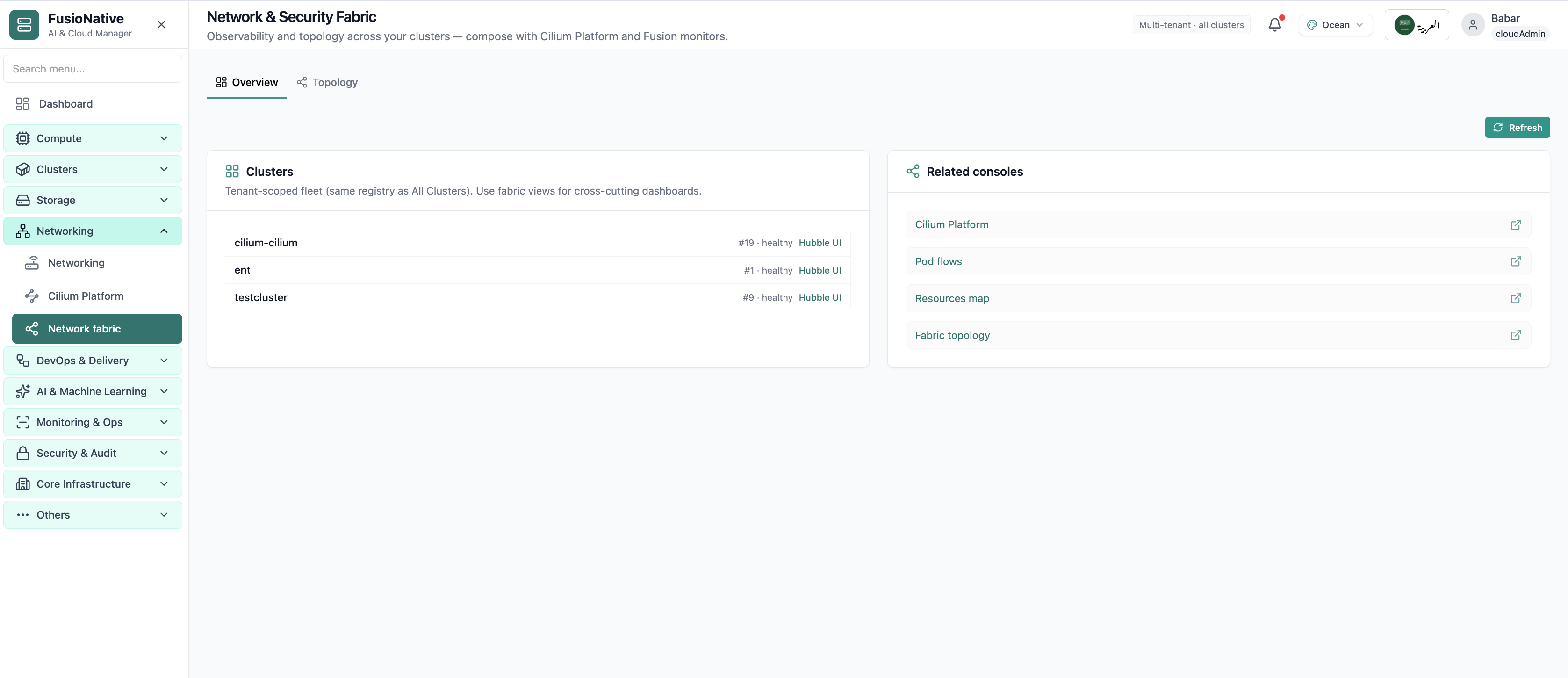
Network fabric overview with Hubble and topology links.
Click the screenshot to open full size, zoom, and pan.
When Services, Ingress, and forwards live beside cluster context, platform and app teams agree on what is actually exposed.
Cluster-internal ClusterIP, node-edge NodePort, cloud LoadBalancers, and HTTP Ingress, bounded by the tabs you already use in kubectl, only faster.
Namespace-scoped selectors and port rows reduce fat-finger manifests while keeping advanced users unblocked.
YAML inspection on demand reconciles UI state with Git and audit expectations.
Operate Kubernetes Services and Ingress from Cloud Admin alongside clusters, workloads, and storage.
Get a demo