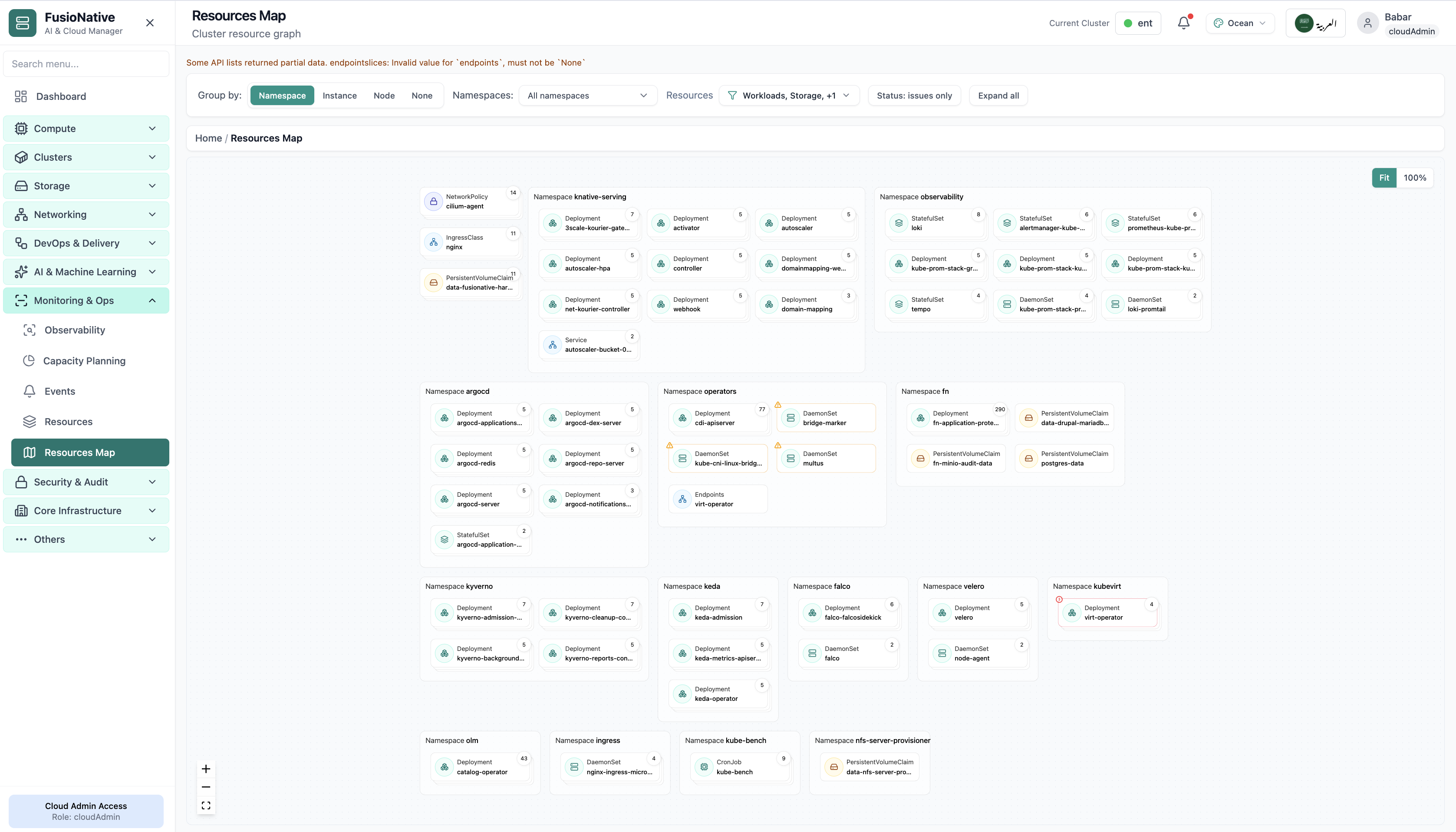
Resources Map
Cluster resource topology graph by namespace.
- Same layout your operators see in production
- Click to zoom in
- Works alongside the rest of Cloud Admin
Click the screenshot to open full size, zoom, and pan.
Monitoring & Ops
Open Monitoring & Ops → Resources Map for a spatial view of the cluster: namespaces as swimlanes, workload and storage cards inside each lane, and controls to group by namespace, instance, node, or none, plus namespace and resource-type filters, an Issues only toggle, expand/collapse, and zoom to fit.
Screens from the live product, with a short note on when you would open each view.
Cluster resource topology graph by namespace.
Click the screenshot to open full size, zoom, and pan.
Resources Map is for the moment when everyone asks “what shares that namespace?”, grouping, filters, and issue-only mode answer it without exporting a dozen kubectl transcripts.
When list APIs return slices or validation warnings, the UI can surface them, so “empty” never means “healthy” by accident.
Flip to degraded cards only during incidents; expand all when you need the full context for a change window.
The map respects the cluster picker used across Monitoring & Ops, no duplicate “which kubeconfig am I holding?” moments.