DevOps

GitOps, registries, and serverless delivery paths

Deploy with GitOps, manage container registries, run serverless functions, and virtualize workloads with KubeVirt.

DevOps & Delivery · GitOps

Deployments (GitOps)

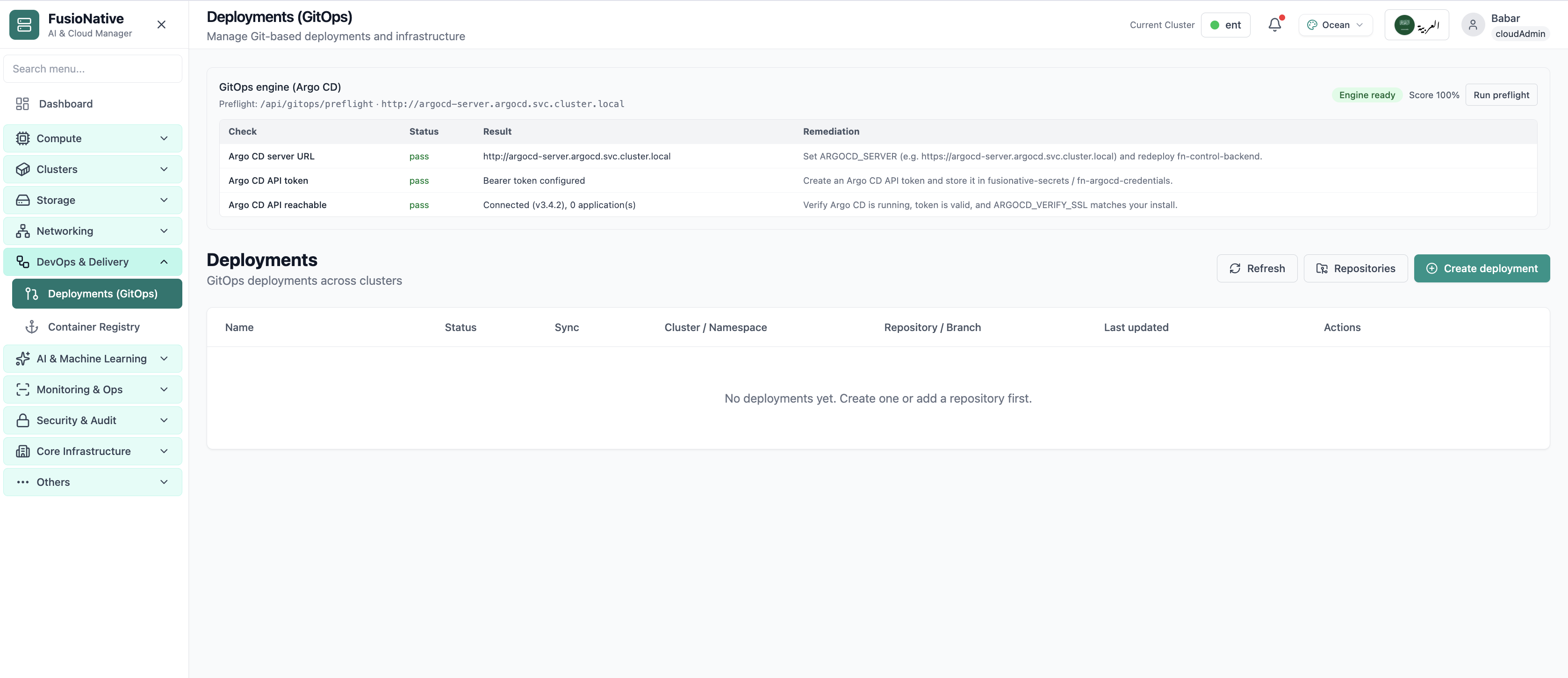
Manage Git-based deployments and infrastructure from one table: see name, status, sync drift, target cluster and namespace, repository and branch, and last update, then refresh, wire repositories, or create a deployment with repository URL, branch, and repo path. Repositories can be registered ahead of time so teams reuse trusted sources instead of pasting URLs every time.

Product walkthrough

See it in Cloud Admin

Screens from the live product, with a short note on when you would open each view.

Argo CD GitOps deployments with preflight checks.
01of 02Cloud Admin

GitOps Deployments

Argo CD GitOps deployments with preflight checks.

  • Wizard validates each step before you continue
  • Settings stay consistent with cluster quotas and GPU pools
  • Review the full stack before anything reaches production

Click the screenshot to open full size, zoom, and pan.
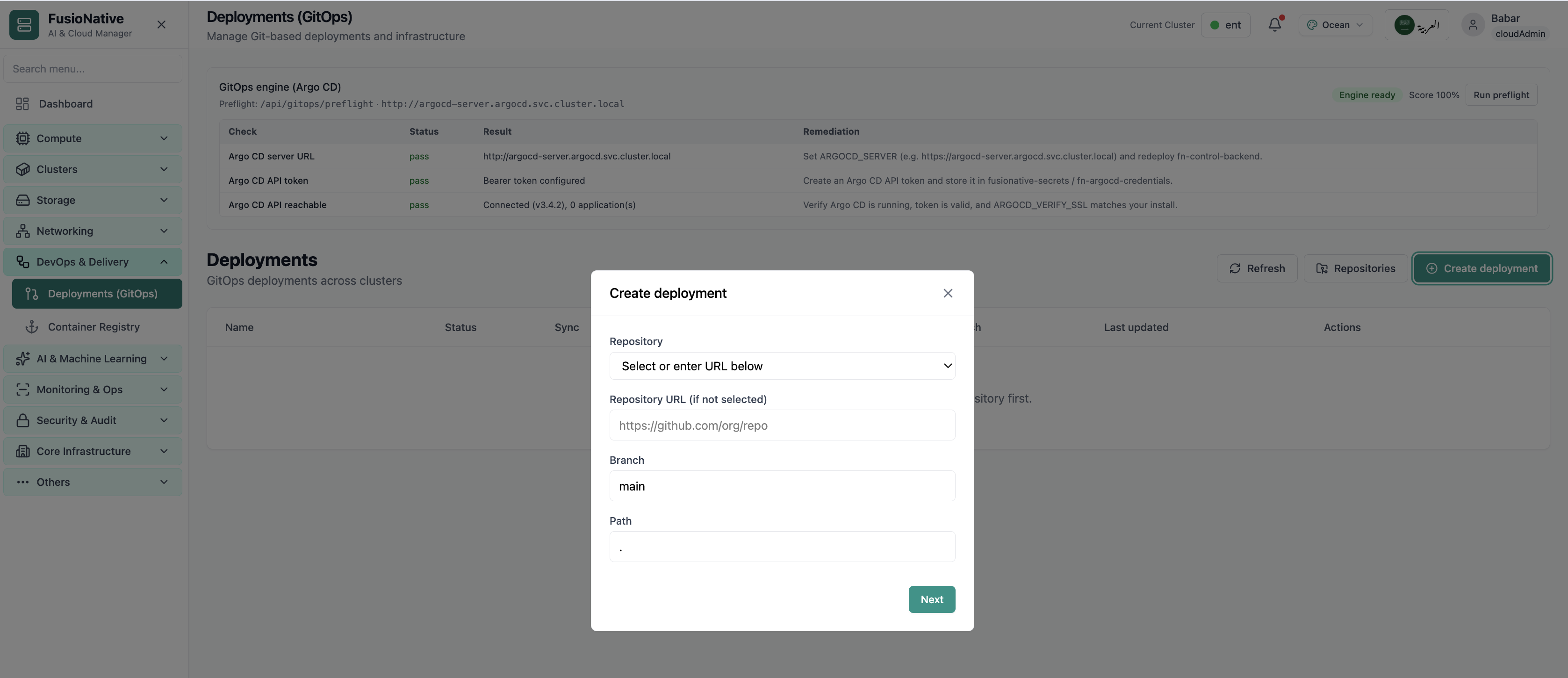
Create GitOps deployment modal.
02of 02Cloud Admin

Create deployment

Create GitOps deployment modal.

  • Wizard validates each step before you continue
  • Settings stay consistent with cluster quotas and GPU pools
  • Review the full stack before anything reaches production

Click the screenshot to open full size, zoom, and pan.
Delivery discipline

Git is only source of truth if everyone can see the reconciliation

When sync and status share a table with cluster scope, platform teams stop reconciling GitOps from memory.

One ledger for GitOps

Deployments stay visible across namespaces, no more hunting branch names in ticket archives.

Repositories first

Register remotes once, reuse everywhere. Fewer bad URLs and fewer secret leaks in chat.

Create with intent

Branch and path fields keep monorepo layouts explicit instead of implied.

Put GitOps next to the clusters you reconcile

Run Deployments (GitOps) from Cloud Admin alongside workloads, networking, and Helm, one plane for delivery.

Get a demo

DevOps & Delivery · Images

Container Registry

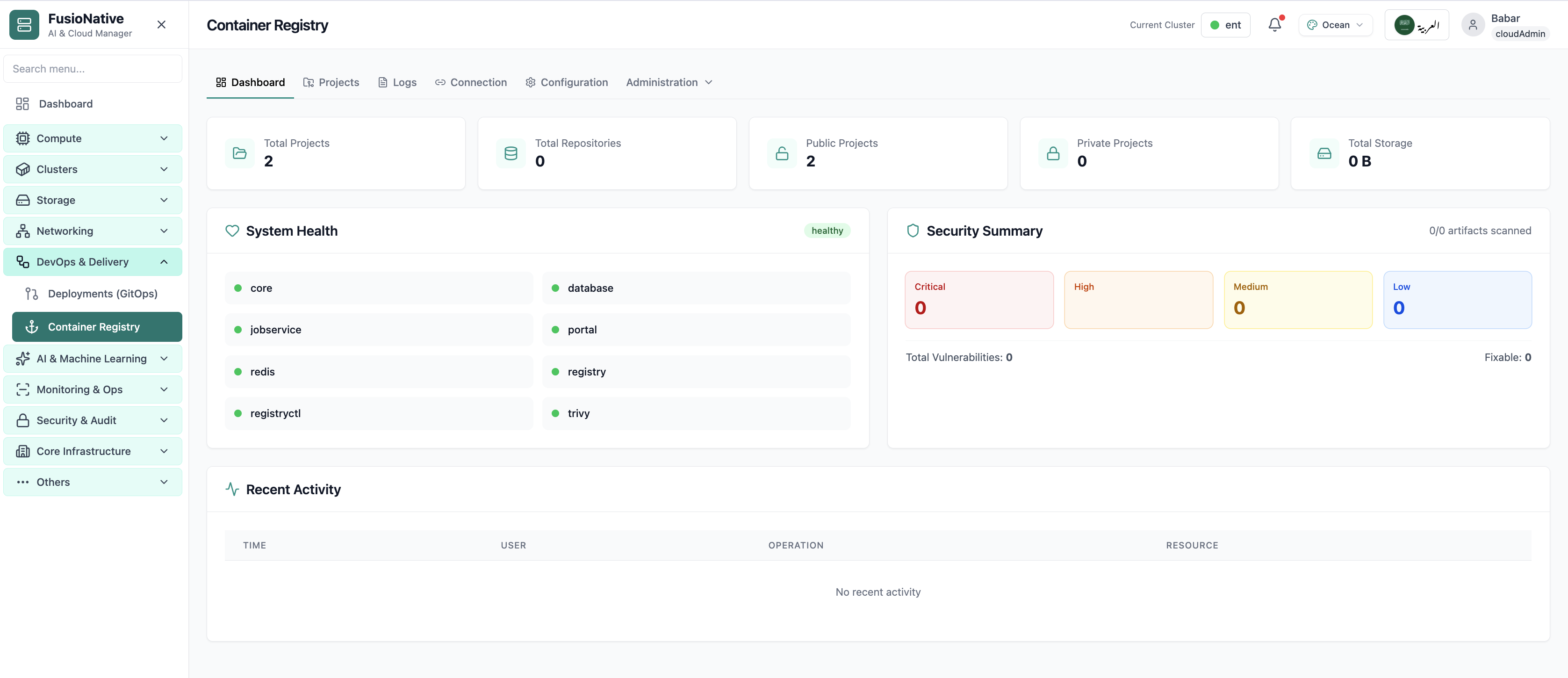
Operate a registry that fits platform engineering: dashboard KPIs for projects and repositories (public vs private), storage totals, component health, vulnerability summaries with scanning signals, and recent activity for audits. Wire Cloud Admin to your Harbor v2.0 API for pull/push and proxy behavior, then tune connection, system configuration, logs, and administration without switching consoles.

Product walkthrough

See it in Cloud Admin

Screens from the live product, with a short note on when you would open each view.

Your starting point for container registry: KPI cards and charts summarize fleet health, including harbor registry dashboard and security summary. Spot drift early, then drill into the tab that explains the root cause.
01of 04Cloud Admin

Registry Dashboard

Your starting point for container registry: KPI cards and charts summarize fleet health, including harbor registry dashboard and security summary. Spot drift early, then drill into the tab that explains the root cause.

  • KPI strip shows the numbers leadership cares about first
  • Charts link utilization to time so you spot spikes quickly
  • One click into deeper tabs when something looks off

Click the screenshot to open full size, zoom, and pan.
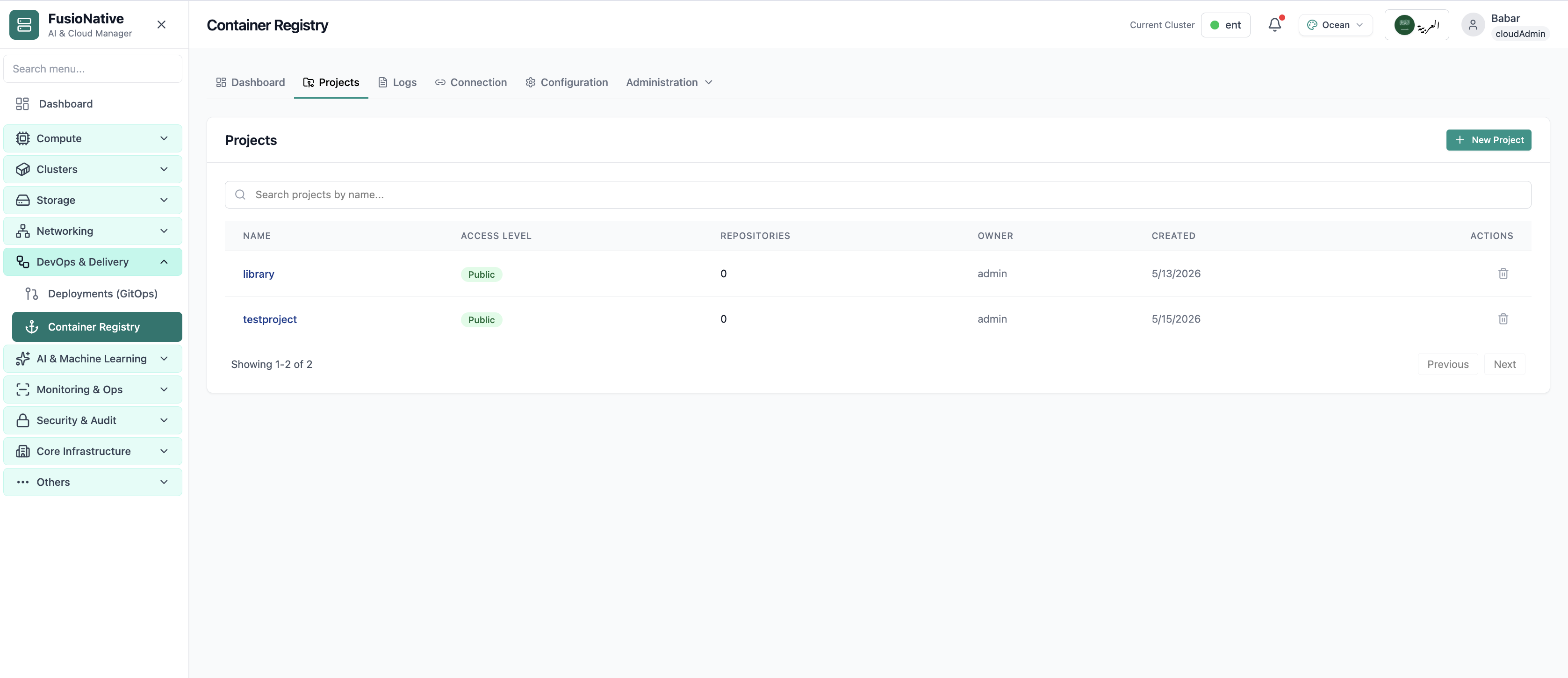
Container registry projects list.
02of 04Cloud Admin

Projects

Container registry projects list.

  • Same layout your operators see in production
  • Click to zoom in
  • Works alongside the rest of Cloud Admin

Click the screenshot to open full size, zoom, and pan.
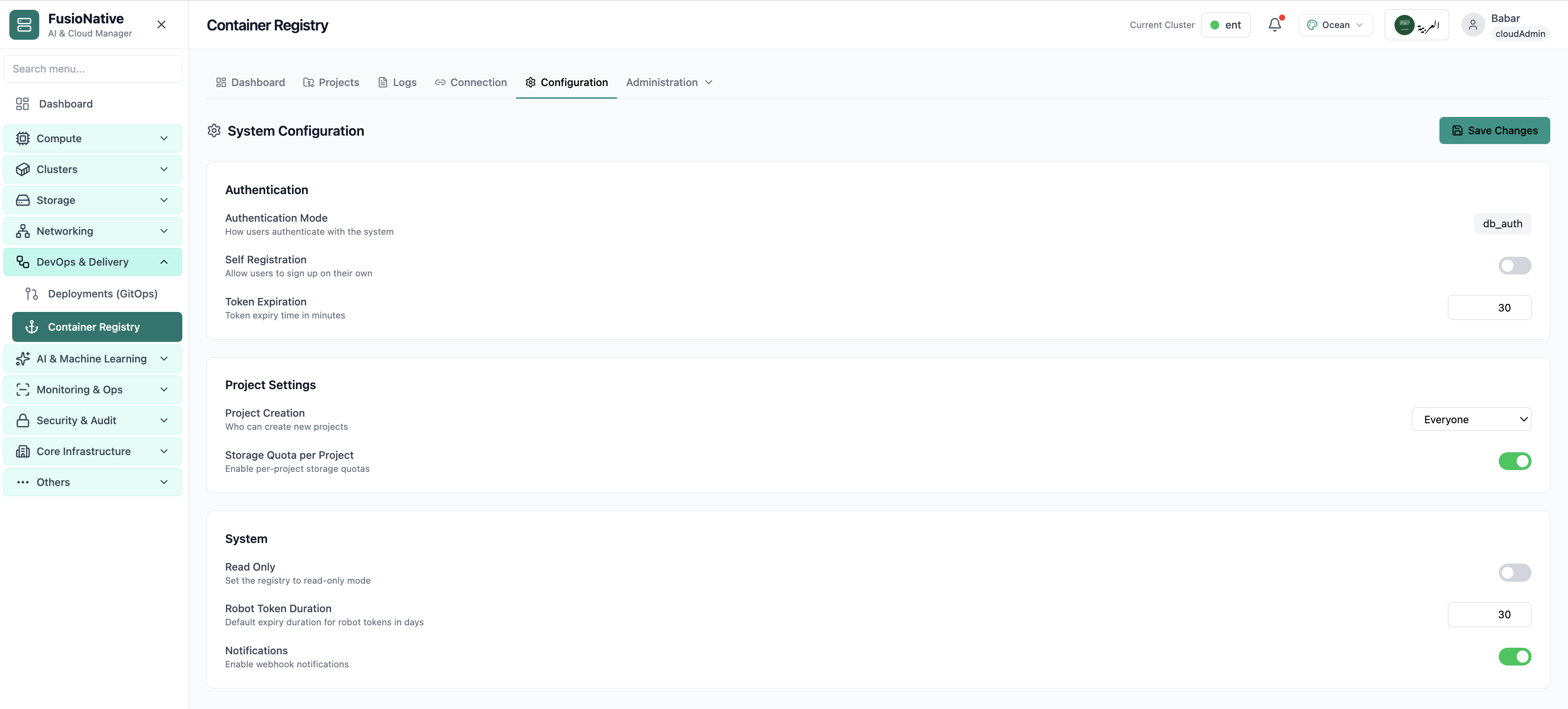
Registry system configuration.
03of 04Cloud Admin

Configuration

Registry system configuration.

  • Same layout your operators see in production
  • Click to zoom in
  • Works alongside the rest of Cloud Admin

Click the screenshot to open full size, zoom, and pan.
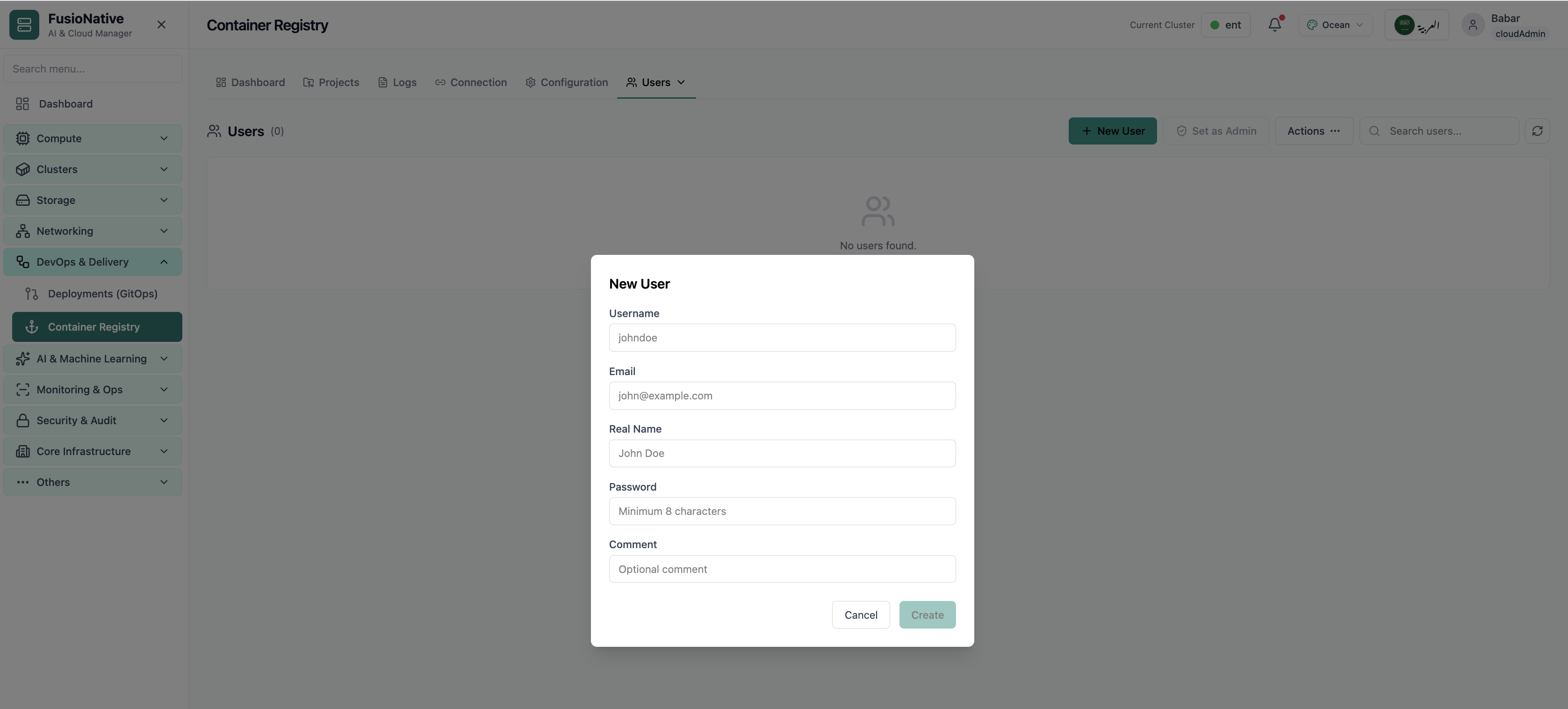
Create registry user modal.
04of 04Cloud Admin

New User

Create registry user modal.

  • Same layout your operators see in production
  • Click to zoom in
  • Works alongside the rest of Cloud Admin

Click the screenshot to open full size, zoom, and pan.
Supply chain

The registry is part of delivery, not a separate island

When storage, CVE posture, and audit trails share one plane with GitOps and Kubernetes, supply-chain conversations stay factual.

See exposure early

Project counts and public vs private splits keep accidental exposure visible.

Trust the wiring

Validate Harbor API connectivity before scans and proxies silently fail.

Govern without YAML tours

Quotas, read-only modes, and notifications land where admins already operate.

Put your registry next to delivery controls

Run Container Registry from Cloud Admin alongside GitOps and Kubernetes workflows.

Get a demo

Knative serverless

Deploy Serverless Functions

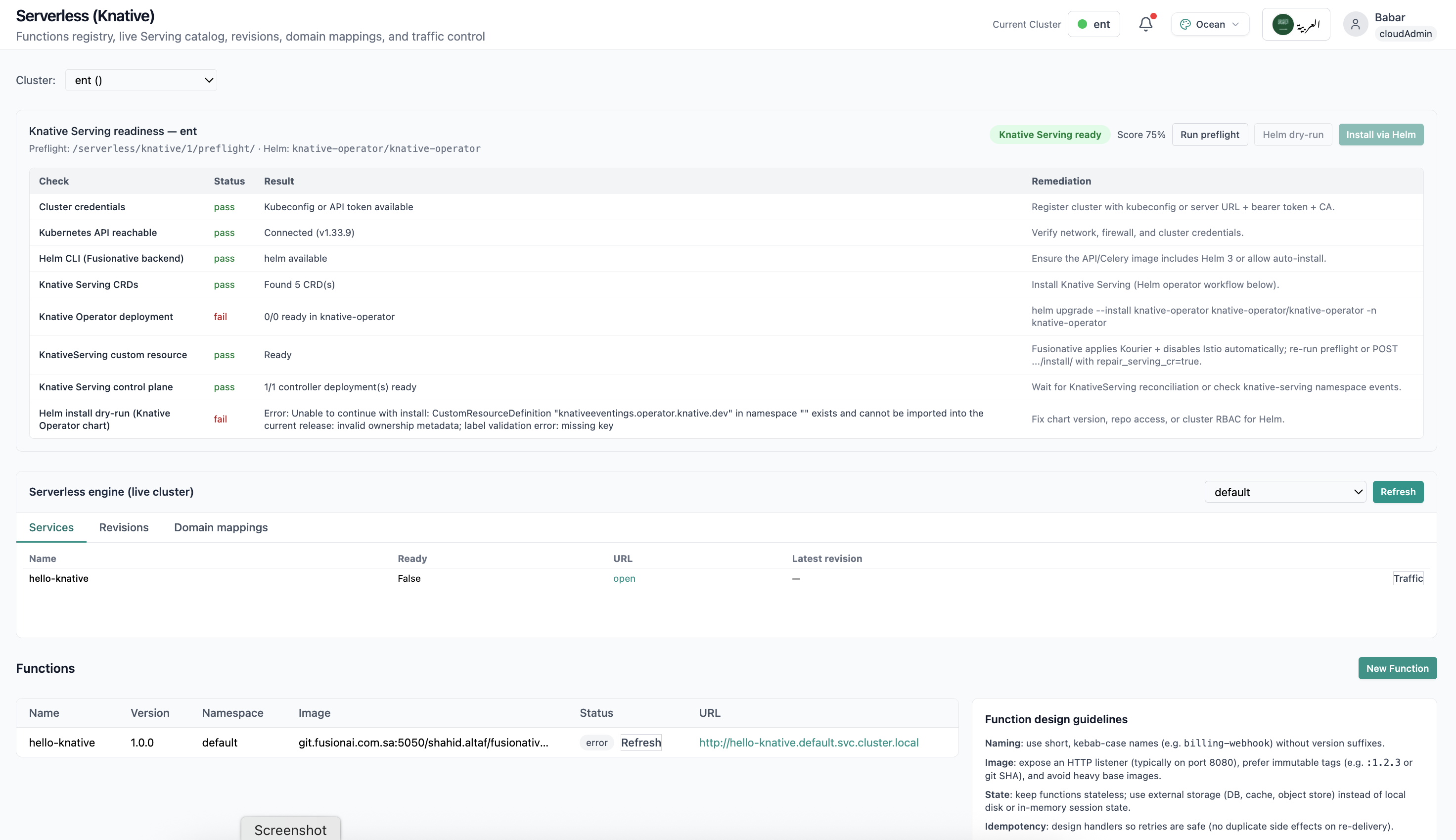
Teams want the velocity of functions without losing enterprise controls. FusioNative wraps Knative-friendly workflows, registry, serving, revisions, domains, and traffic, in a guided experience aligned to your clusters.

Product walkthrough

See it in Cloud Admin

Screens from the live product, with a short note on when you would open each view.

Knative serverless services and functions registry.
01of 02Cloud Admin

Serverless (Knative)

Knative serverless services and functions registry.

  • Same layout your operators see in production
  • Click to zoom in
  • Works alongside the rest of Cloud Admin

Click the screenshot to open full size, zoom, and pan.
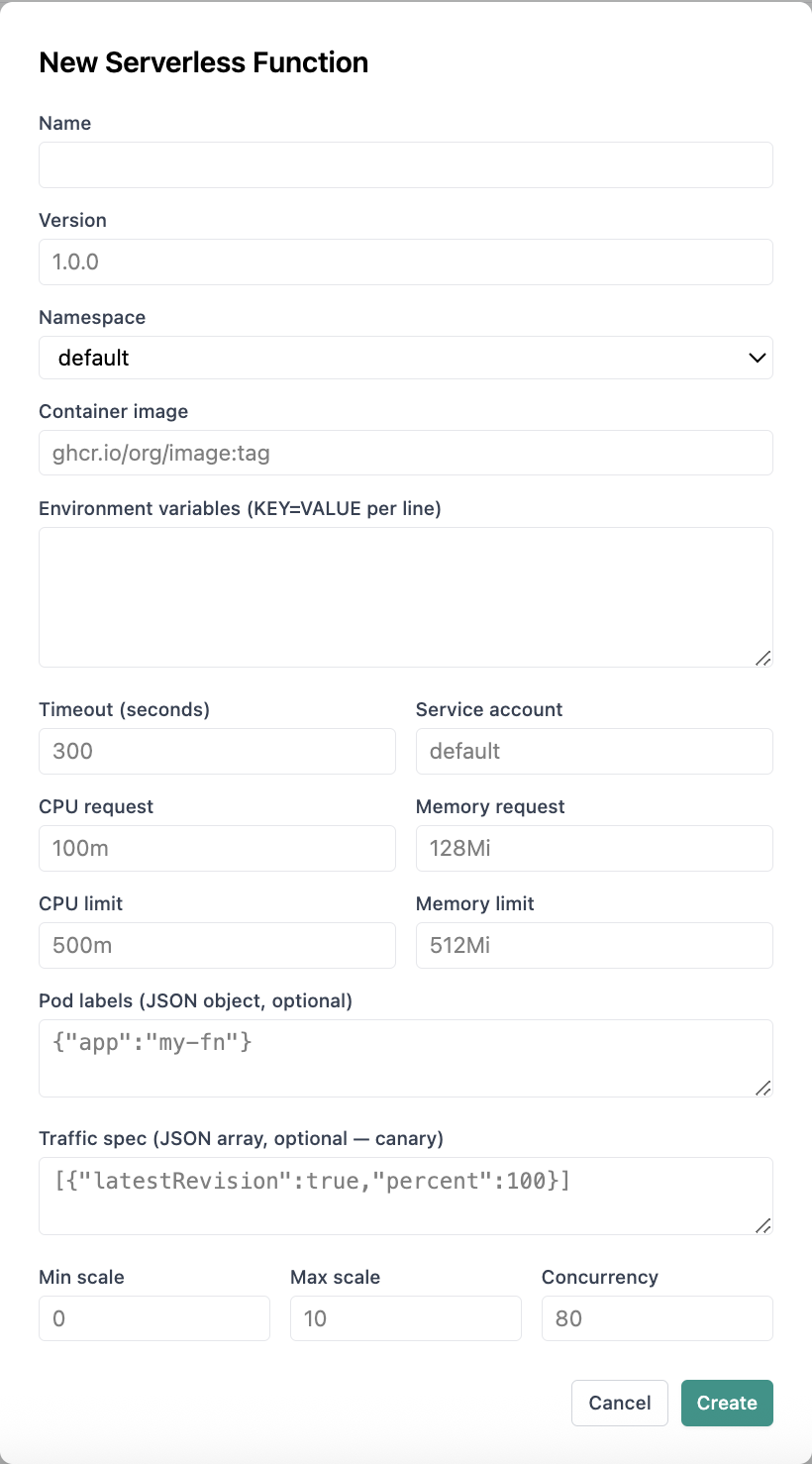
New serverless function form with scaling and traffic spec.
02of 02Cloud Admin

New Serverless Function

New serverless function form with scaling and traffic spec.

  • Same layout your operators see in production
  • Click to zoom in
  • Works alongside the rest of Cloud Admin

Click the screenshot to open full size, zoom, and pan.
Compute · KubeVirt

Virtualization Infrastructure

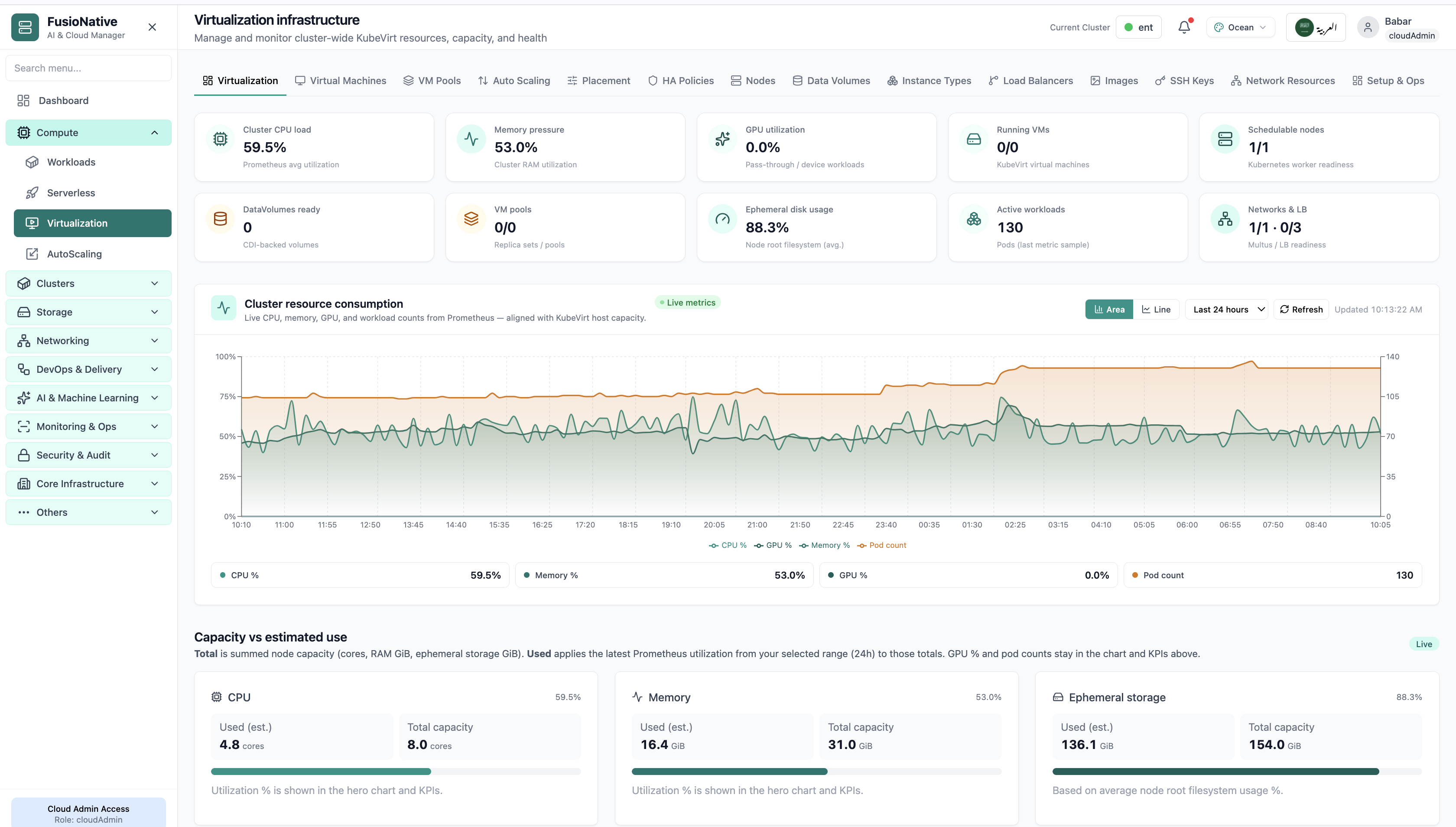
Manage and monitor cluster-wide KubeVirt resources, capacity, and health from a single dashboard. aligned with how operators actually run VMs on Kubernetes.

Product walkthrough

See it in Cloud Admin

Screens from the live product, with a short note on when you would open each view.

Your starting point for KubeVirt virtualization: KPI cards and charts summarize fleet health, including kubevirt kpis and resource consumption chart. Spot drift early, then drill into the tab that explains the root cause.
01of 14Cloud Admin

Virtualization dashboard

Your starting point for KubeVirt virtualization: KPI cards and charts summarize fleet health, including kubevirt kpis and resource consumption chart. Spot drift early, then drill into the tab that explains the root cause.

  • KPI strip shows the numbers leadership cares about first
  • Charts link utilization to time so you spot spikes quickly
  • One click into deeper tabs when something looks off

Click the screenshot to open full size, zoom, and pan.
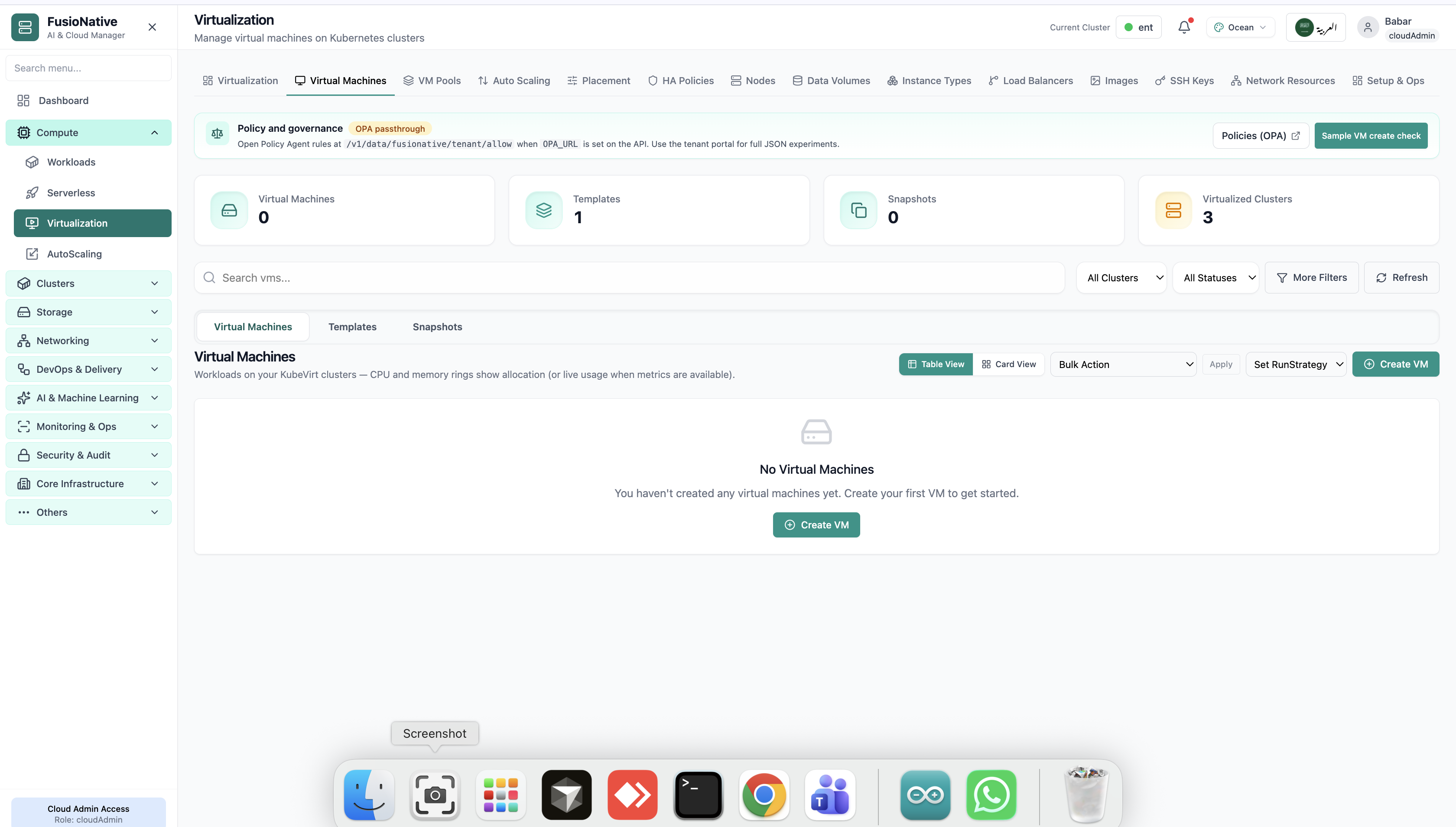
Virtual machines tab with create VM action.
02of 14Cloud Admin

Virtual Machines

Virtual machines tab with create VM action.

  • Same layout your operators see in production
  • Click to zoom in
  • Works alongside the rest of Cloud Admin

Click the screenshot to open full size, zoom, and pan.
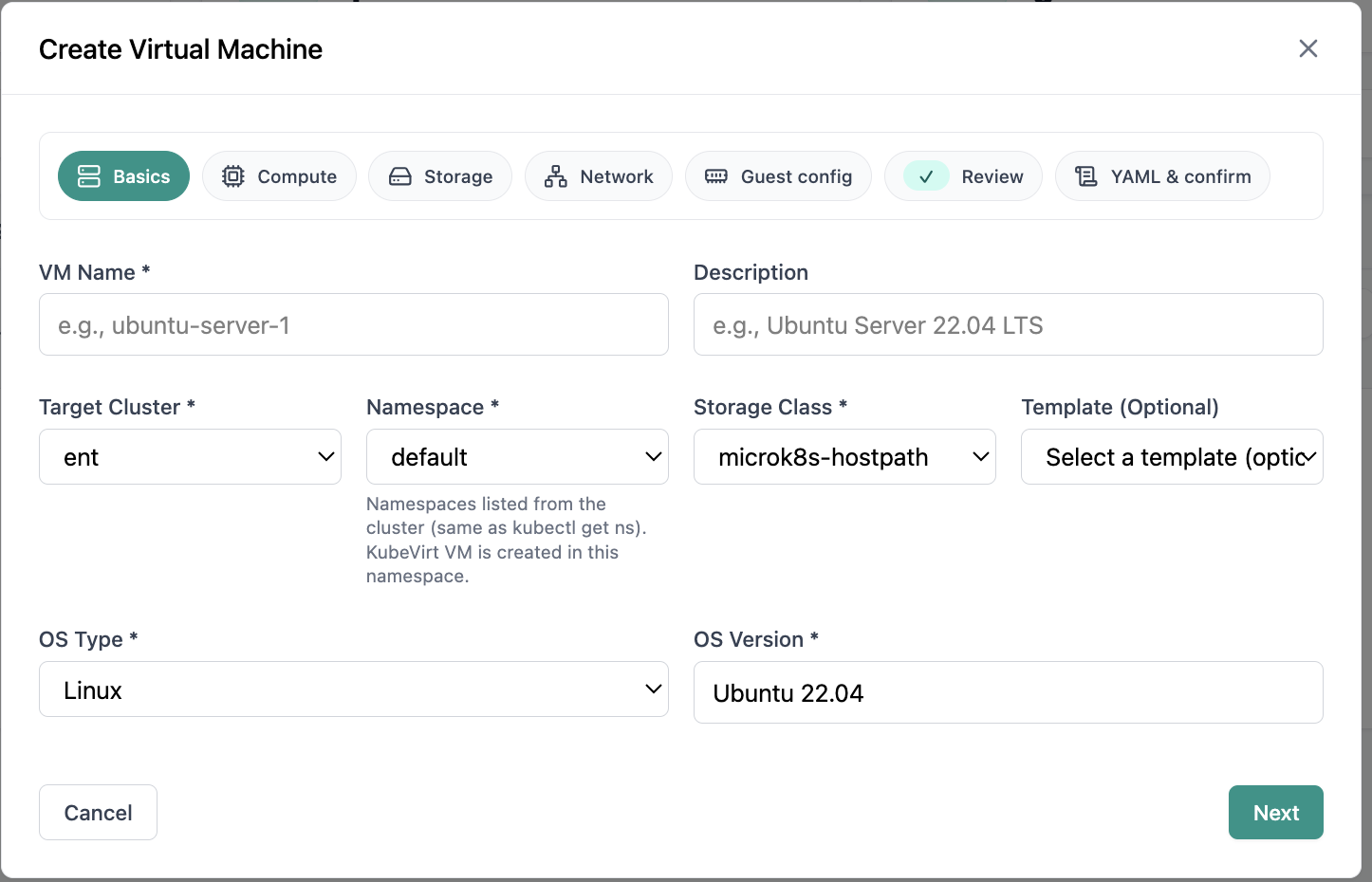
Create VM wizard basics step.
03of 14Cloud Admin

Create Virtual Machine

Create VM wizard basics step.

  • Same layout your operators see in production
  • Click to zoom in
  • Works alongside the rest of Cloud Admin

Click the screenshot to open full size, zoom, and pan.
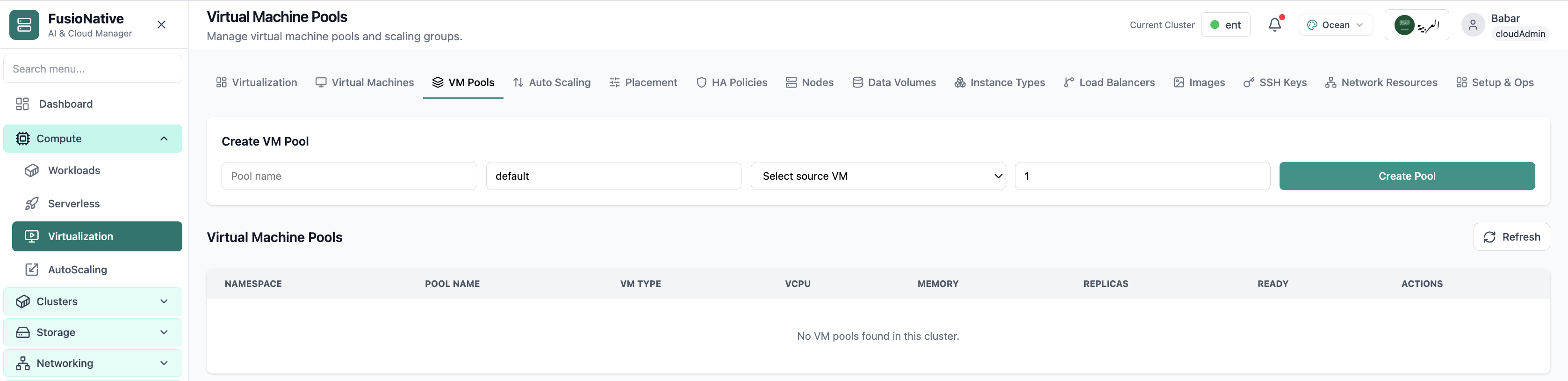
Virtual machine pools management.
04of 14Cloud Admin

VM Pools

Virtual machine pools management.

  • Same layout your operators see in production
  • Click to zoom in
  • Works alongside the rest of Cloud Admin

Click the screenshot to open full size, zoom, and pan.
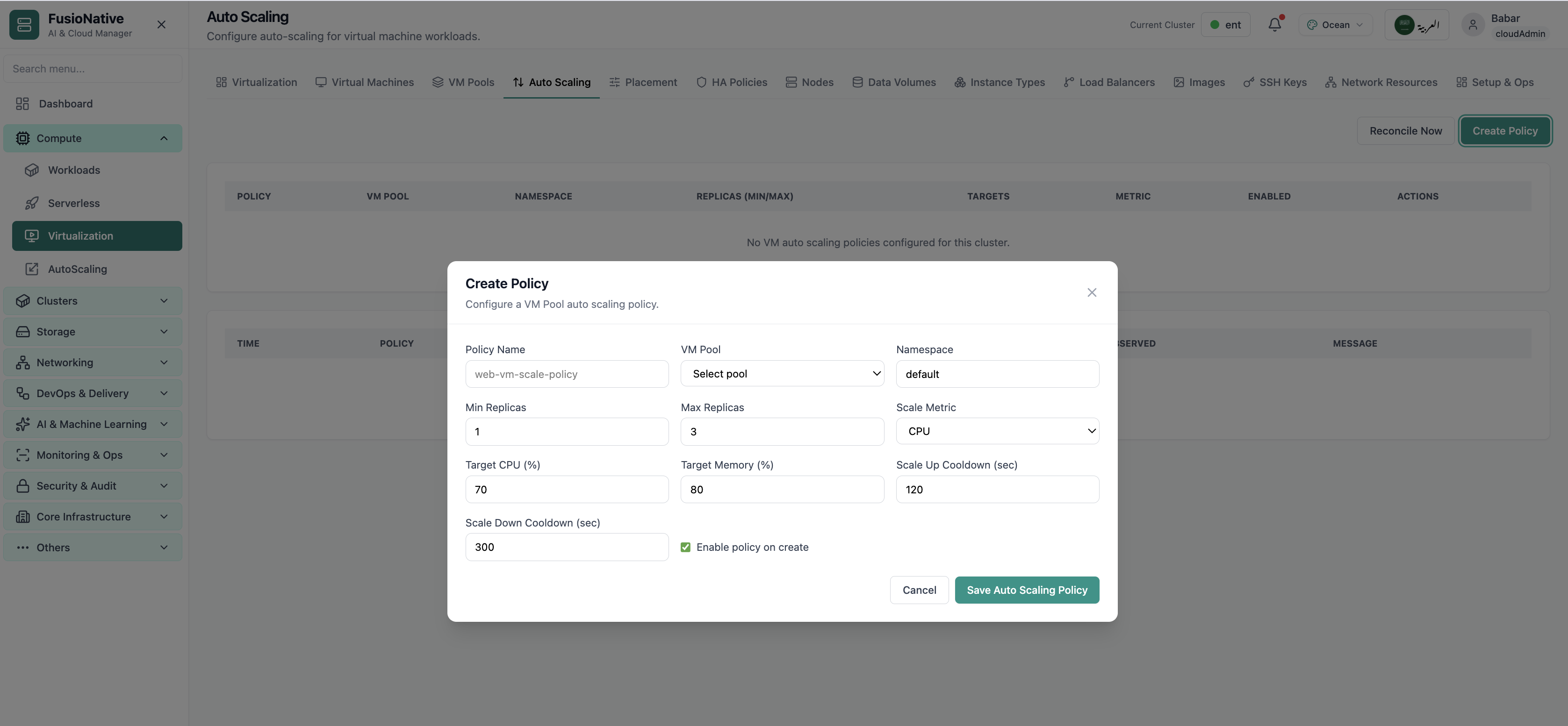
Virtualization auto scaling settings.
05of 14Cloud Admin

VM Auto Scaling

Virtualization auto scaling settings.

  • Same layout your operators see in production
  • Click to zoom in
  • Works alongside the rest of Cloud Admin

Click the screenshot to open full size, zoom, and pan.
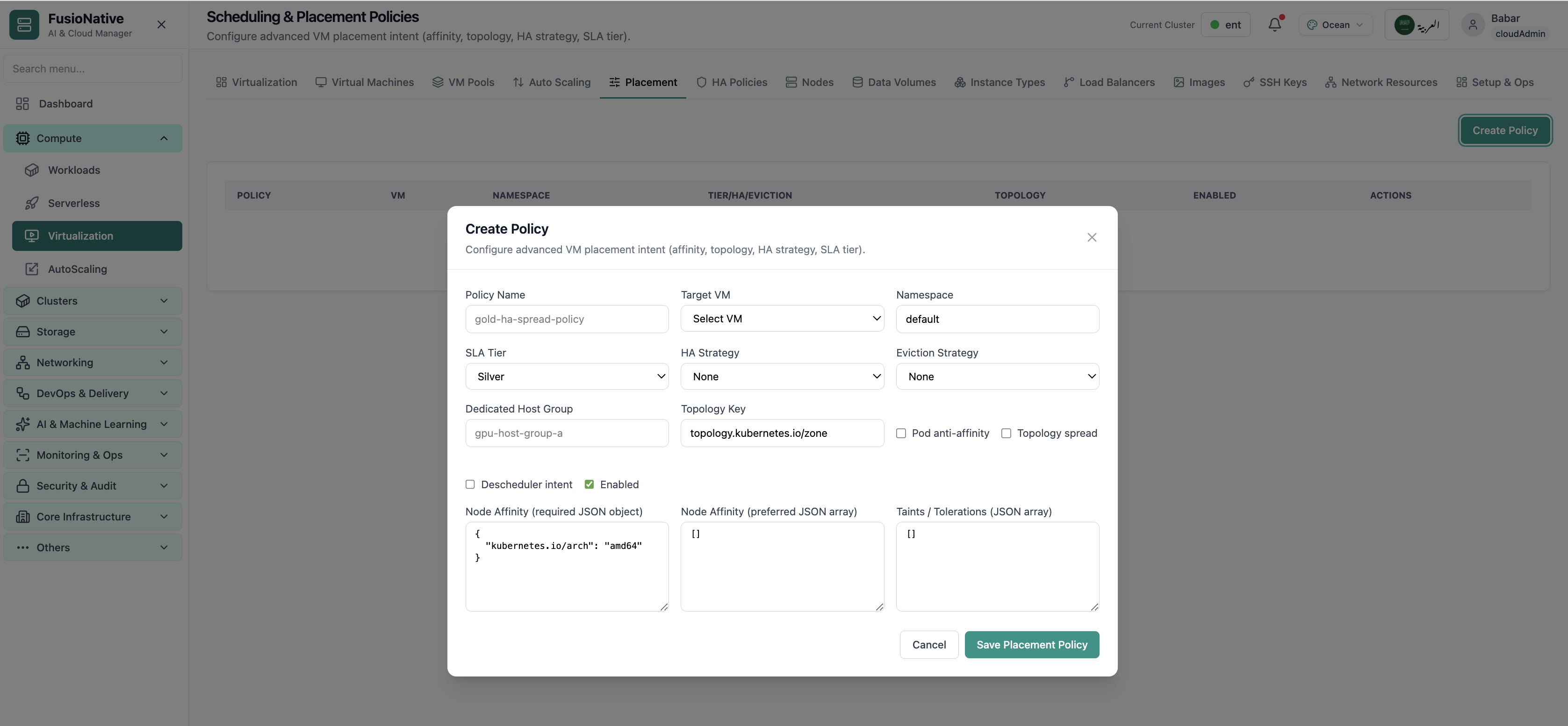
Scheduling and placement policies.
06of 14Cloud Admin

Scheduling Policies

Scheduling and placement policies.

  • Same layout your operators see in production
  • Click to zoom in
  • Works alongside the rest of Cloud Admin

Click the screenshot to open full size, zoom, and pan.
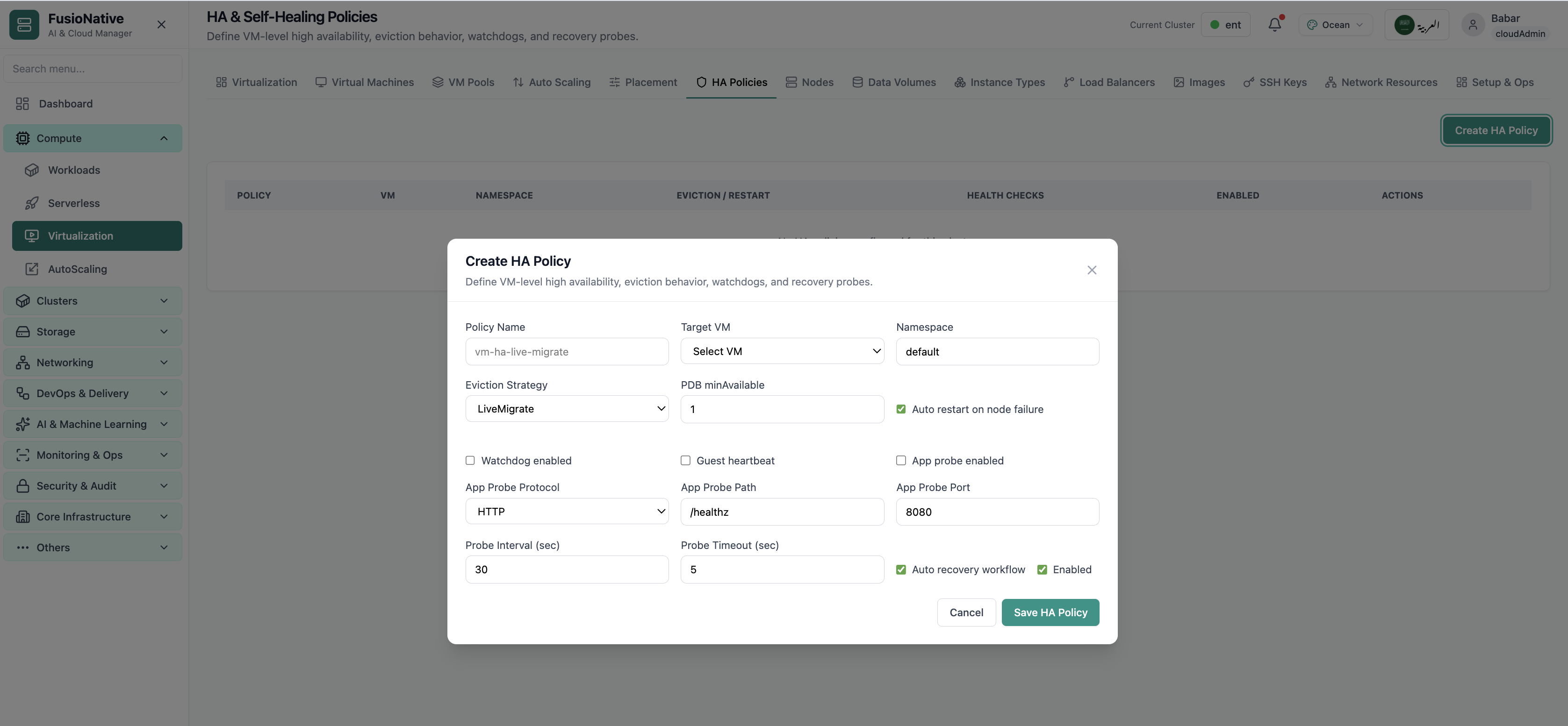
High availability and self-healing policies.
07of 14Cloud Admin

HA Policies

High availability and self-healing policies.

  • Same layout your operators see in production
  • Click to zoom in
  • Works alongside the rest of Cloud Admin

Click the screenshot to open full size, zoom, and pan.
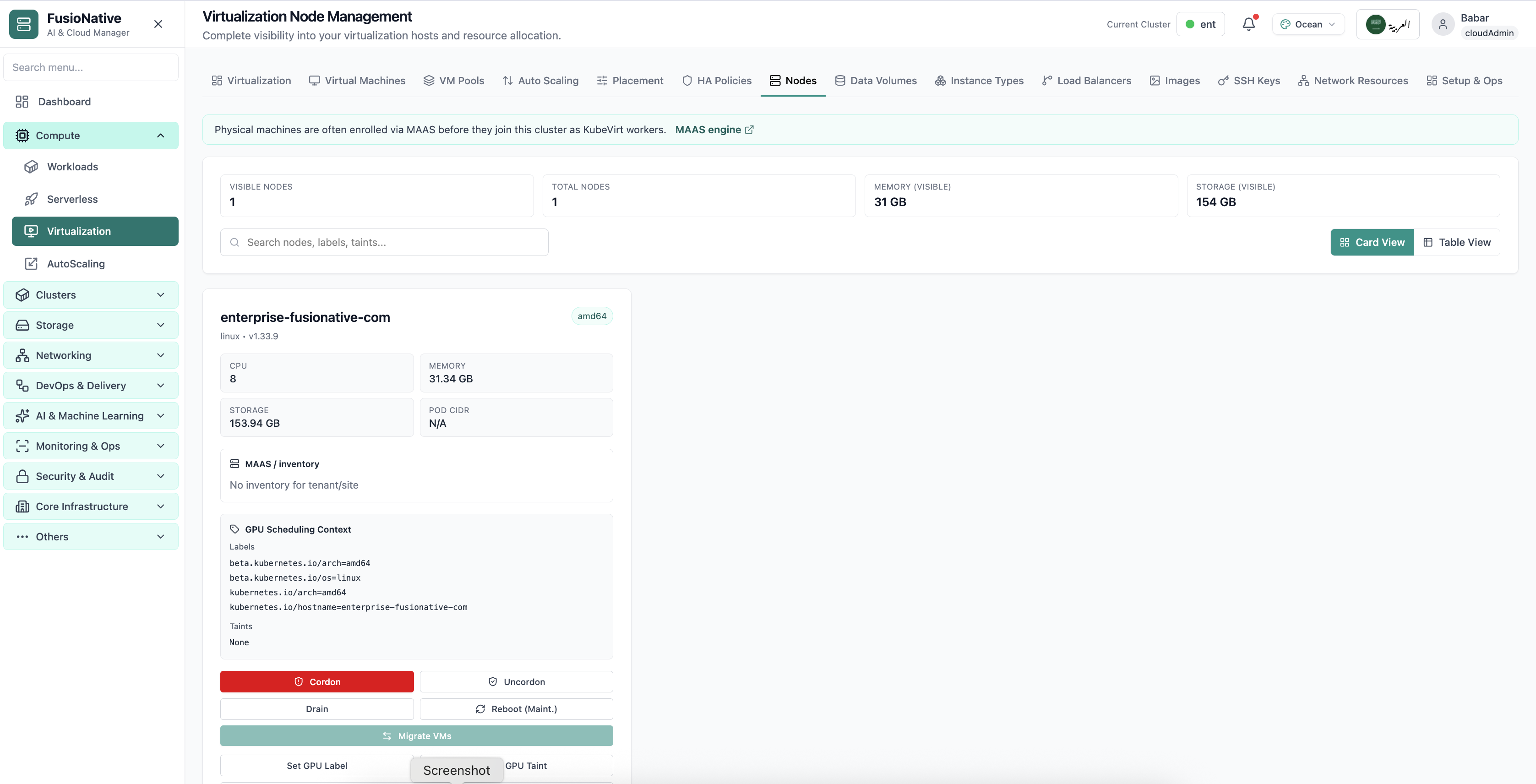
Virtualization node management.
08of 14Cloud Admin

Node Management

Virtualization node management.

  • Same layout your operators see in production
  • Click to zoom in
  • Works alongside the rest of Cloud Admin

Click the screenshot to open full size, zoom, and pan.
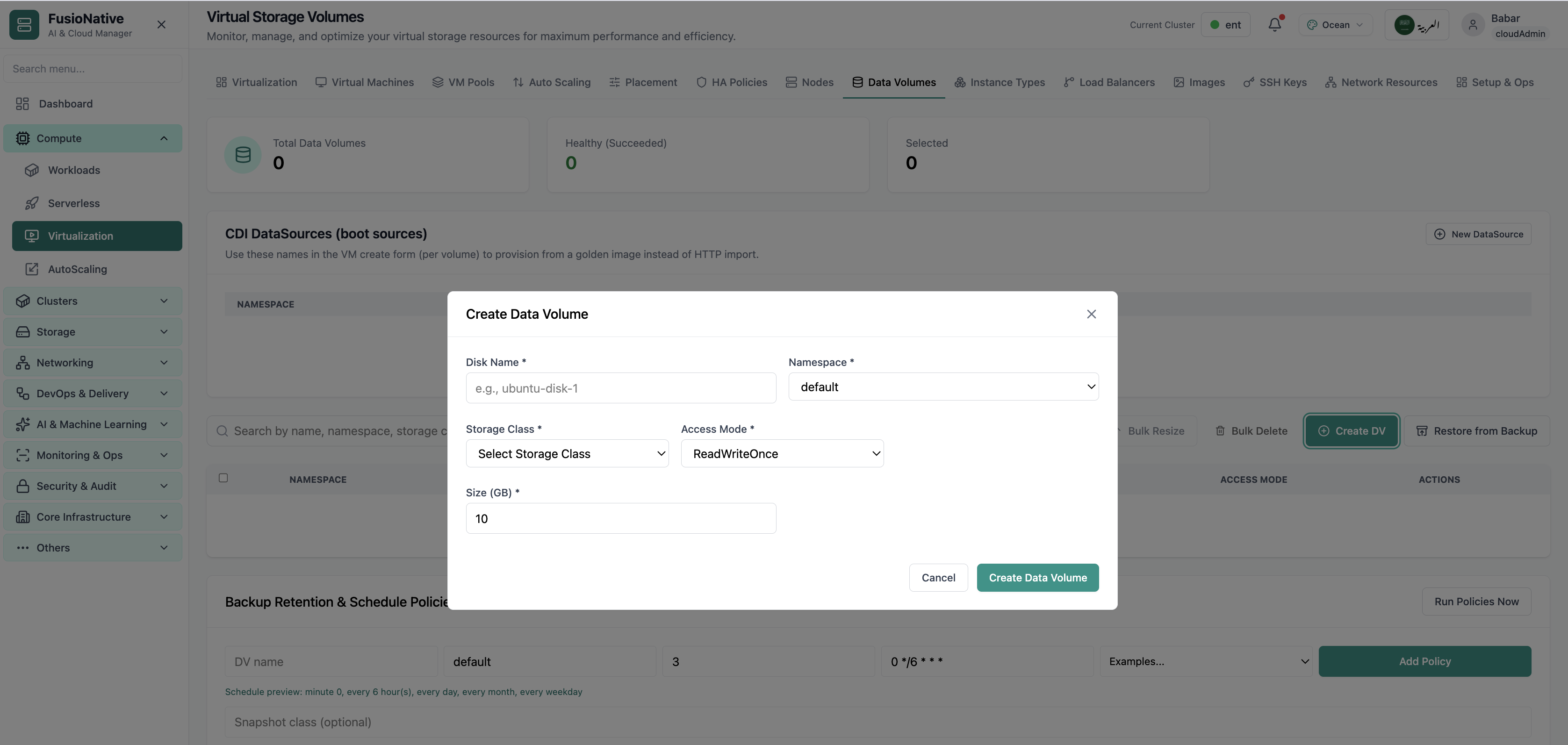
Virtual storage volumes.
09of 14Cloud Admin

Virtual Storage

Virtual storage volumes.

  • Same layout your operators see in production
  • Click to zoom in
  • Works alongside the rest of Cloud Admin

Click the screenshot to open full size, zoom, and pan.
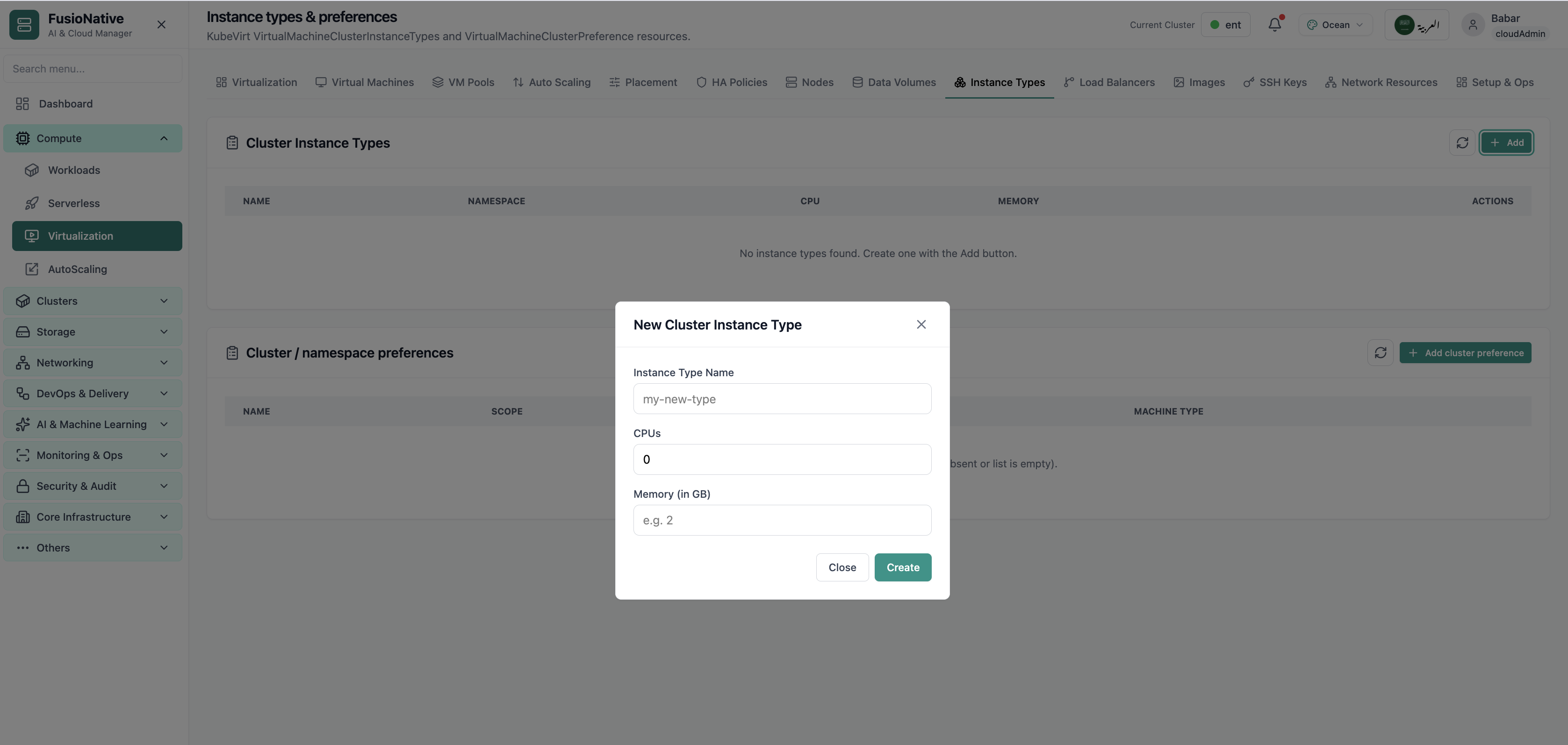
Instance types and preferences.
10of 14Cloud Admin

Instance Types

Instance types and preferences.

  • Same layout your operators see in production
  • Click to zoom in
  • Works alongside the rest of Cloud Admin

Click the screenshot to open full size, zoom, and pan.
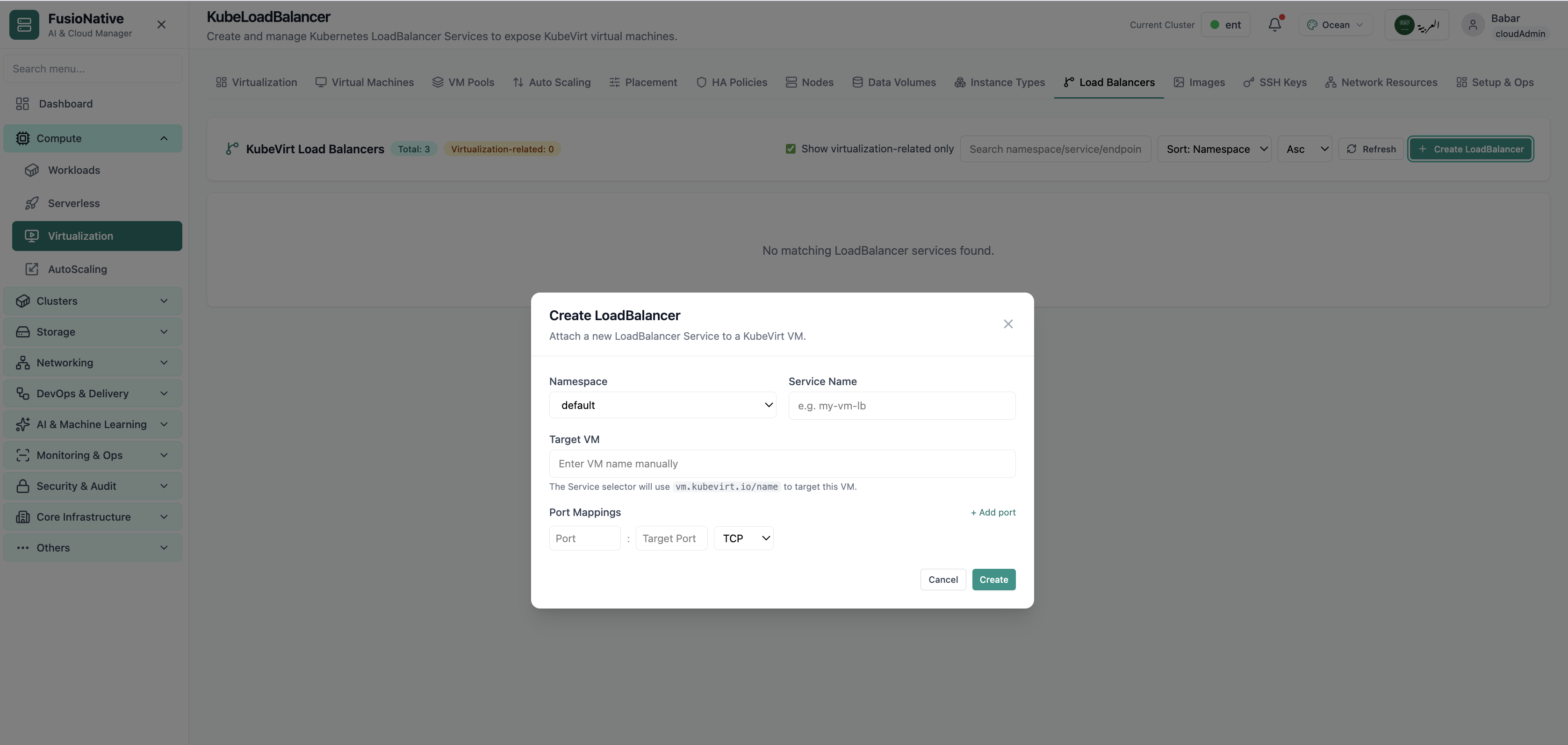
KubeLoadBalancer configuration.
11of 14Cloud Admin

KubeLoadBalancer

KubeLoadBalancer configuration.

  • Same layout your operators see in production
  • Click to zoom in
  • Works alongside the rest of Cloud Admin

Click the screenshot to open full size, zoom, and pan.
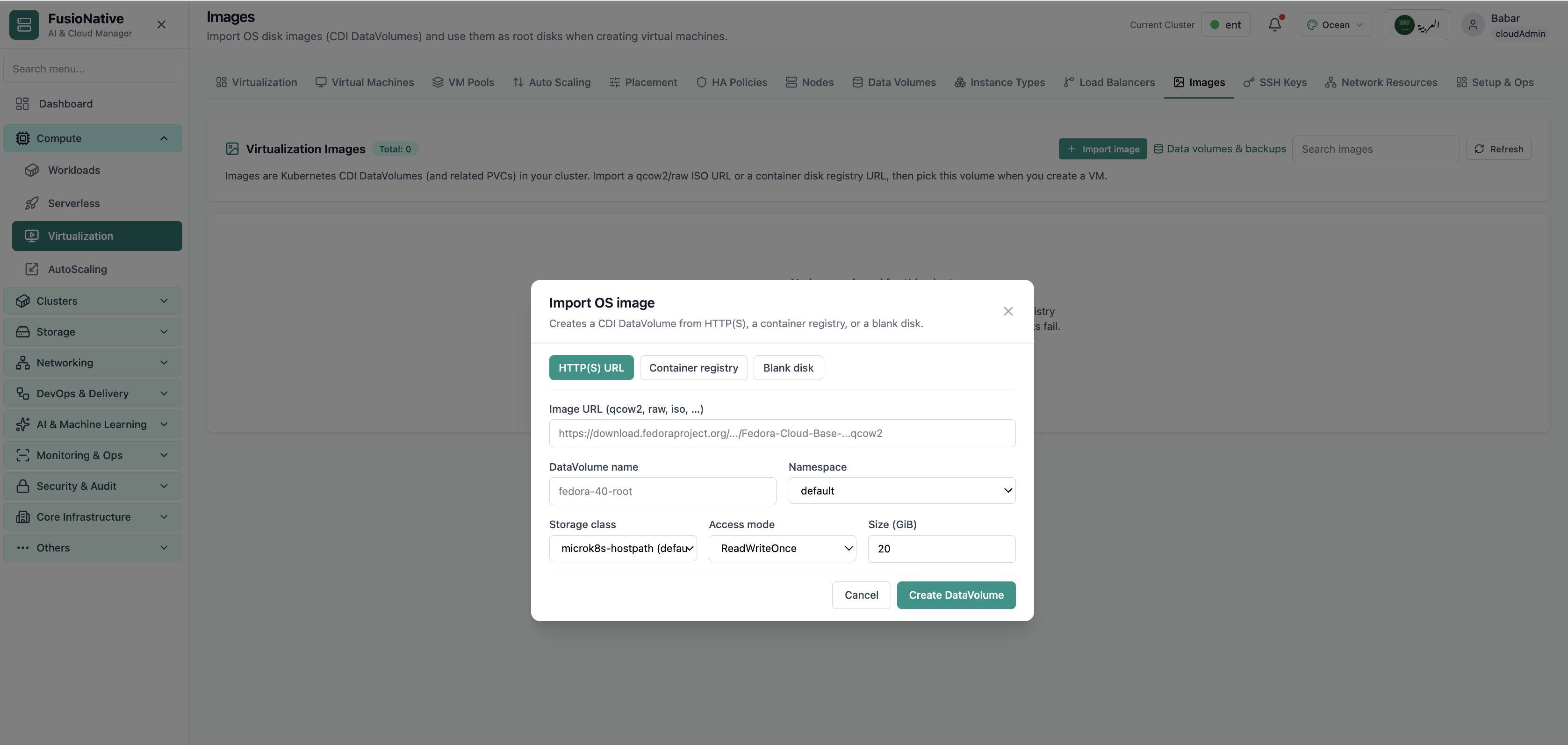
VM images catalog.
12of 14Cloud Admin

Images

VM images catalog.

  • Same layout your operators see in production
  • Click to zoom in
  • Works alongside the rest of Cloud Admin

Click the screenshot to open full size, zoom, and pan.
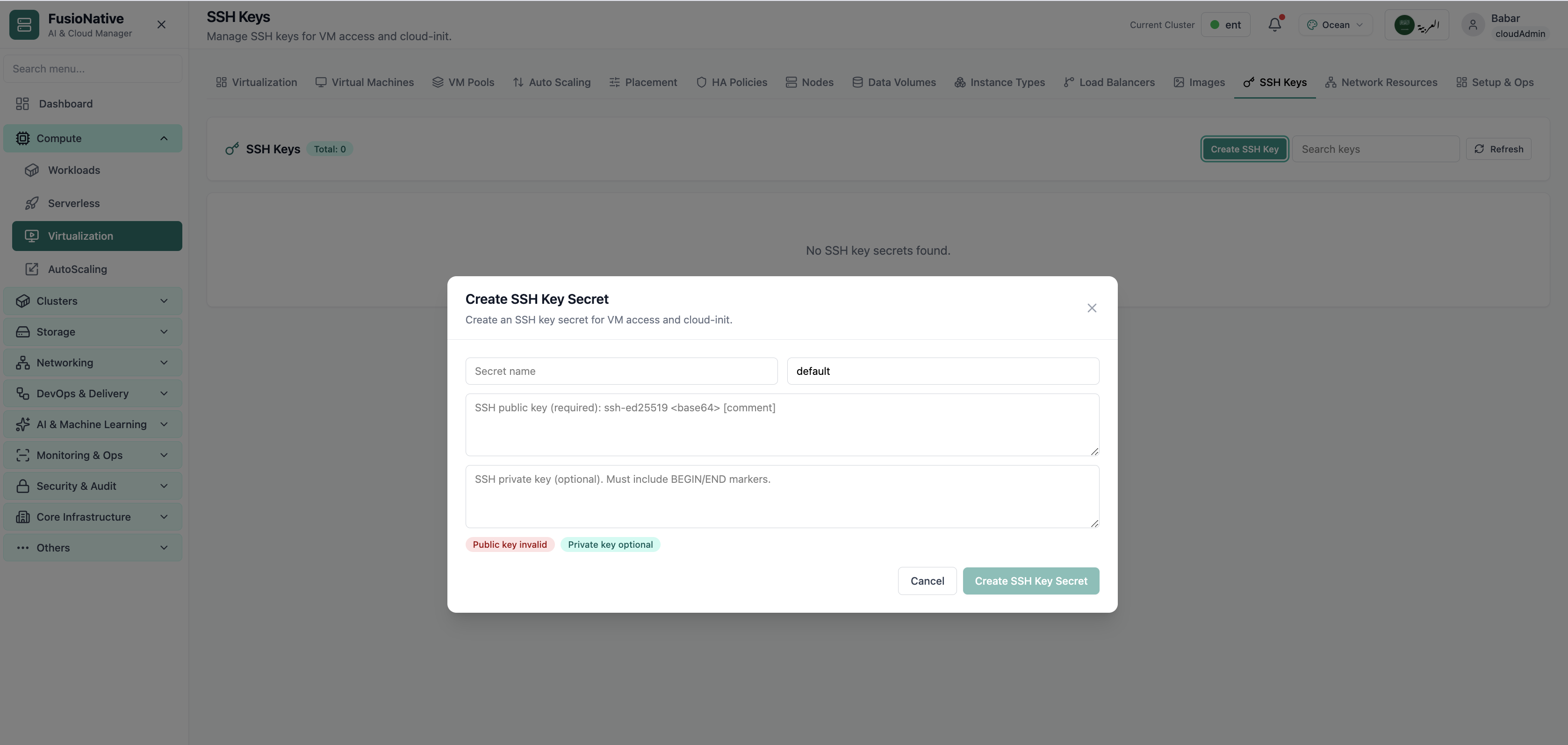
SSH keys for virtual machines.
13of 14Cloud Admin

SSH Keys

SSH keys for virtual machines.

  • Same layout your operators see in production
  • Click to zoom in
  • Works alongside the rest of Cloud Admin

Click the screenshot to open full size, zoom, and pan.
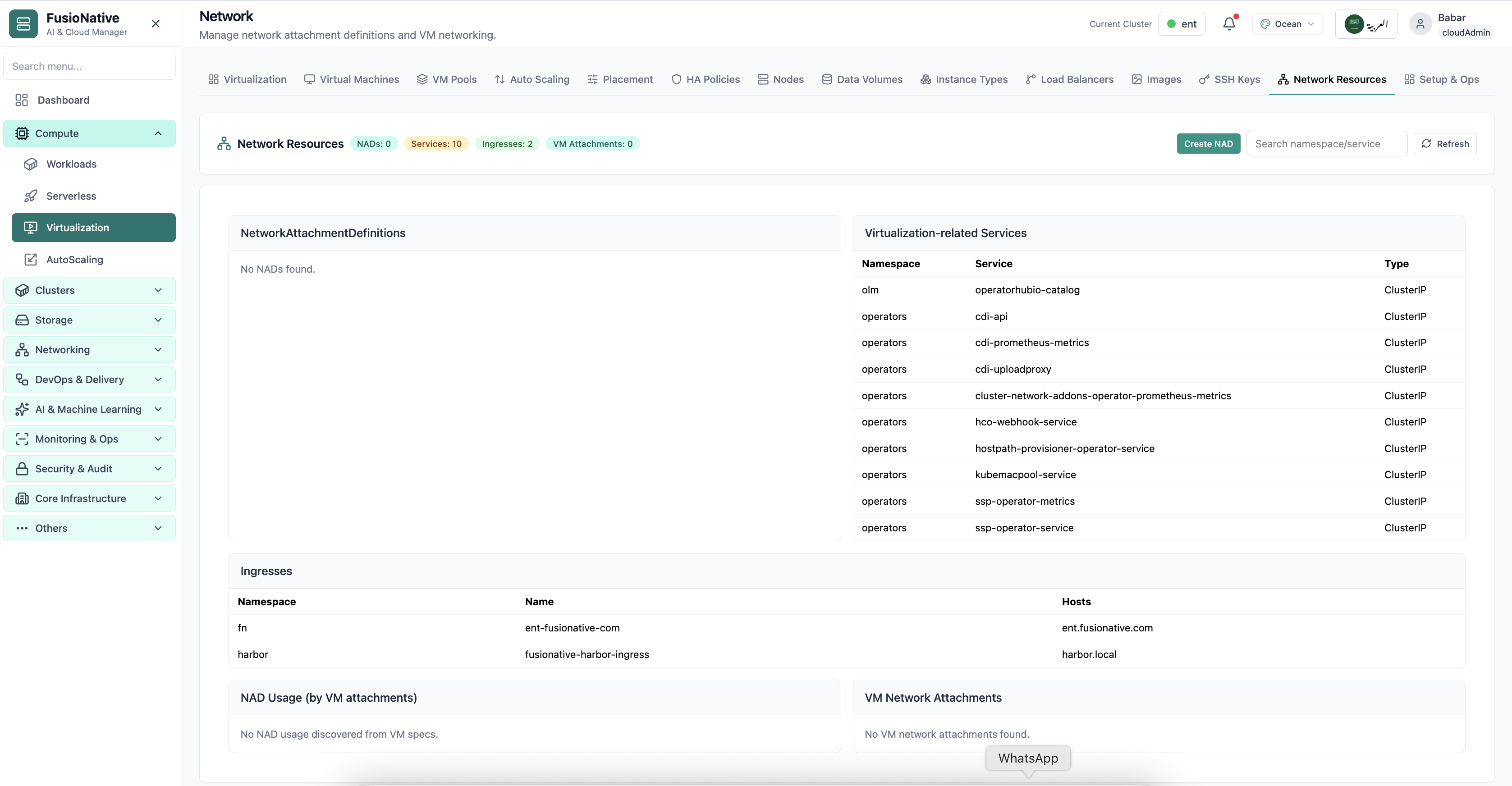
Virtualization network settings.
14of 14Cloud Admin

VM Network

Virtualization network settings.

  • Same layout your operators see in production
  • Click to zoom in
  • Works alongside the rest of Cloud Admin

Click the screenshot to open full size, zoom, and pan.