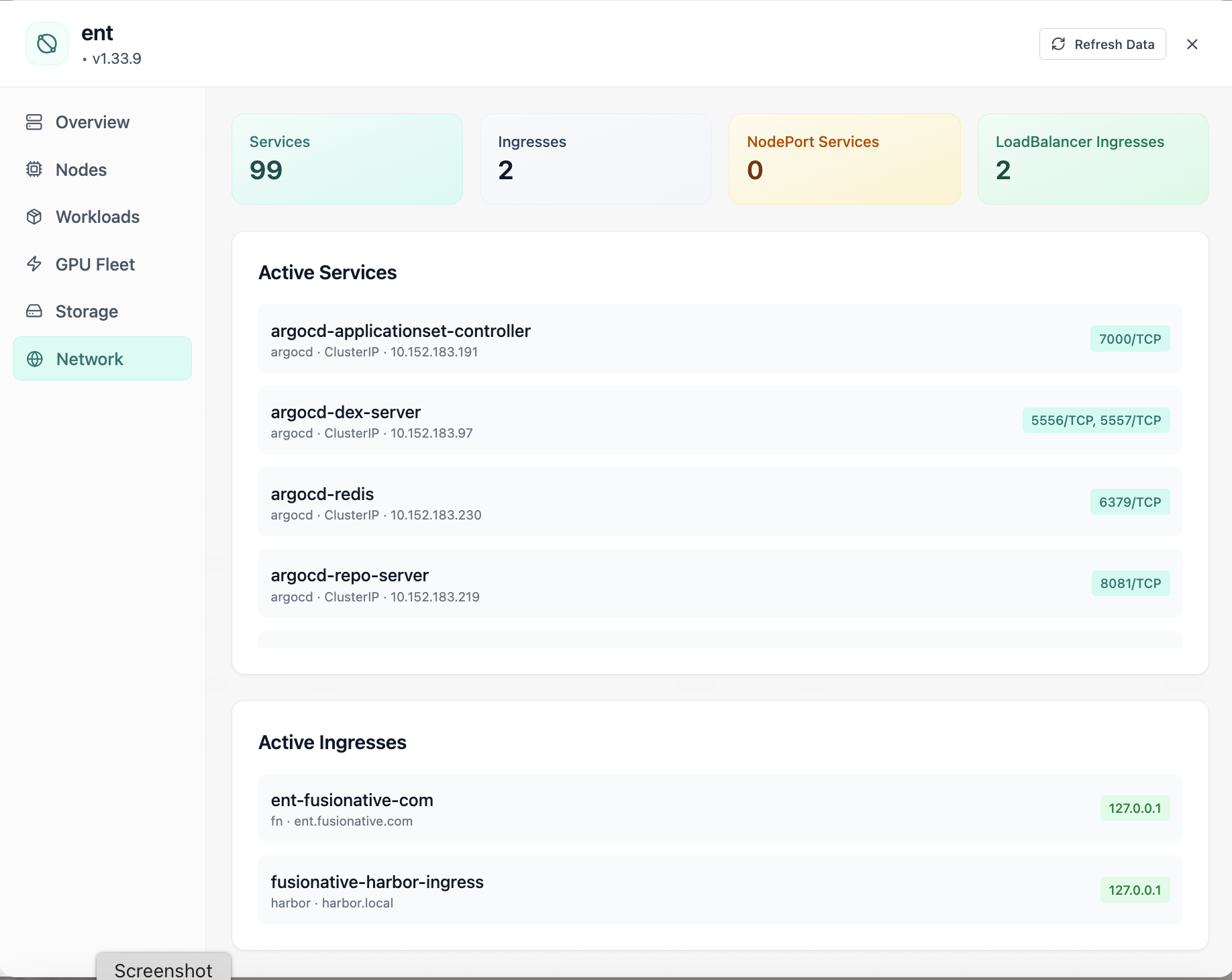
Cluster Network
Cluster network services and ingresses.
- Same layout your operators see in production
- Click to zoom in
- Works alongside the rest of Cloud Admin
Click the screenshot to open full size, zoom, and pan.
Networking · Kubernetes
Shape how traffic reaches your workloads: filter Services by ClusterIP, NodePort, and LoadBalancer; manage Ingresses and IngressClasses; use port forwarding when you need a fast path to a pod. Everything stays tied to the selected cluster and namespace scope you are allowed to see, search, create, edit, view YAML, or delete without leaving Cloud Admin.
Screens from the live product, with a short note on when you would open each view.
Cluster network services and ingresses.
Click the screenshot to open full size, zoom, and pan.
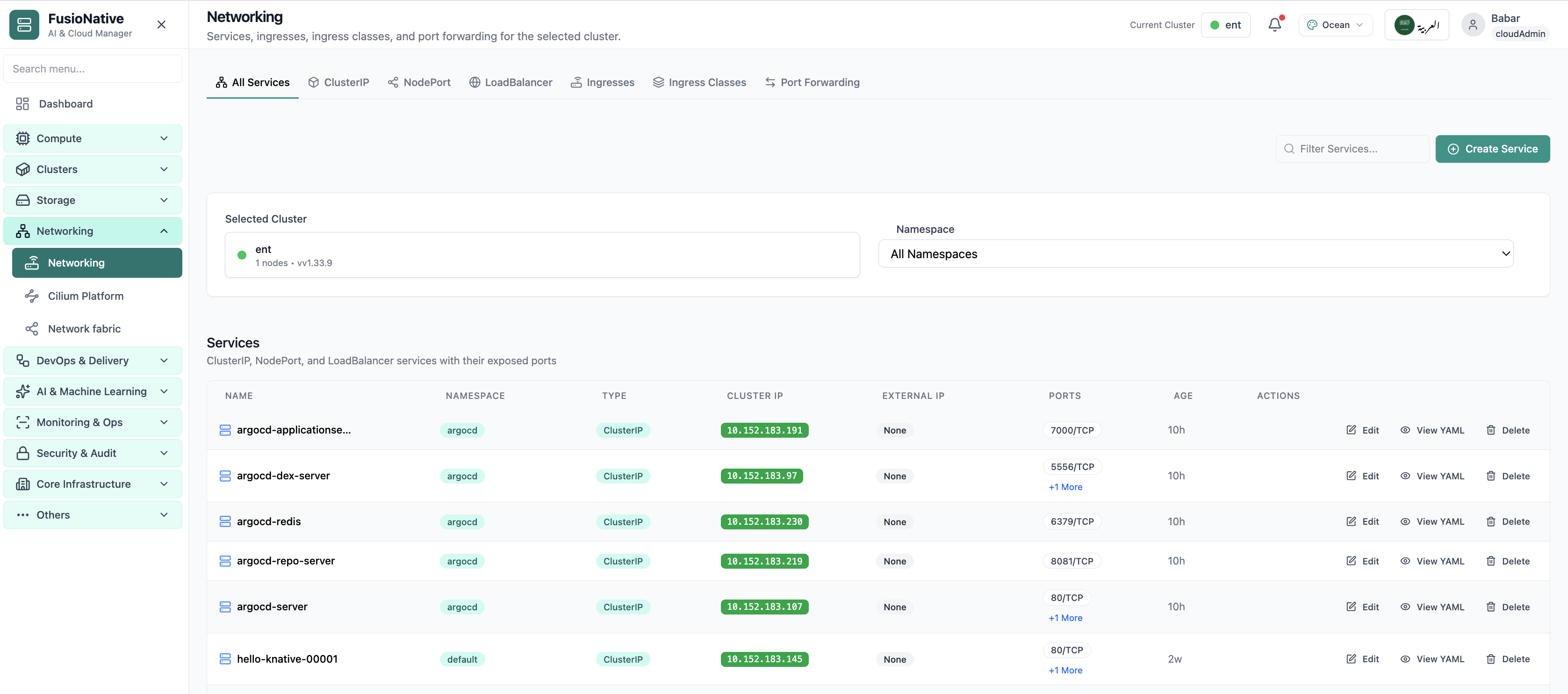
Kubernetes networking services and ingress management.
Click the screenshot to open full size, zoom, and pan.
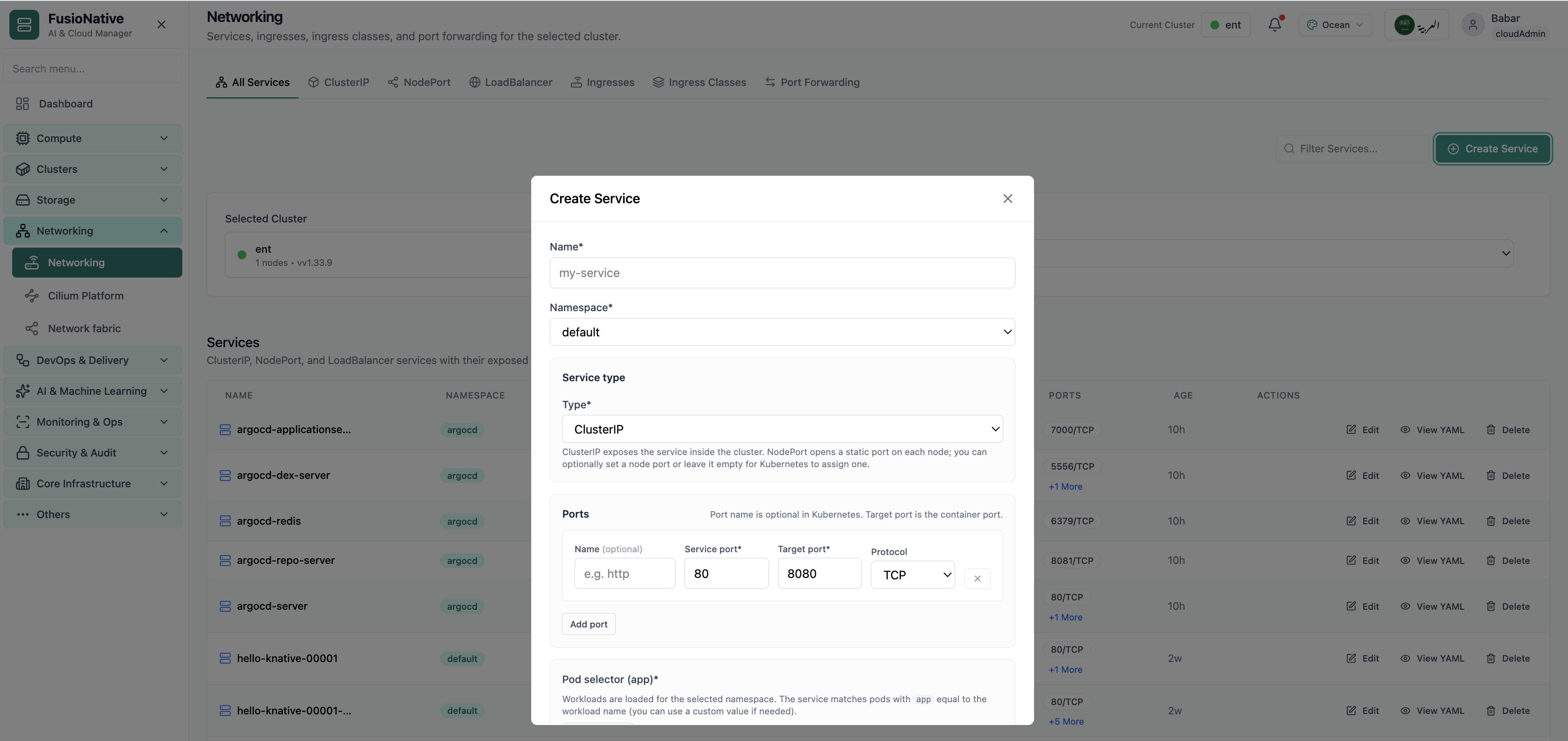
Networking configuration and service details.
Click the screenshot to open full size, zoom, and pan.
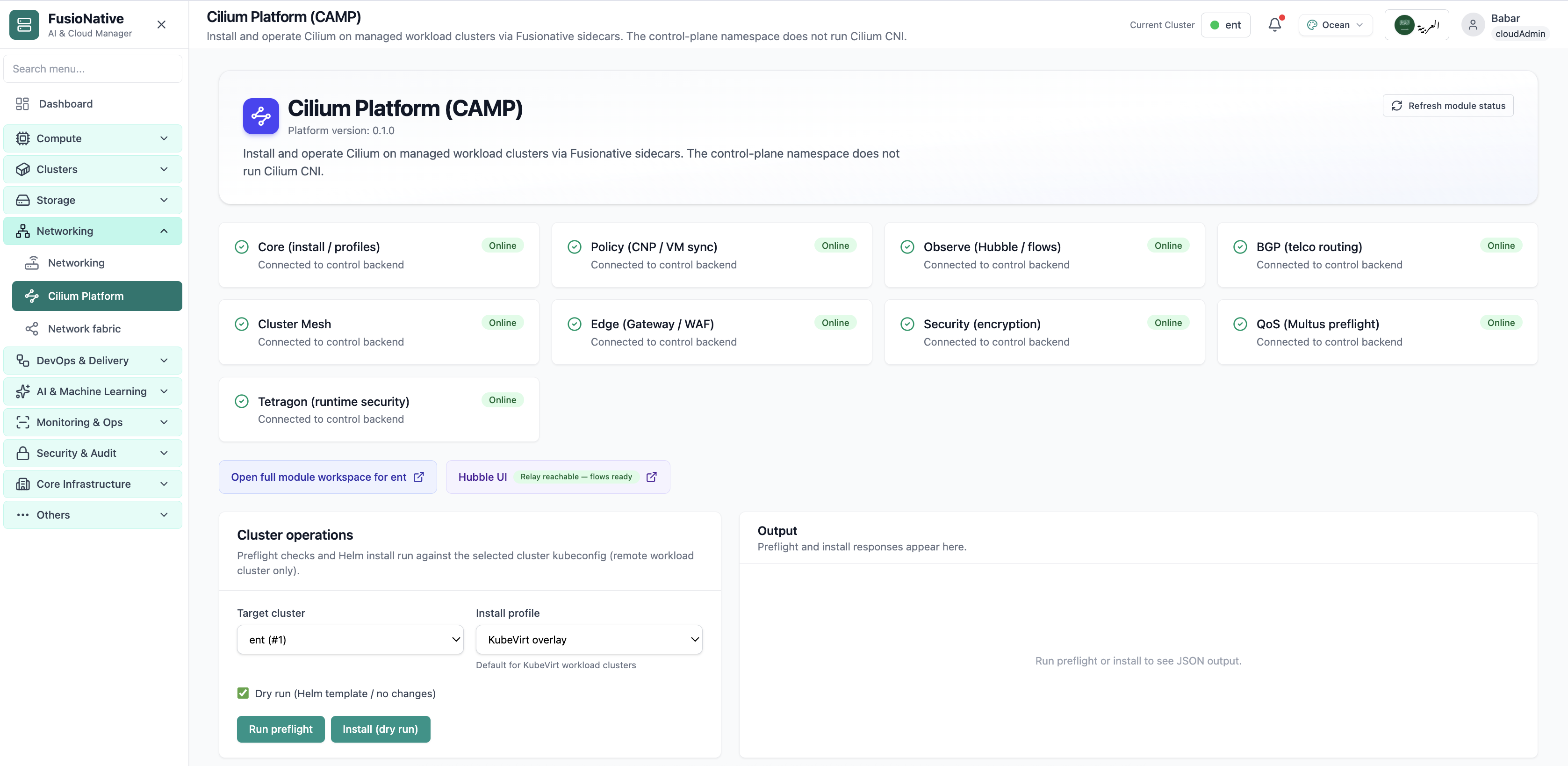
Cilium Platform module status and Helm install controls.
Click the screenshot to open full size, zoom, and pan.
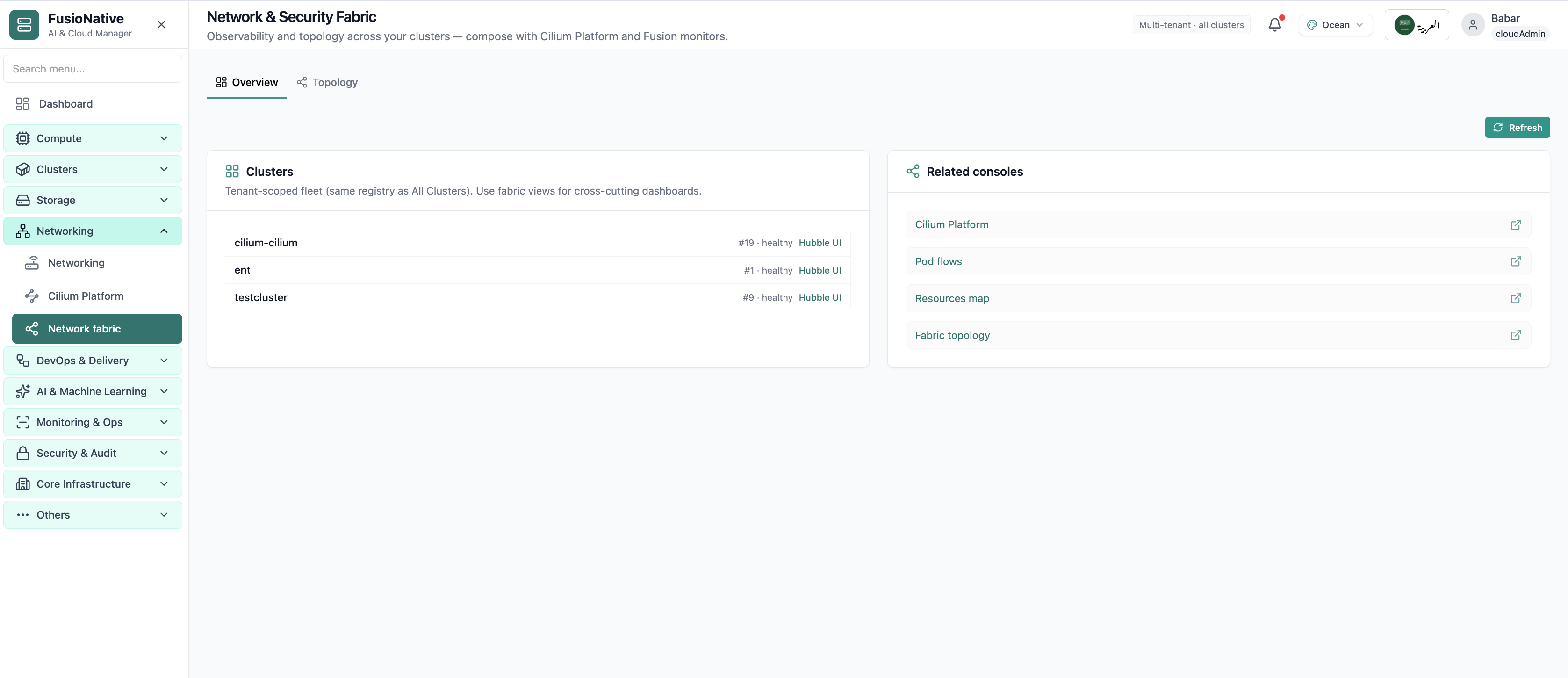
Network fabric overview with Hubble and topology links.
Click the screenshot to open full size, zoom, and pan.
When Services, Ingress, and forwards live beside cluster context, platform and app teams agree on what is actually exposed.
Cluster-internal ClusterIP, node-edge NodePort, cloud LoadBalancers, and HTTP Ingress, bounded by the tabs you already use in kubectl, only faster.
Namespace-scoped selectors and port rows reduce fat-finger manifests while keeping advanced users unblocked.
YAML inspection on demand reconciles UI state with Git and audit expectations.
Operate Kubernetes Services and Ingress from Cloud Admin alongside clusters, workloads, and storage.
Get a demo