Core infrastructure

Compute Engine: control plane health & kubelet truth

Under Core Infrastructure → Compute Engine, Cloud Admin focuses on the node that runs your API server: rolling 24h trends for CPU, memory, root filesystem pressure, and network throughput, paired with container runtime versions, kubelet builds, kube-proxy posture, and intent-driven actions that persist as ConfigMaps for reconcilers.

Product walkthrough

See it in Cloud Admin

Screens from the live product, with a short note on when you would open each view.

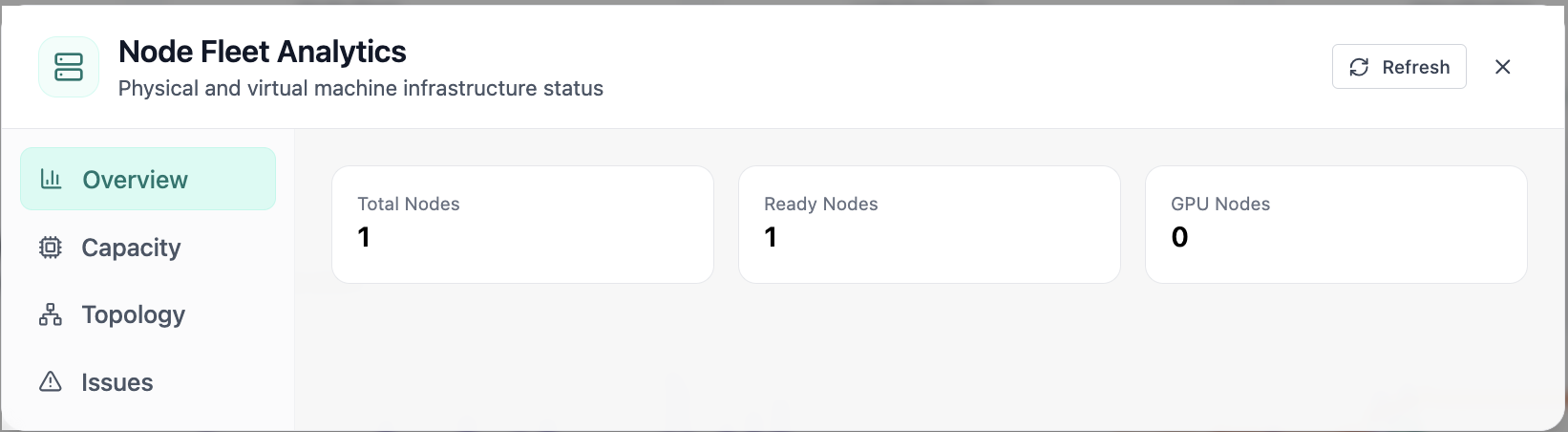
In Node Fleet, the Overview view answers one operational question at a time, node fleet analytics with ready and gpu node counts. Part of compute engine; use it when you need evidence before changing limits, scaling, or opening a ticket.
01of 03Cloud Admin

Node Fleet · Overview

In Node Fleet, the Overview view answers one operational question at a time, node fleet analytics with ready and gpu node counts. Part of compute engine; use it when you need evidence before changing limits, scaling, or opening a ticket.

  • GPU and cluster metrics on one screen
  • Charts link utilization to time so you spot spikes quickly
  • One click into deeper tabs when something looks off

Click the screenshot to open full size, zoom, and pan.
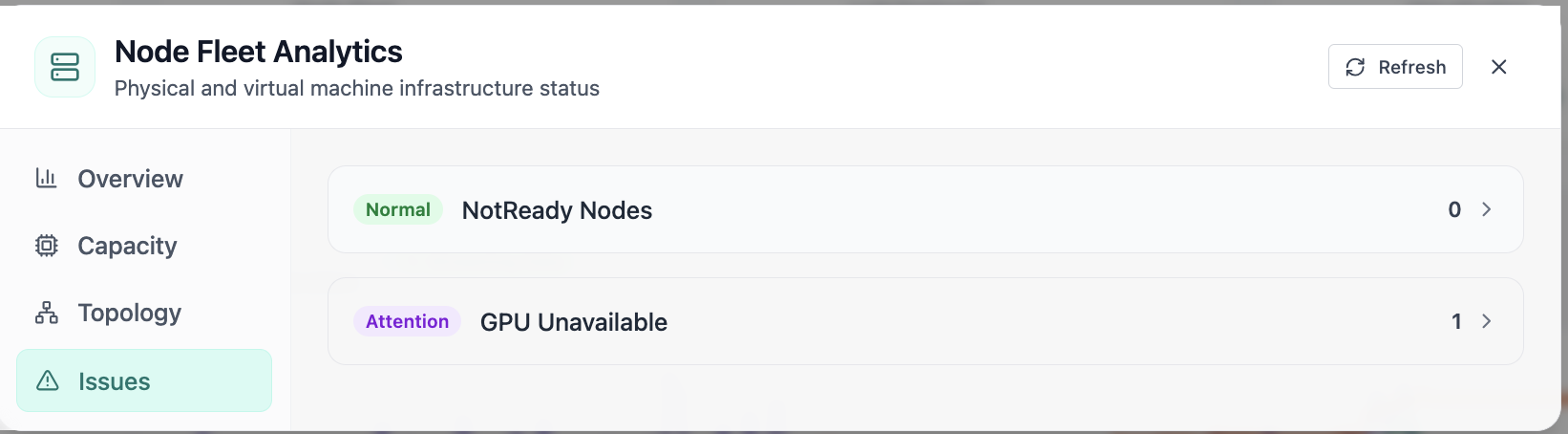
In Node Fleet, the Issues view answers one operational question at a time, node fleet issues including notready and gpu availability. Part of compute engine; use it when you need evidence before changing limits, scaling, or opening a ticket.
02of 03Cloud Admin

Node Fleet · Issues

In Node Fleet, the Issues view answers one operational question at a time, node fleet issues including notready and gpu availability. Part of compute engine; use it when you need evidence before changing limits, scaling, or opening a ticket.

  • GPU and cluster metrics on one screen
  • Enough context to assign an owner without opening five tools
  • Clear next step: scale, restart, patch quota, or escalate

Click the screenshot to open full size, zoom, and pan.
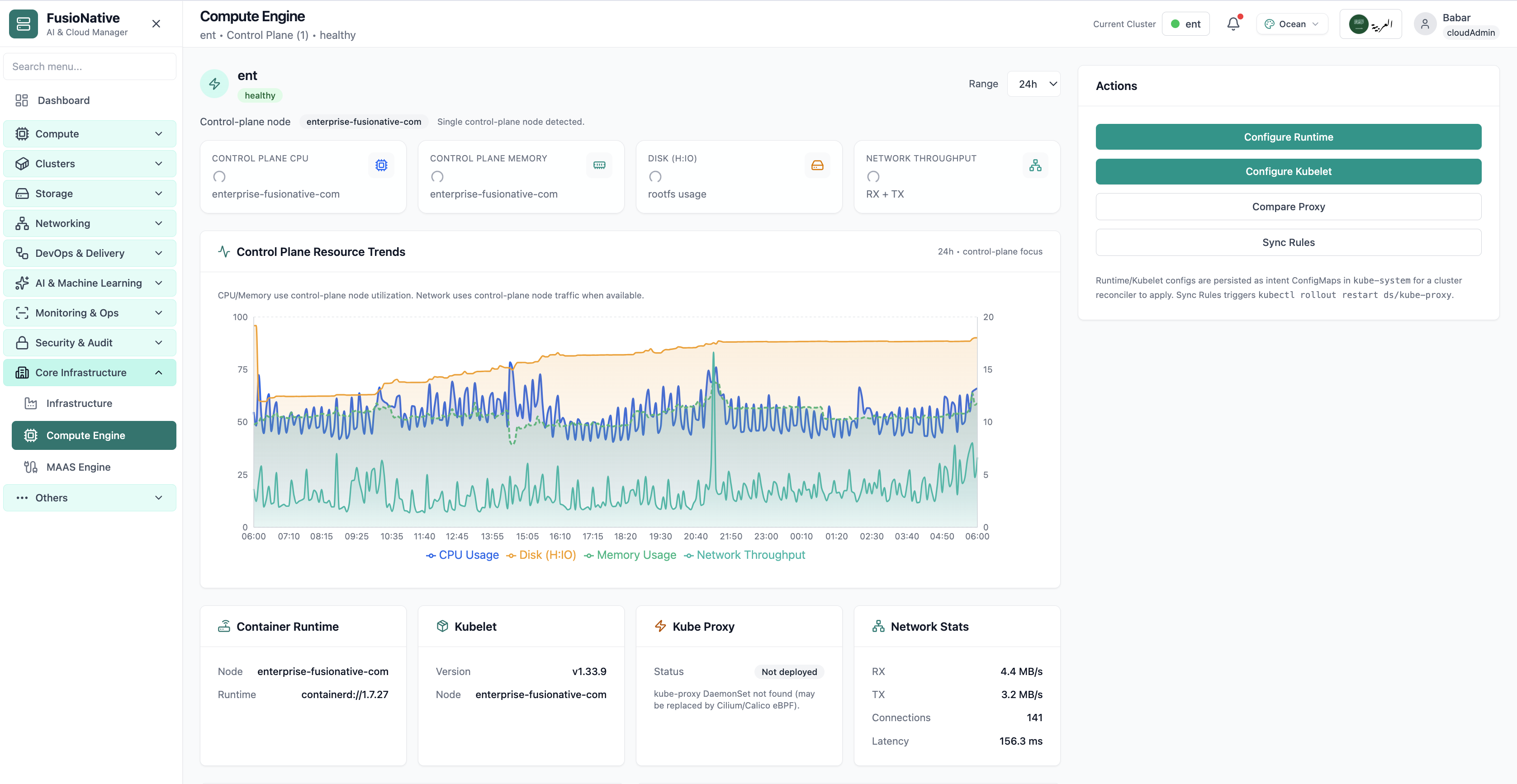
Compute Engine control-plane metrics and kubelet status.
03of 03Cloud Admin

Compute Engine

Compute Engine control-plane metrics and kubelet status.

  • Same layout your operators see in production
  • Click to zoom in
  • Works alongside the rest of Cloud Admin

Click the screenshot to open full size, zoom, and pan.

Intent, not improvisation

Put kubelet and runtime changes where GitOps can find them

Compute Engine bridges live telemetry with reconciler-ready Intent ConfigMaps. Operators edit purposefully, automation applies consistently, and dashboards stay trustworthy.

Same window, dual tempo

Executives read KPI badges while engineers validate kubelet semver against change records.

Truthful proxy story

Explicit kube-proxy deployment notes stop witch hunts when Service routing shifts to eBPF.

Rollouts with receipts

Sync Rules couples kubectl rollouts to intent updates, bridges see causality, not mystery reboots.