Day-2 Kubernetes

Orchestrate workloads across deployments, jobs, and daemonsets

Day-2 is where platforms succeed or stall. FusioNative centralizes workload inventory with filters, refresh discipline, and per-workload actions so operators ship fixes, not spreadsheets.

Product walkthrough

See it in Cloud Admin

Screens from the live product, with a short note on when you would open each view.

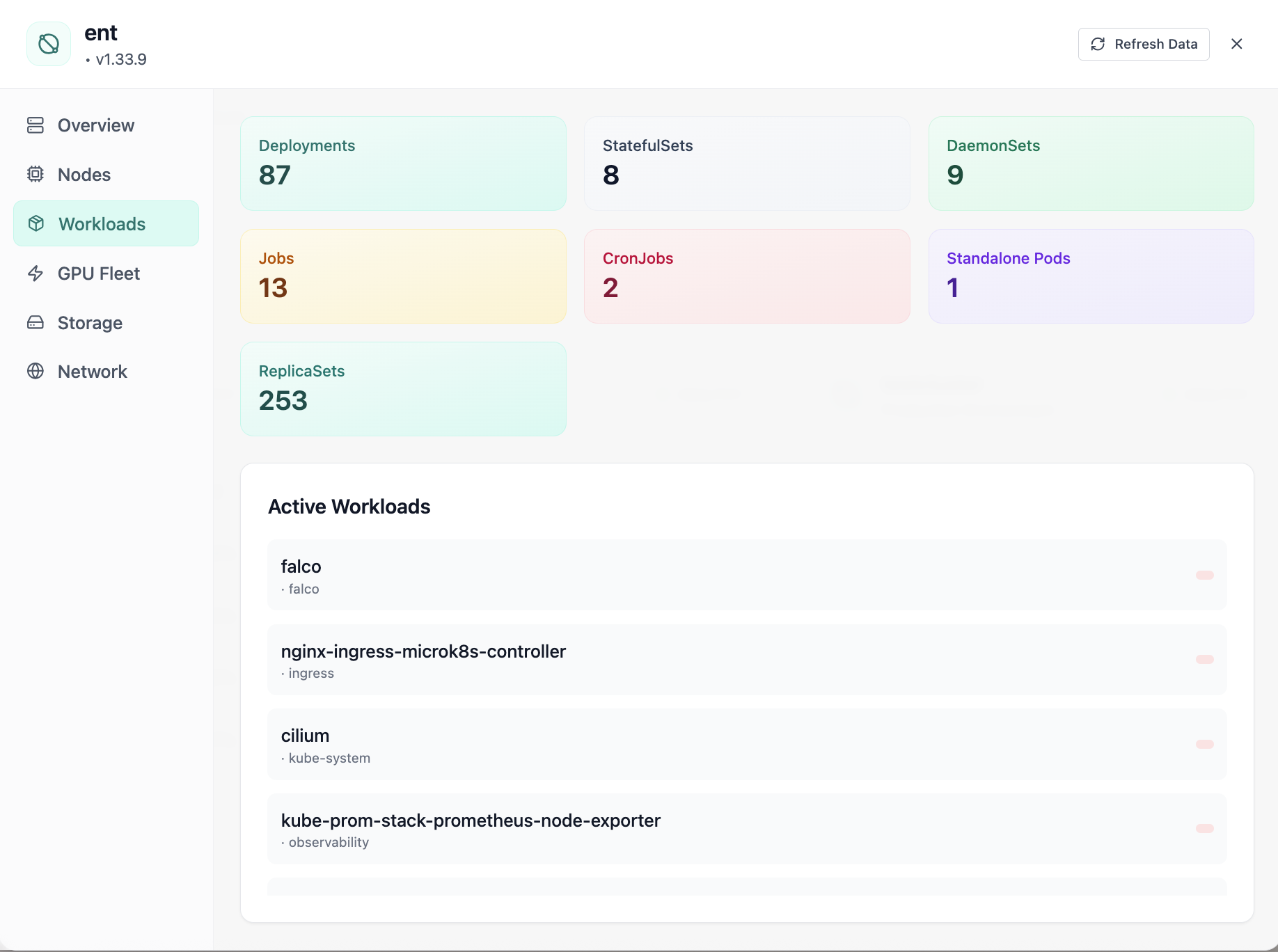
Cluster workloads: deployments, statefulsets, and daemonsets.
01of 08Cloud Admin

Active Workloads

Cluster workloads: deployments, statefulsets, and daemonsets.

  • Same layout your operators see in production
  • Click to zoom in
  • Works alongside the rest of Cloud Admin

Click the screenshot to open full size, zoom, and pan.
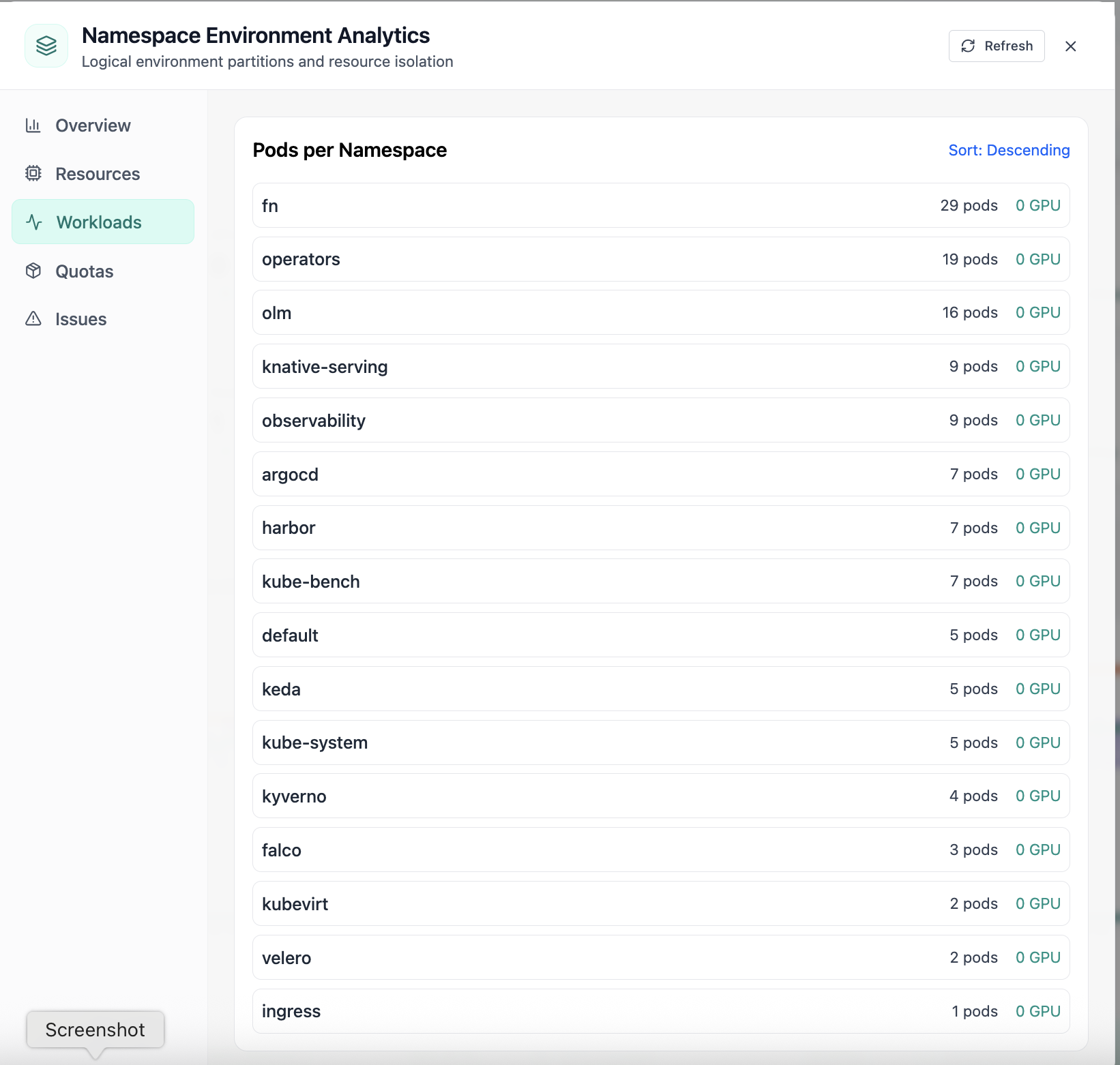
Pods per namespace sorted by count.
02of 08Cloud Admin

Namespace Workloads

Pods per namespace sorted by count.

  • Same layout your operators see in production
  • Click to zoom in
  • Works alongside the rest of Cloud Admin

Click the screenshot to open full size, zoom, and pan.
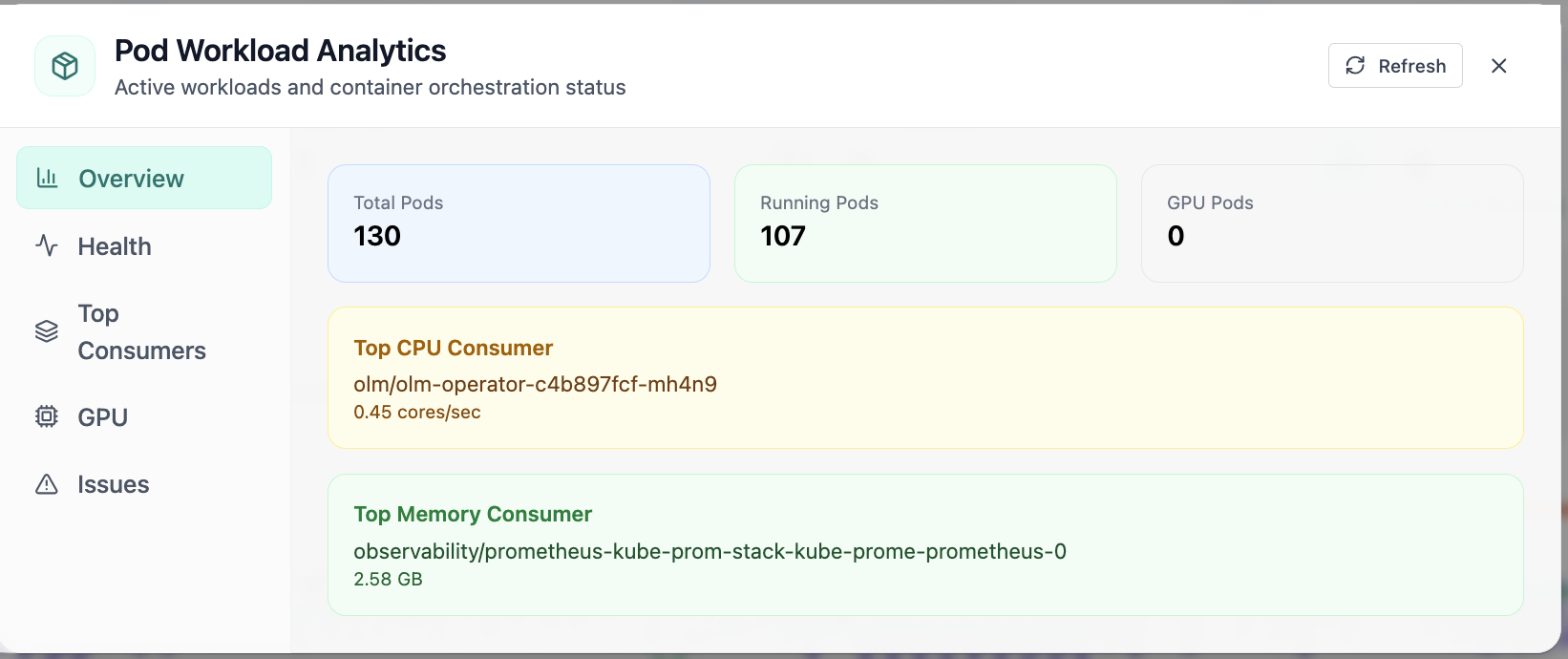
In Pod Analytics, the Overview view answers one operational question at a time, pod workload analytics with running and gpu pod counts. Part of workload operations; use it when you need evidence before changing limits, scaling, or opening a ticket.
03of 08Cloud Admin

Pod Analytics · Overview

In Pod Analytics, the Overview view answers one operational question at a time, pod workload analytics with running and gpu pod counts. Part of workload operations; use it when you need evidence before changing limits, scaling, or opening a ticket.

  • GPU and cluster metrics on one screen
  • Charts link utilization to time so you spot spikes quickly
  • One click into deeper tabs when something looks off

Click the screenshot to open full size, zoom, and pan.
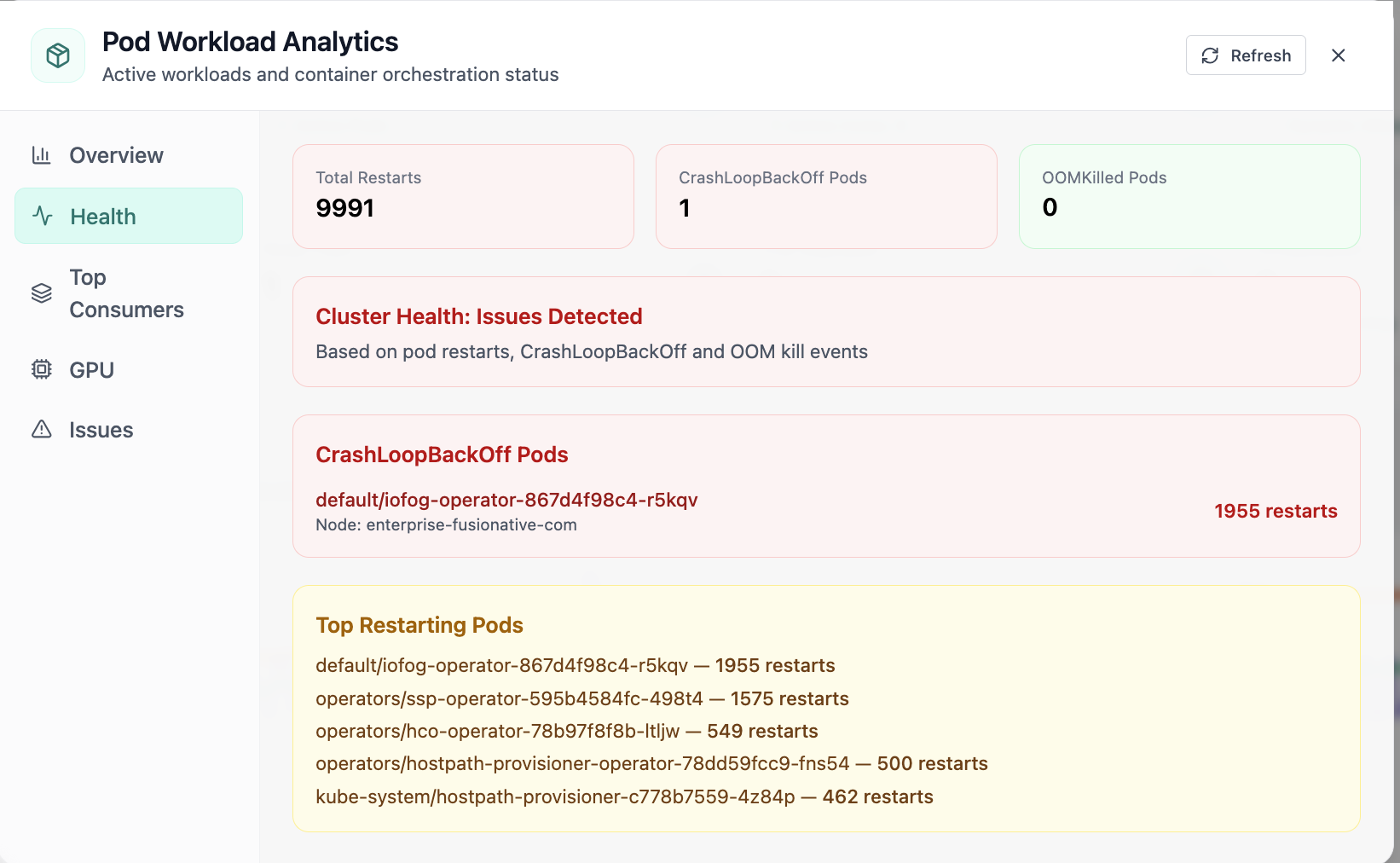
In Pod, the Health view answers one operational question at a time, pod health with restarts and crashloopbackoff visibility. Part of workload operations; use it when you need evidence before changing limits, scaling, or opening a ticket.
04of 08Cloud Admin

Pod · Health

In Pod, the Health view answers one operational question at a time, pod health with restarts and crashloopbackoff visibility. Part of workload operations; use it when you need evidence before changing limits, scaling, or opening a ticket.

  • Same layout your operators see in production
  • Click to zoom in
  • Works alongside the rest of Cloud Admin

Click the screenshot to open full size, zoom, and pan.
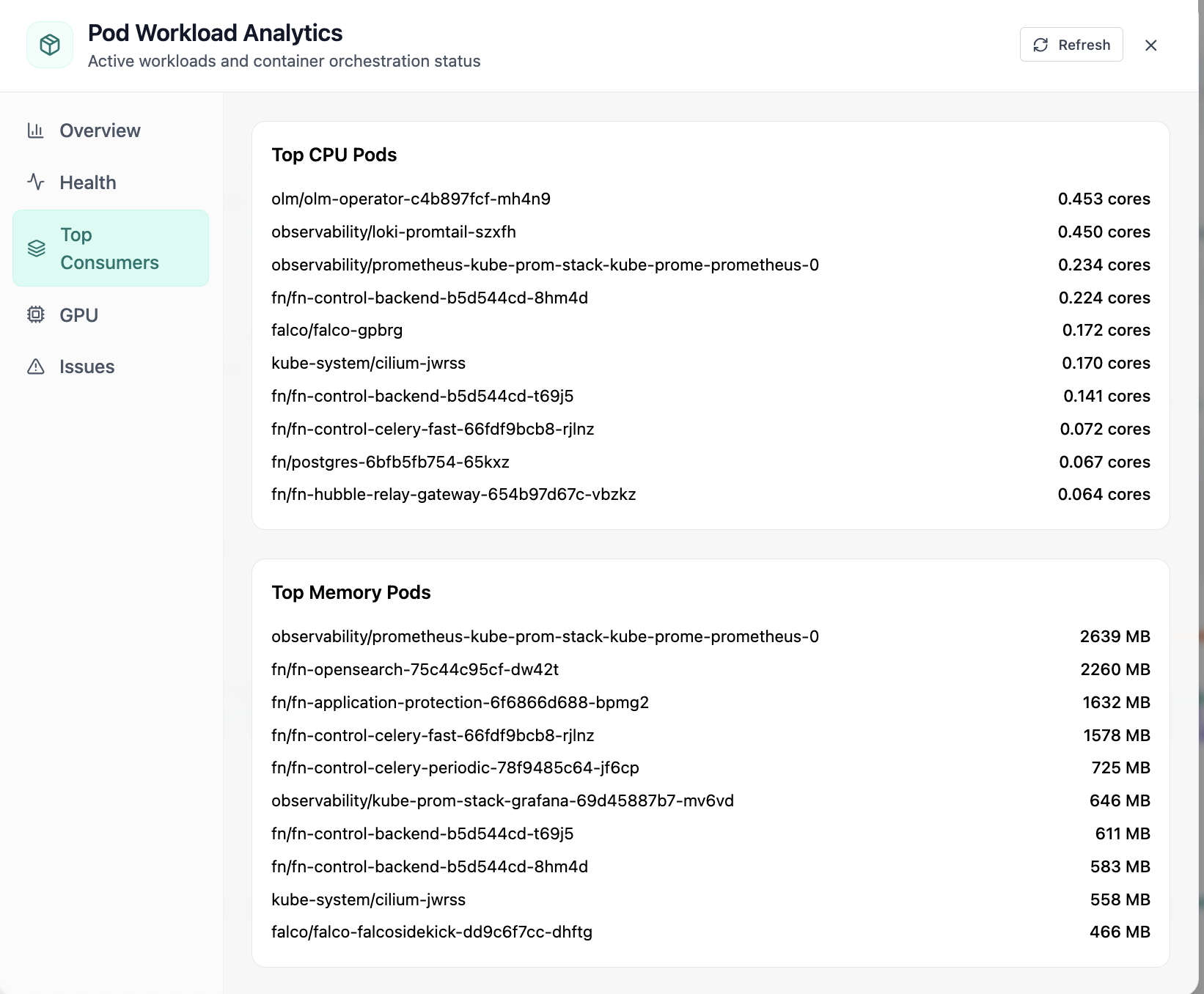
In Pod, the Top Consumers view answers one operational question at a time, top cpu and memory consuming pods. Part of workload operations; use it when you need evidence before changing limits, scaling, or opening a ticket.
05of 08Cloud Admin

Pod · Top Consumers

In Pod, the Top Consumers view answers one operational question at a time, top cpu and memory consuming pods. Part of workload operations; use it when you need evidence before changing limits, scaling, or opening a ticket.

  • Same layout your operators see in production
  • Click to zoom in
  • Works alongside the rest of Cloud Admin

Click the screenshot to open full size, zoom, and pan.
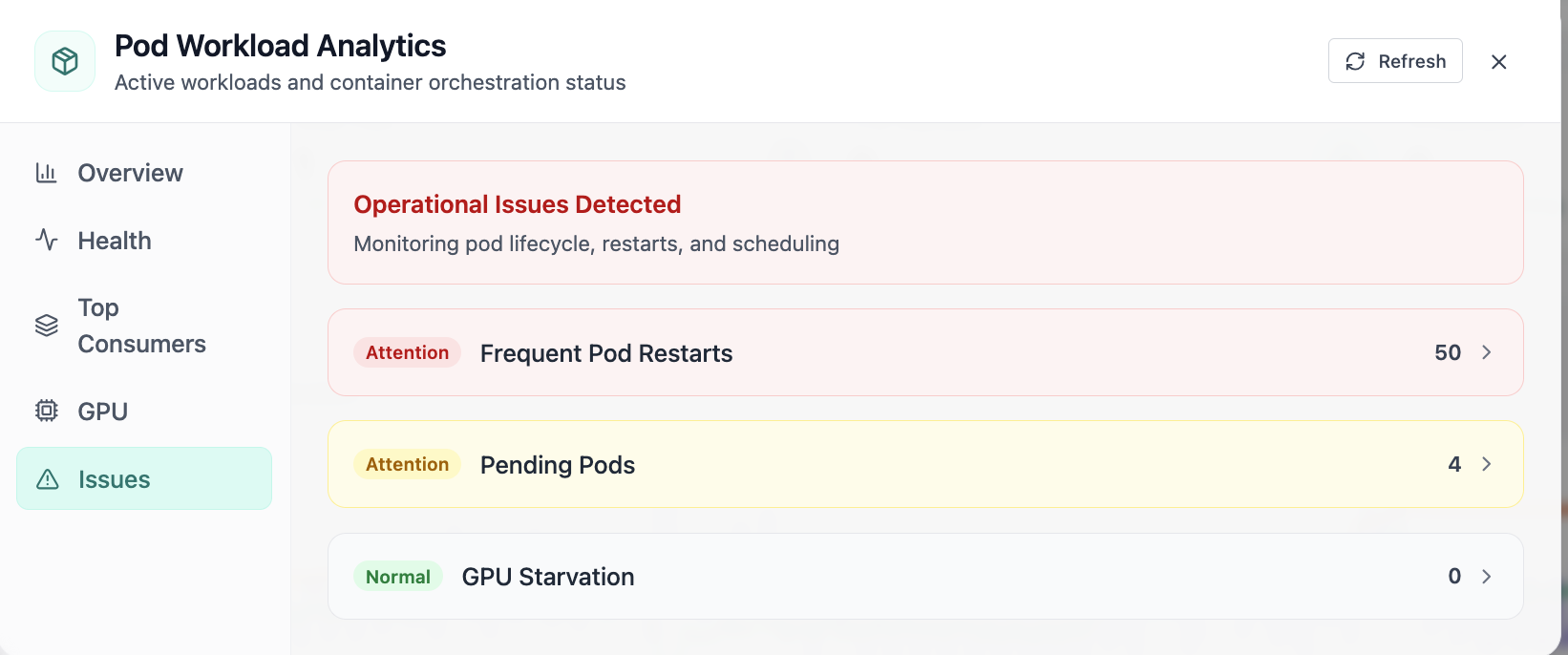
In Pod, the Issues view answers one operational question at a time, pod issues: restarts, pending pods, and gpu starvation. Part of workload operations; use it when you need evidence before changing limits, scaling, or opening a ticket.
06of 08Cloud Admin

Pod · Issues

In Pod, the Issues view answers one operational question at a time, pod issues: restarts, pending pods, and gpu starvation. Part of workload operations; use it when you need evidence before changing limits, scaling, or opening a ticket.

  • GPU and cluster metrics on one screen
  • Enough context to assign an owner without opening five tools
  • Clear next step: scale, restart, patch quota, or escalate

Click the screenshot to open full size, zoom, and pan.
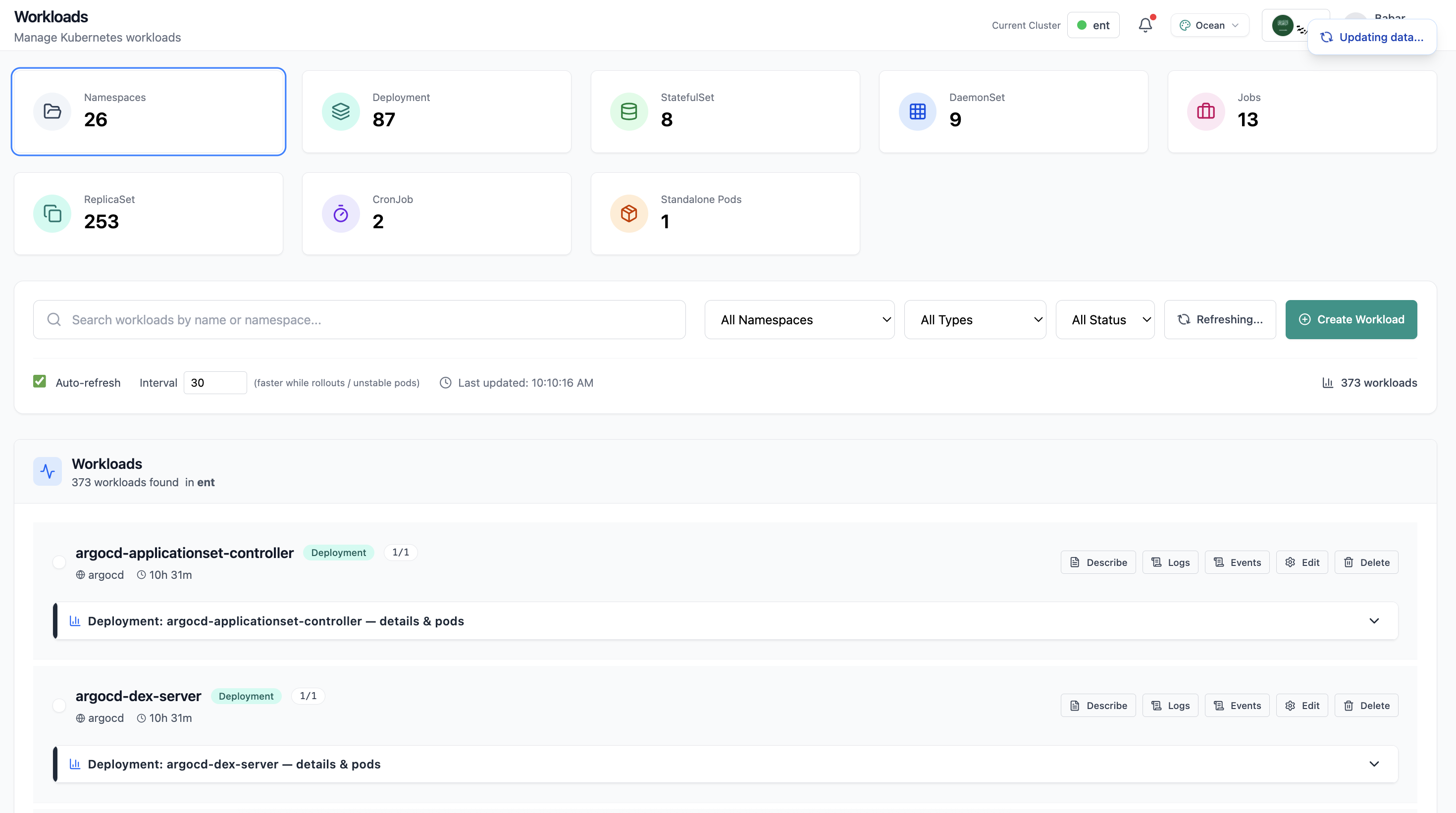
Workloads page with deployment list and resource summary.
07of 08Cloud Admin

Workloads

Workloads page with deployment list and resource summary.

  • Same layout your operators see in production
  • Click to zoom in
  • Works alongside the rest of Cloud Admin

Click the screenshot to open full size, zoom, and pan.
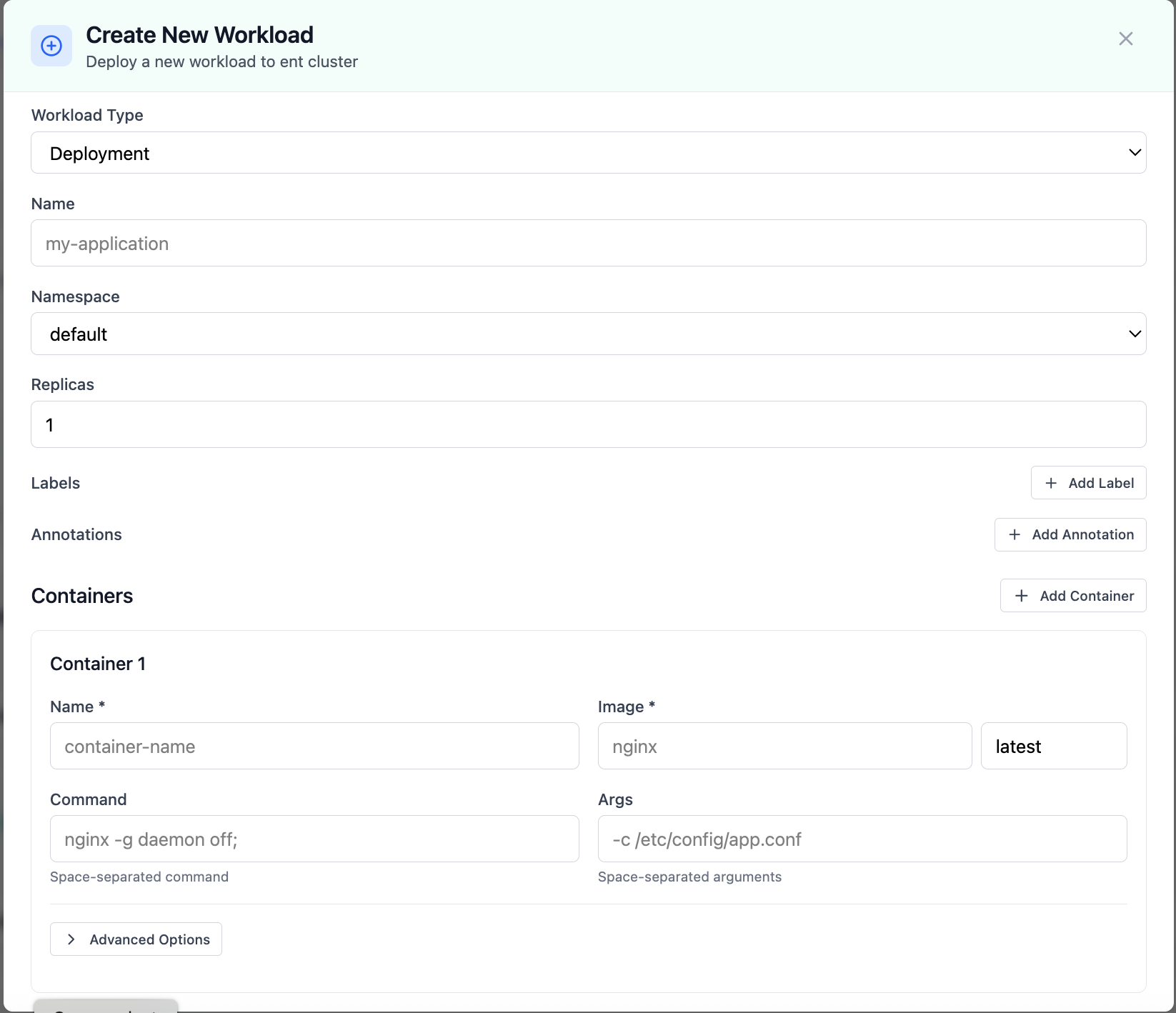
Create New Workload modal for deployments.
08of 08Cloud Admin

Create Workload

Create New Workload modal for deployments.

  • Same layout your operators see in production
  • Click to zoom in
  • Works alongside the rest of Cloud Admin

Click the screenshot to open full size, zoom, and pan.

Operator experience

Less context switching, faster remediation

Give developers self-service boundaries while operators retain audit-friendly controls and consistent workflows.