Day-2 Kubernetes

Orchestrate workloads across deployments, jobs, and daemonsets

Day-2 is where platforms succeed or stall. FusioNative centralizes workload inventory with filters, refresh discipline, and per-workload actions so operators ship fixes—not spreadsheets.

Product walkthrough

See it in Cloud Admin

Screenshots from the live product. Each note explains what you are looking at and when you would open this screen.

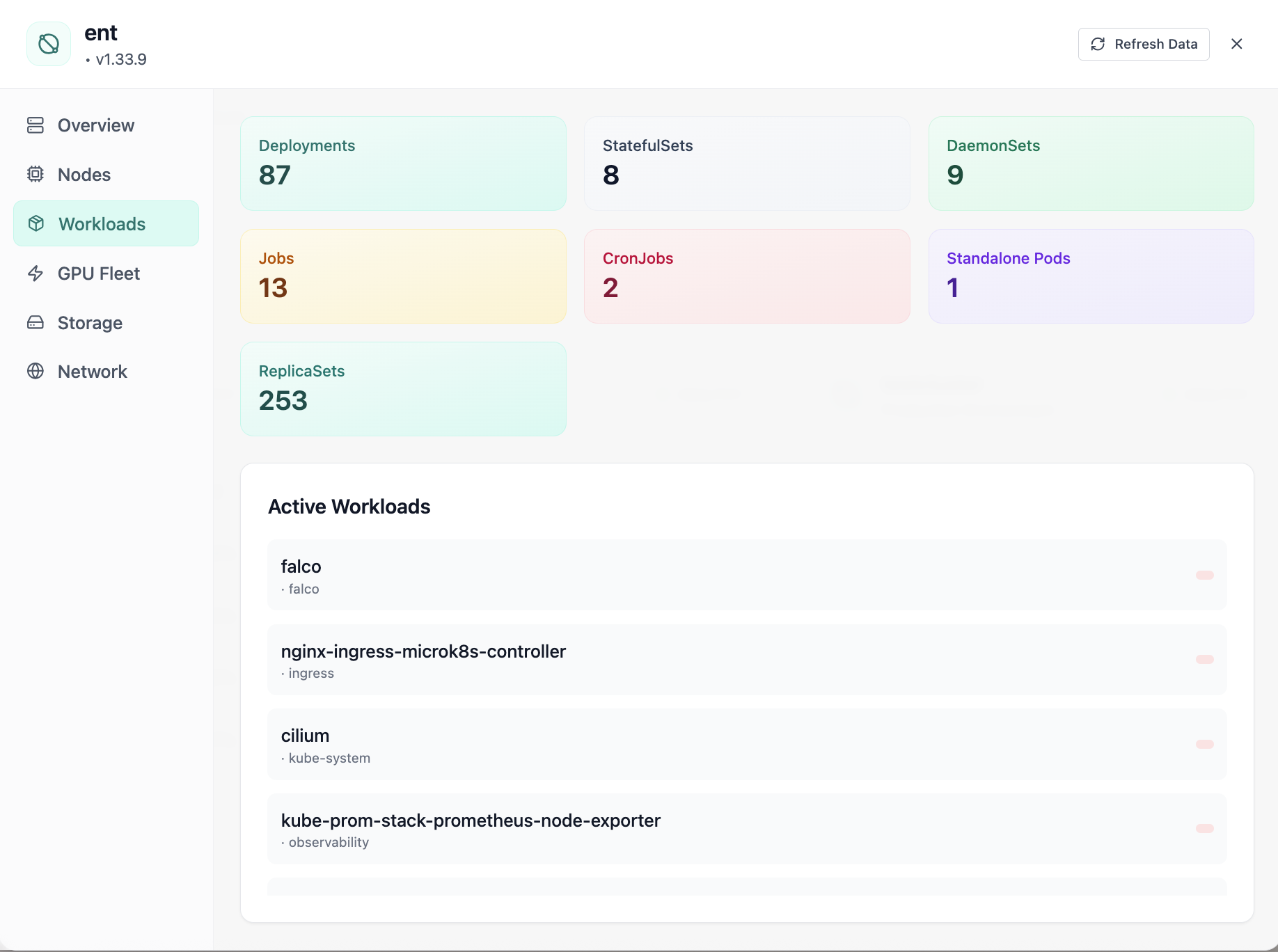
Cluster workloads: deployments, statefulsets, and daemonsets.
01 of 08 Cloud Admin

Active Workloads

Cluster workloads: deployments, statefulsets, and daemonsets. This is the same interface your team uses in production.

  • Same layout your operators see in production
  • Click to zoom in without losing detail
  • Works alongside the rest of Cloud Admin

Click the screenshot to open full size, zoom, and pan.
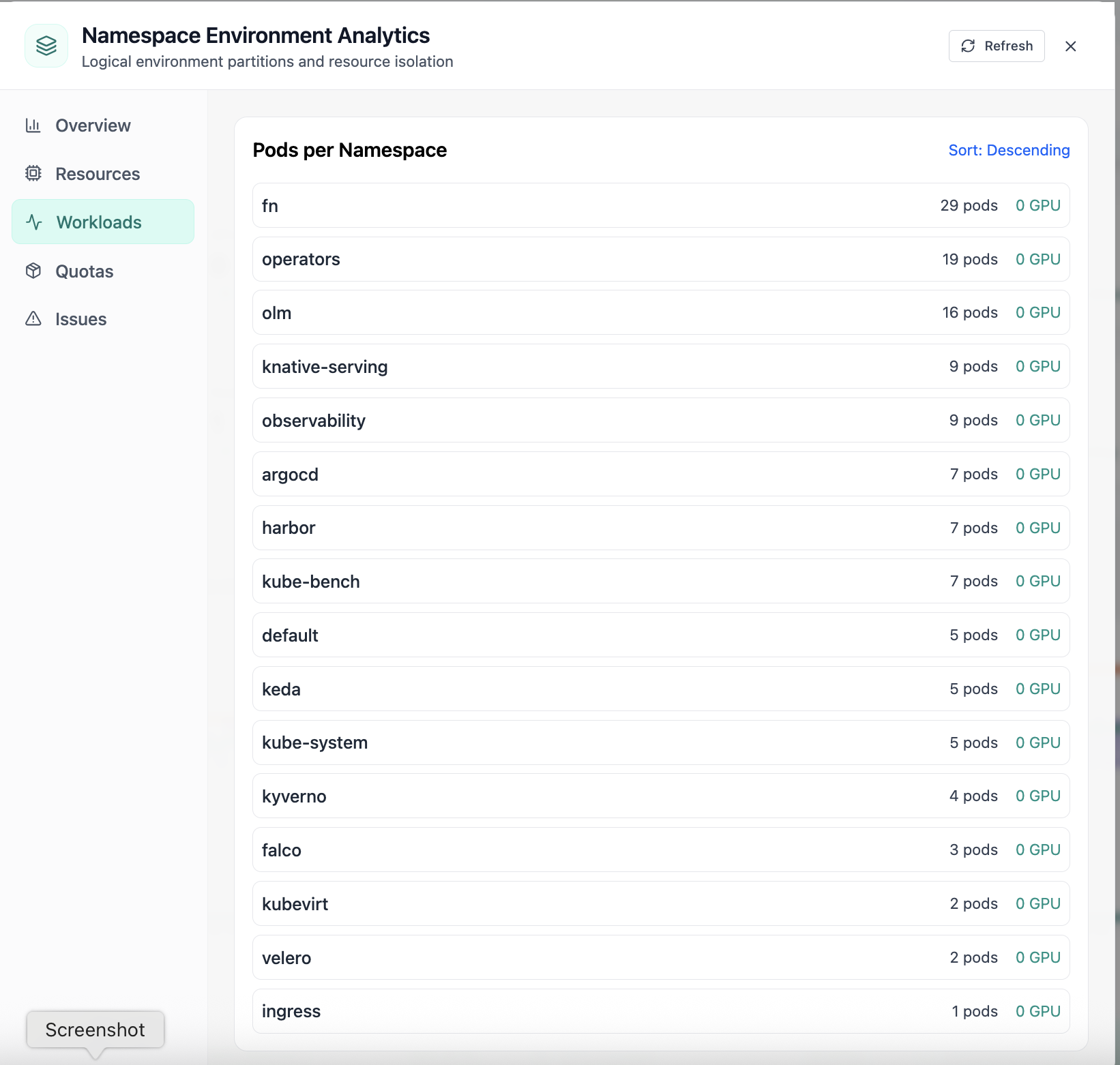
Pods per namespace sorted by count.
02 of 08 Cloud Admin

Namespace Workloads

Pods per namespace sorted by count. This is the same interface your team uses in production.

  • Same layout your operators see in production
  • Click to zoom in without losing detail
  • Works alongside the rest of Cloud Admin

Click the screenshot to open full size, zoom, and pan.
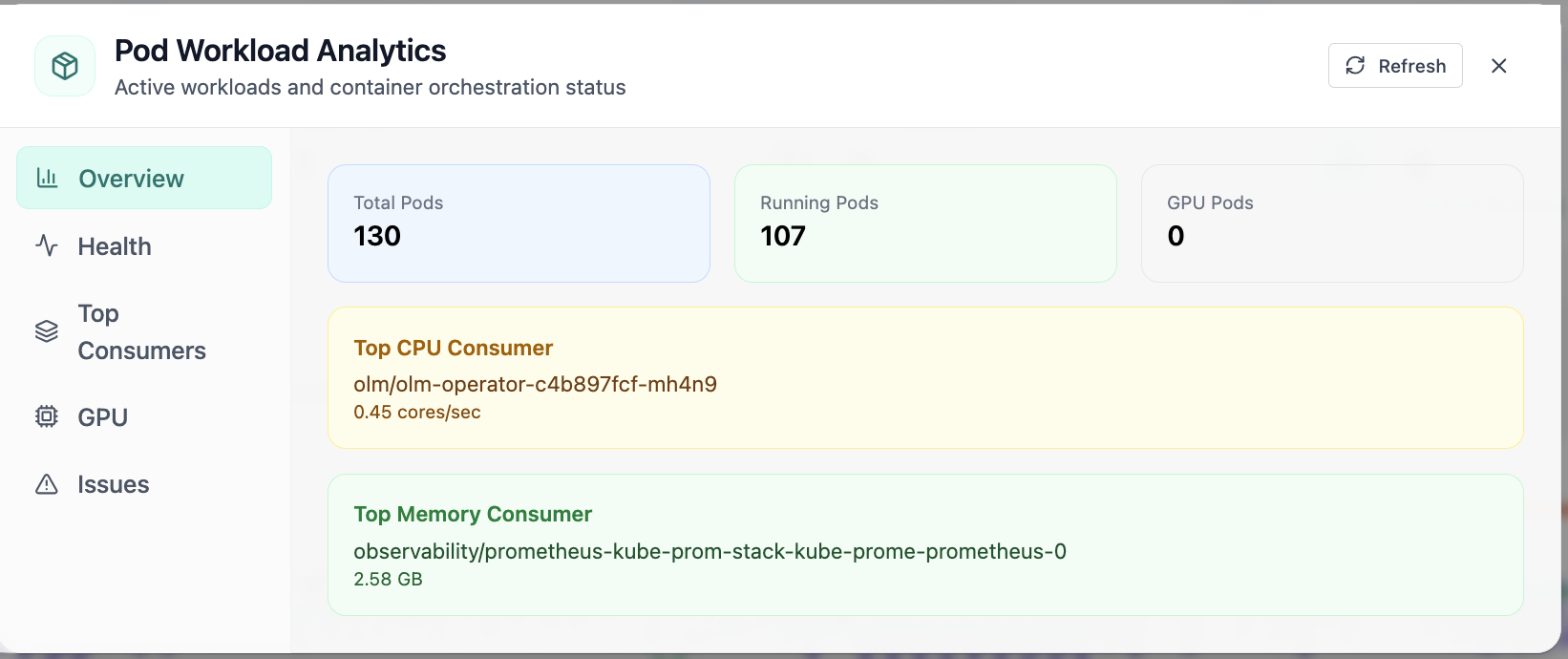
Pod workload analytics with running and GPU pod counts.
03 of 08 Cloud Admin

Pod Analytics · Overview

In Pod Analytics, the Overview view answers one operational question at a time—pod workload analytics with running and gpu pod counts. Part of workload operations; use it when you need evidence before changing limits, scaling, or opening a ticket.

  • GPU and cluster metrics on one screen
  • Charts link utilization to time so you spot spikes quickly
  • One click into deeper tabs when something looks off

Click the screenshot to open full size, zoom, and pan.
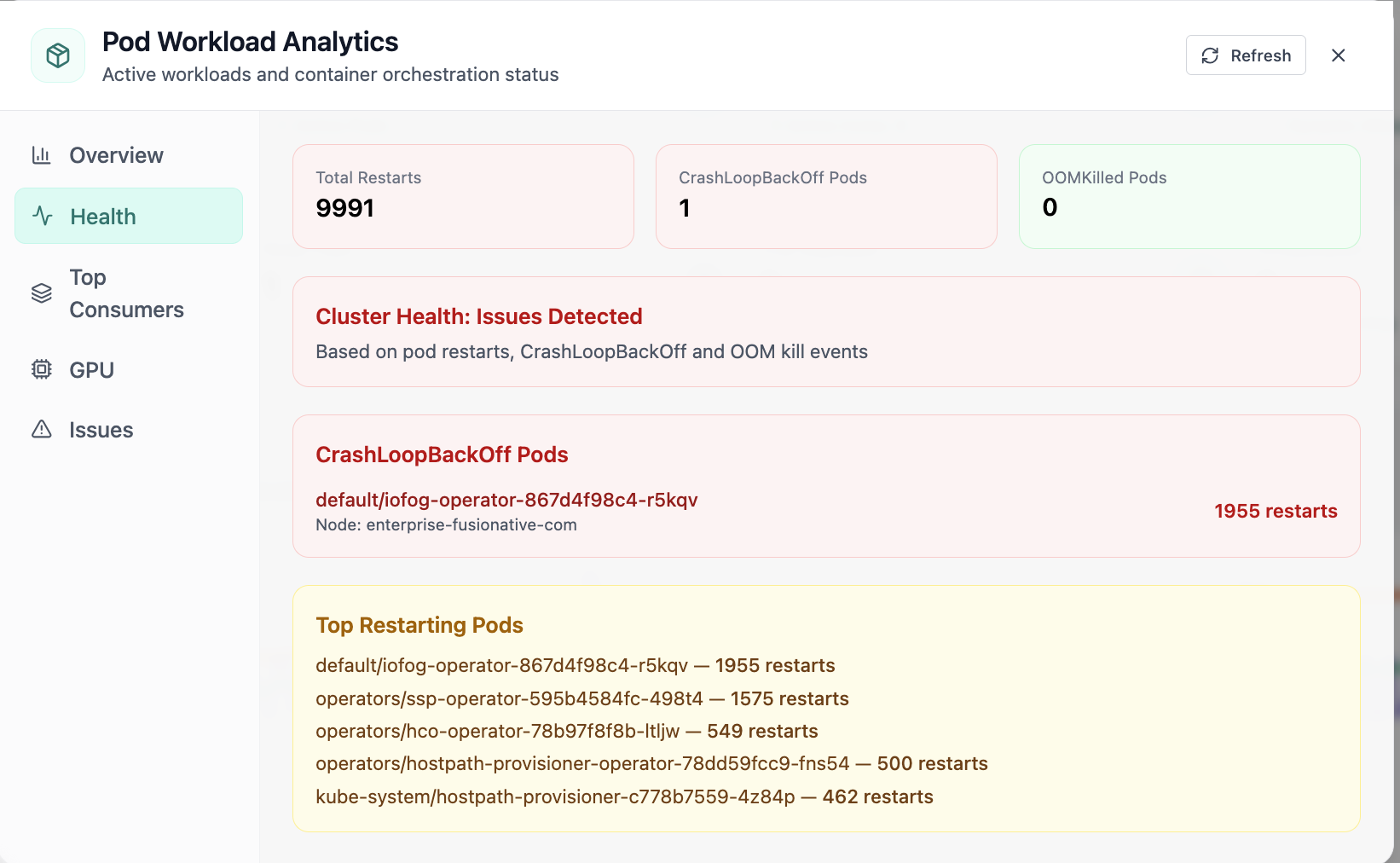
Pod health with restarts and CrashLoopBackOff visibility.
04 of 08 Cloud Admin

Pod · Health

In Pod, the Health view answers one operational question at a time—pod health with restarts and crashloopbackoff visibility. Part of workload operations; use it when you need evidence before changing limits, scaling, or opening a ticket.

  • Same layout your operators see in production
  • Click to zoom in without losing detail
  • Works alongside the rest of Cloud Admin

Click the screenshot to open full size, zoom, and pan.
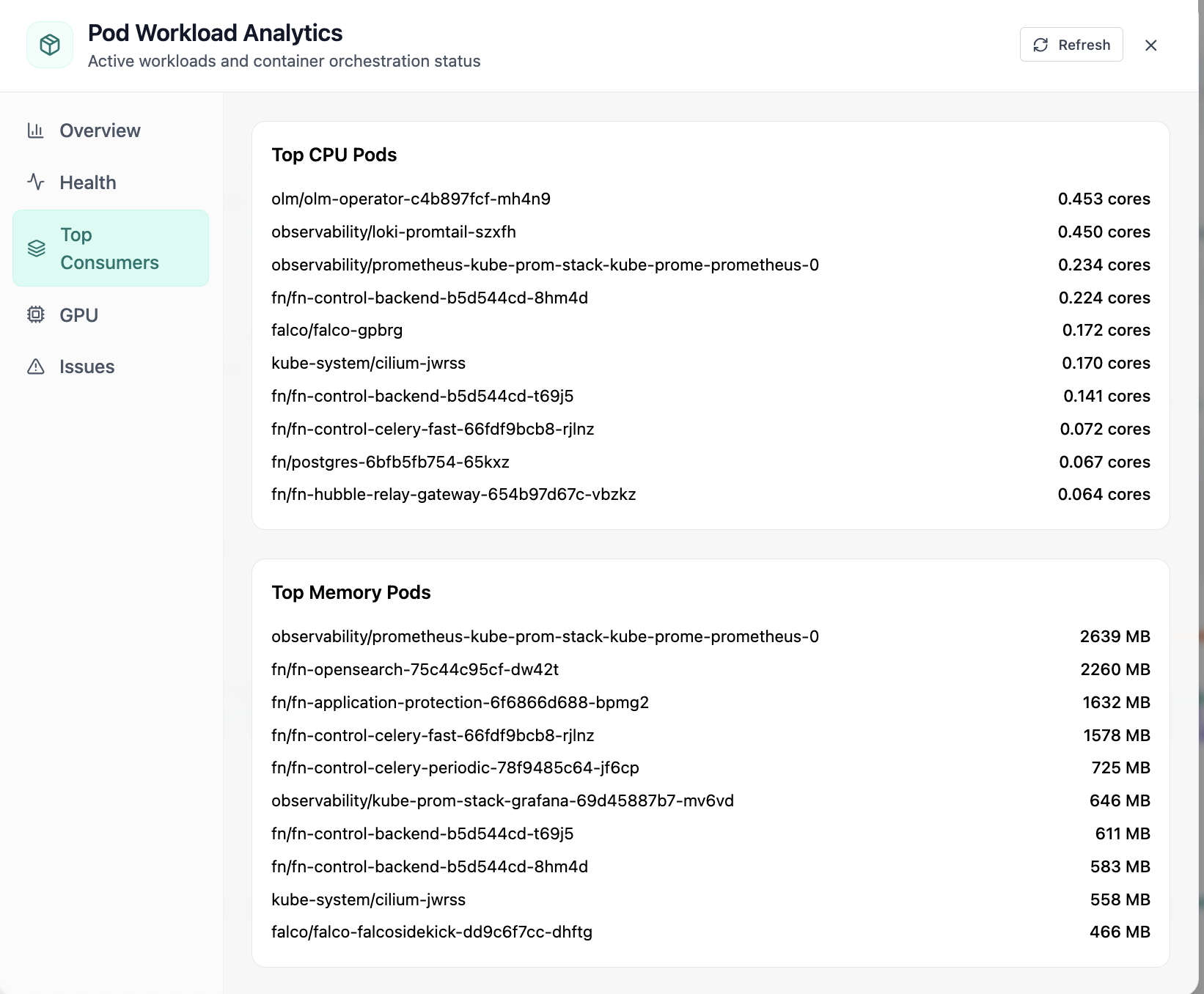
Top CPU and memory consuming pods.
05 of 08 Cloud Admin

Pod · Top Consumers

In Pod, the Top Consumers view answers one operational question at a time—top cpu and memory consuming pods. Part of workload operations; use it when you need evidence before changing limits, scaling, or opening a ticket.

  • Same layout your operators see in production
  • Click to zoom in without losing detail
  • Works alongside the rest of Cloud Admin

Click the screenshot to open full size, zoom, and pan.
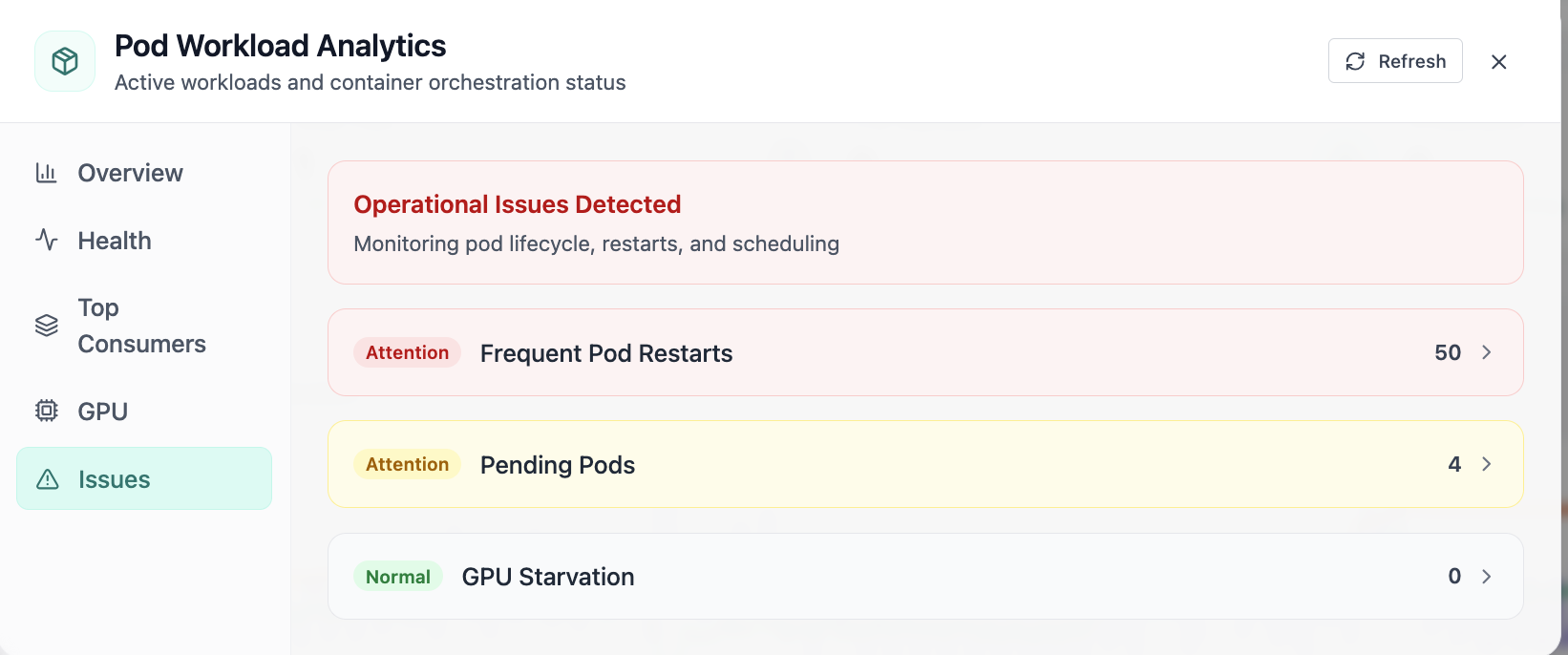
Pod issues: restarts, pending pods, and GPU starvation.
06 of 08 Cloud Admin

Pod · Issues

In Pod, the Issues view answers one operational question at a time—pod issues: restarts, pending pods, and gpu starvation. Part of workload operations; use it when you need evidence before changing limits, scaling, or opening a ticket.

  • GPU and cluster metrics on one screen
  • Enough context to assign an owner without opening five tools
  • Clear next step: scale, restart, patch quota, or escalate

Click the screenshot to open full size, zoom, and pan.

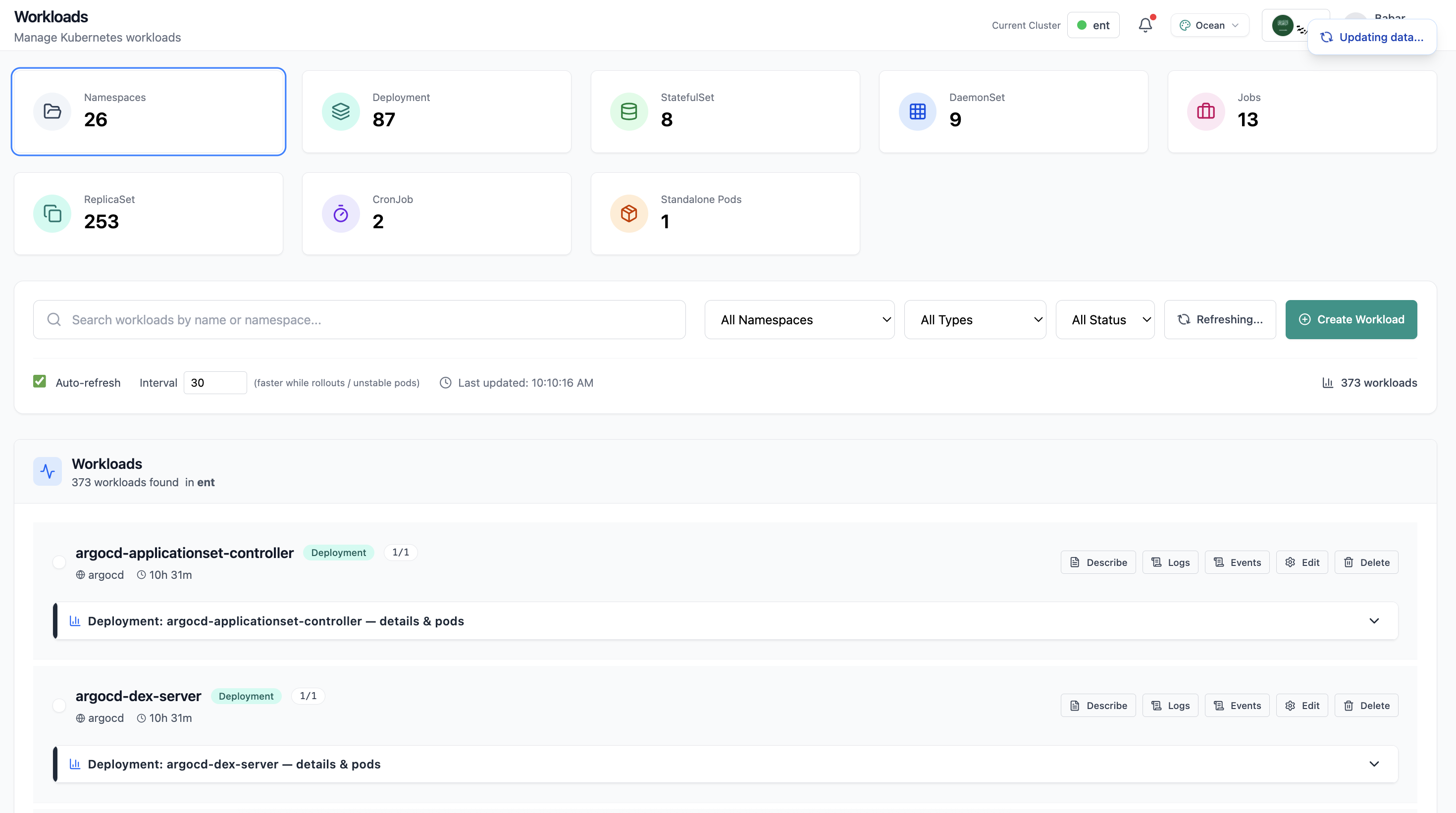
Workloads page with deployment list and resource summary.
07 of 08 Cloud Admin

Workloads

Workloads page with deployment list and resource summary. This is the same interface your team uses in production.

  • Same layout your operators see in production
  • Click to zoom in without losing detail
  • Works alongside the rest of Cloud Admin

Click the screenshot to open full size, zoom, and pan.
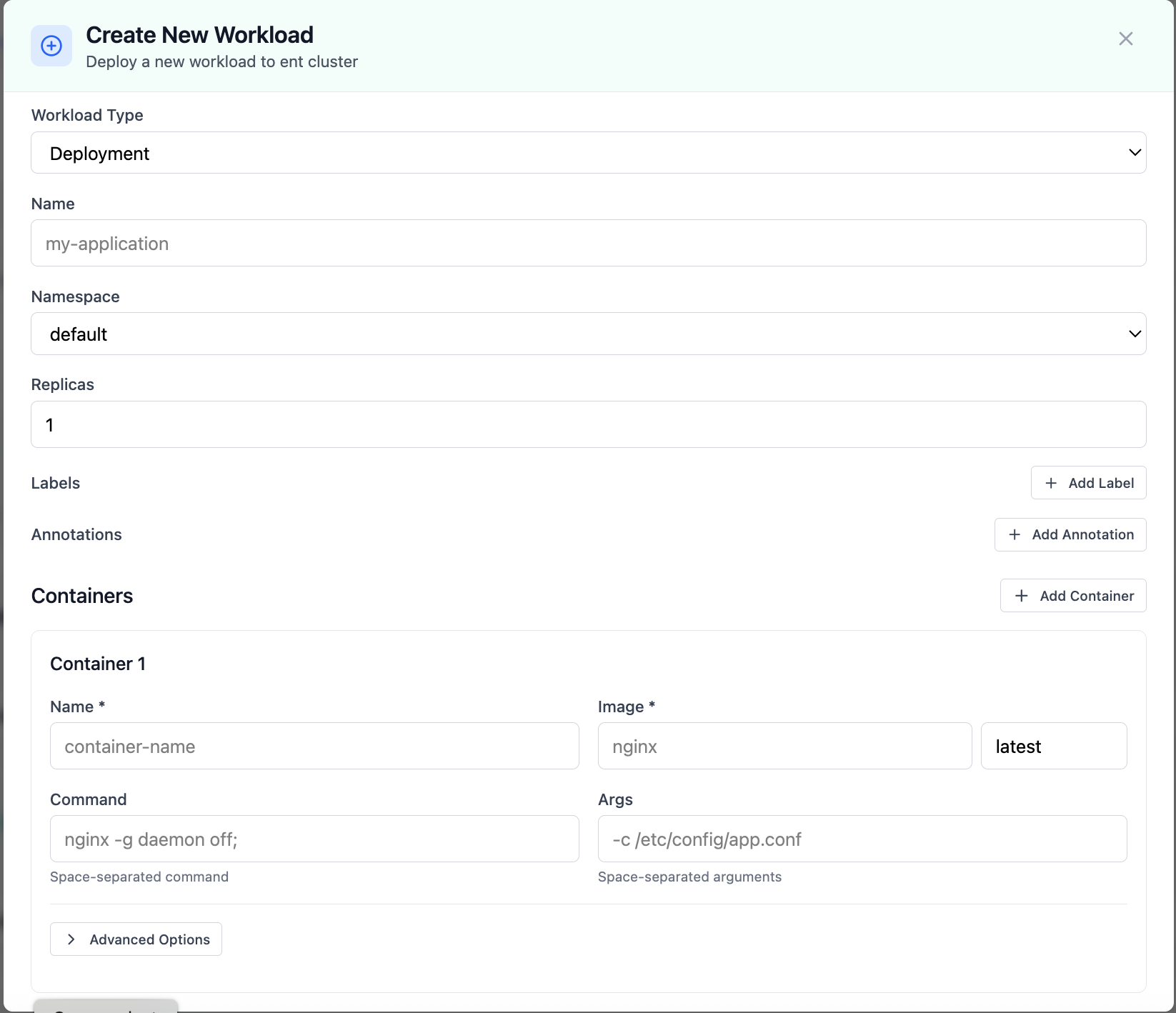
Create New Workload modal for deployments.
08 of 08 Cloud Admin

Create Workload

Create New Workload modal for deployments. This is the same interface your team uses in production.

  • Same layout your operators see in production
  • Click to zoom in without losing detail
  • Works alongside the rest of Cloud Admin

Click the screenshot to open full size, zoom, and pan.
Operator experience

Less context switching, faster remediation

Give developers self-service boundaries while operators retain audit-friendly controls and consistent workflows.