DevOps & Delivery · GitOps

Deployments (GitOps) — Git as the contract across clusters

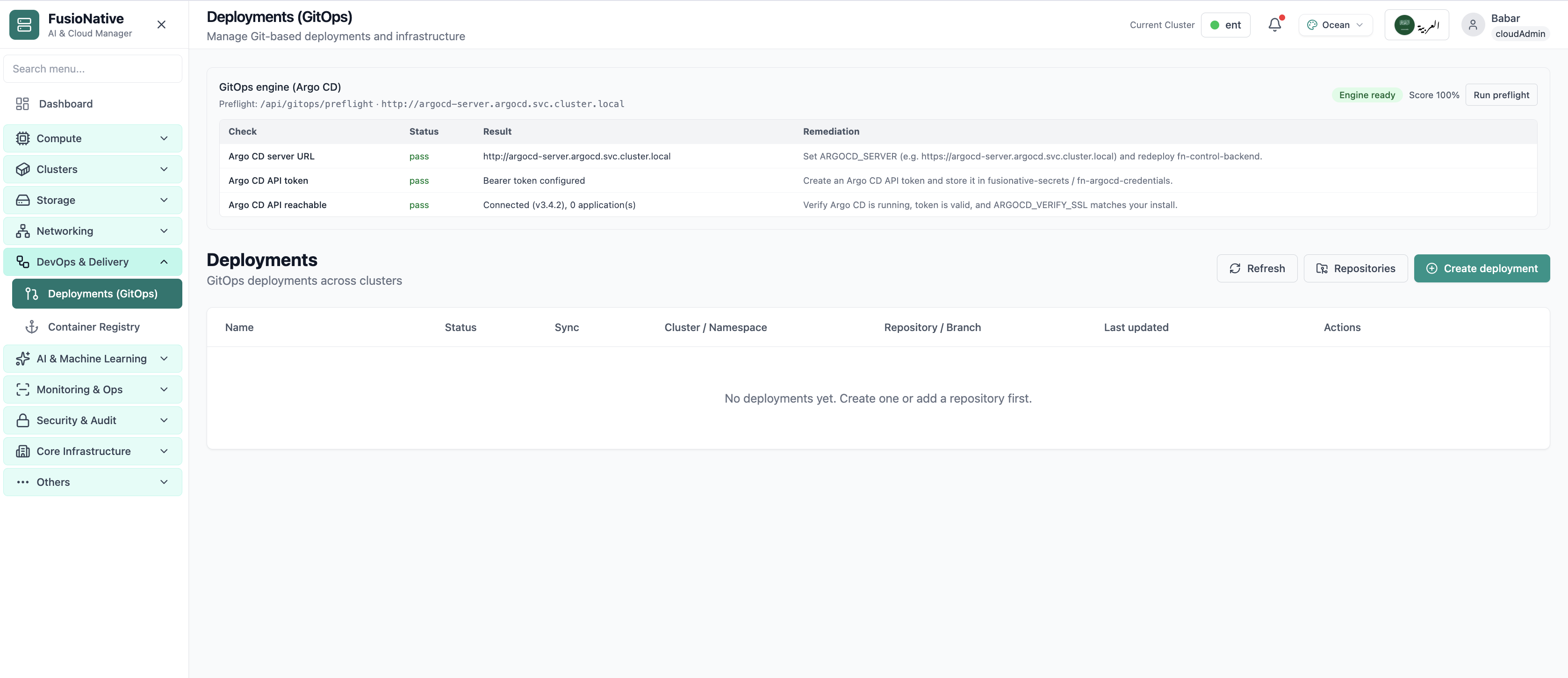
Manage Git-based deployments and infrastructure from one table: see name, status, sync drift, target cluster and namespace, repository and branch, and last update—then refresh, wire repositories, or create a deployment with repository URL, branch, and repo path. Repositories can be registered ahead of time so teams reuse trusted sources instead of pasting URLs every time.

Product walkthrough

See it in Cloud Admin

Screenshots from the live product. Each note explains what you are looking at and when you would open this screen.

Argo CD GitOps deployments with preflight checks.
01 of 02 Cloud Admin

GitOps Deployments

Argo CD GitOps deployments with preflight checks. This is the same interface your team uses in production.

  • Wizard validates each step before you continue
  • Settings stay consistent with cluster quotas and GPU pools
  • Review the full stack before anything reaches production

Click the screenshot to open full size, zoom, and pan.
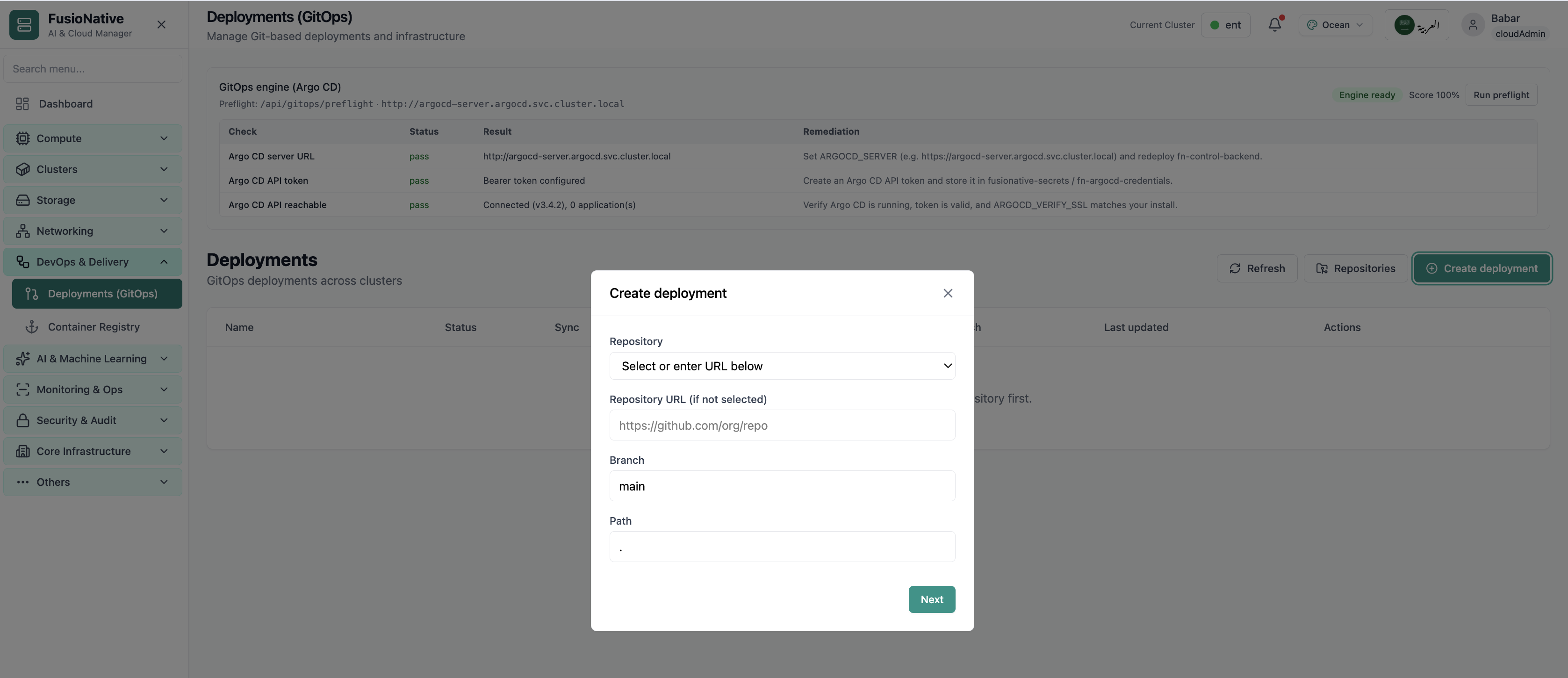
Create GitOps deployment modal.
02 of 02 Cloud Admin

Create deployment

Create GitOps deployment modal. This is the same interface your team uses in production.

  • Wizard validates each step before you continue
  • Settings stay consistent with cluster quotas and GPU pools
  • Review the full stack before anything reaches production

Click the screenshot to open full size, zoom, and pan.

Delivery discipline

Git is only source of truth if everyone can see the reconciliation

When sync and status share a table with cluster scope, platform teams stop reconciling GitOps from memory.

One ledger for GitOps

Deployments stay visible across namespaces—no more hunting branch names in ticket archives.

Repositories first

Register remotes once, reuse everywhere—fewer bad URLs and fewer secret leaks in chat.

Create with intent

Branch and path fields keep monorepo layouts explicit instead of implied.

Put GitOps next to the clusters you reconcile

Run Deployments (GitOps) from Cloud Admin alongside workloads, networking, and Helm—one plane for delivery.

Get a demo