K8s & Containers

Cloud Clusters: every cluster, one operational surface

Monitor, connect, and run day-2 operations across your Kubernetes fleet—resource usage on cards, secure kubeconfig and enterprise connection flows, in-browser kubectl, upgrade readiness, provisioning, and multi-cluster control plane settings.

Product walkthrough

See it in Cloud Admin

Screenshots from the live product. Each note explains what you are looking at and when you would open this screen.

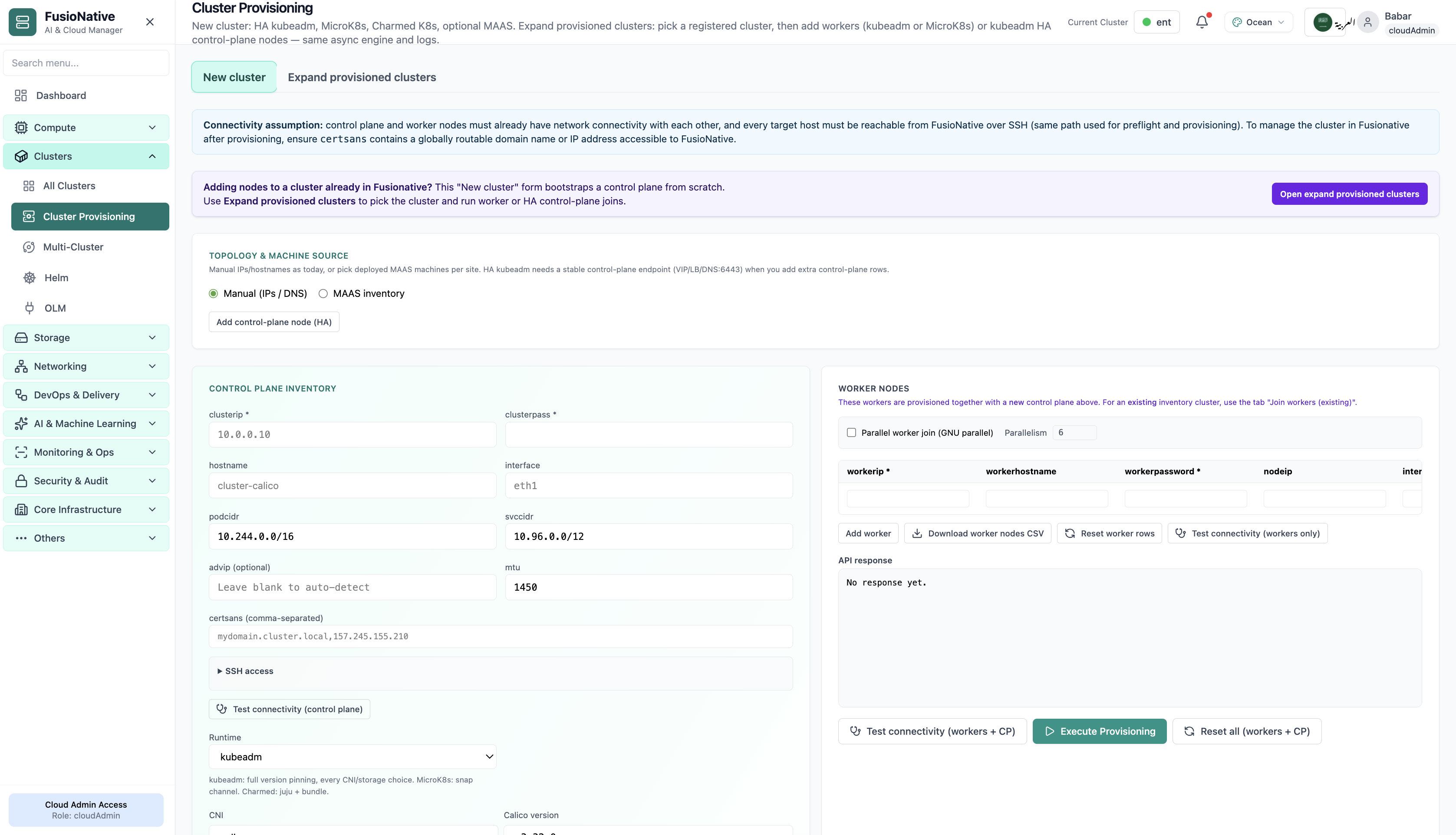
Cluster provisioning workflow and connectivity checks.
01 of 03 Cloud Admin

Cluster Provisioning

Cluster provisioning workflow and connectivity checks. This is the same interface your team uses in production.

  • Same layout your operators see in production
  • Click to zoom in without losing detail
  • Works alongside the rest of Cloud Admin

Click the screenshot to open full size, zoom, and pan.
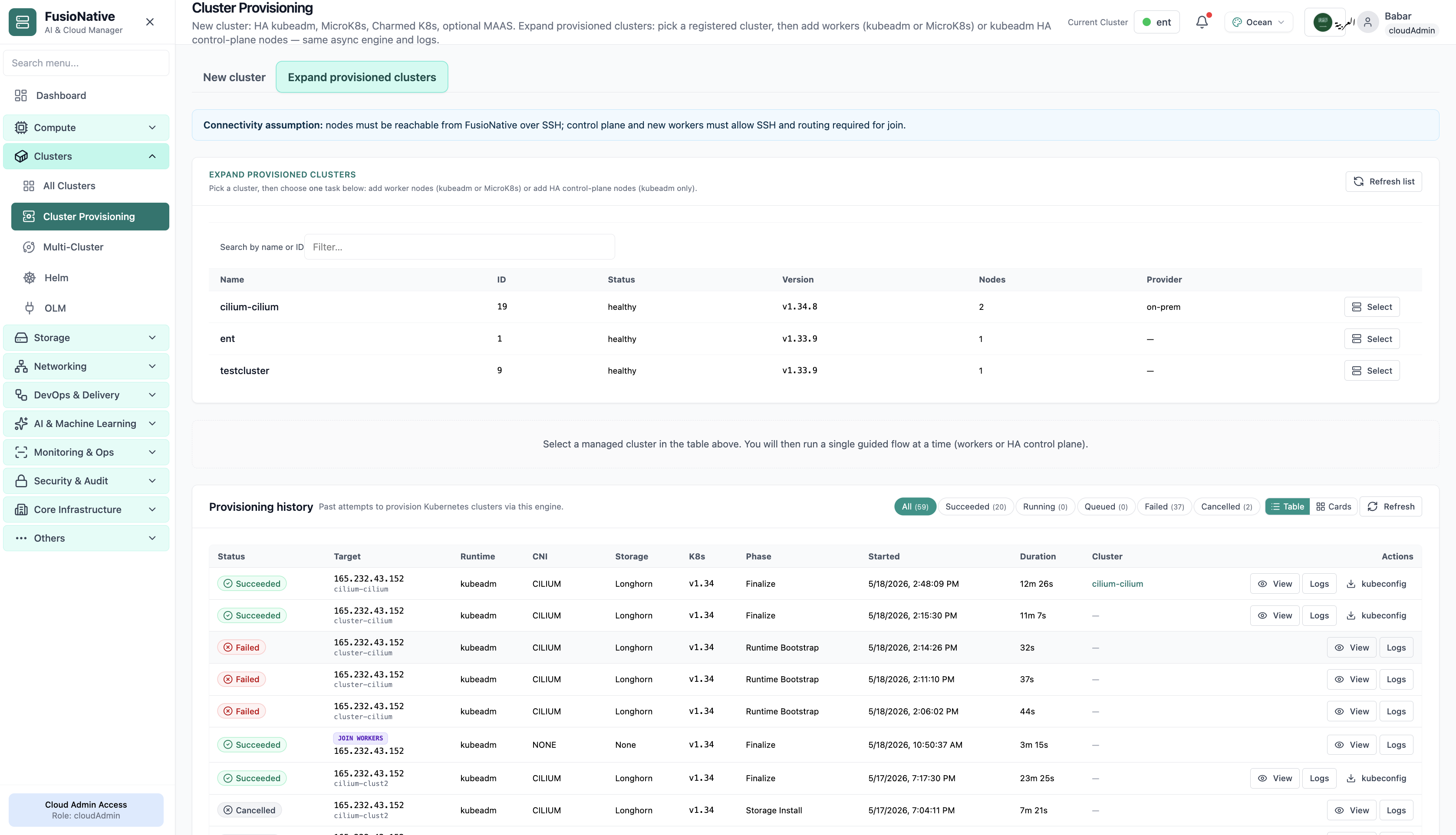
Cluster provisioning form with target version and readiness.
02 of 03 Cloud Admin

Provision cluster

Cluster provisioning form with target version and readiness. This is the same interface your team uses in production.

  • Same layout your operators see in production
  • Click to zoom in without losing detail
  • Works alongside the rest of Cloud Admin

Click the screenshot to open full size, zoom, and pan.
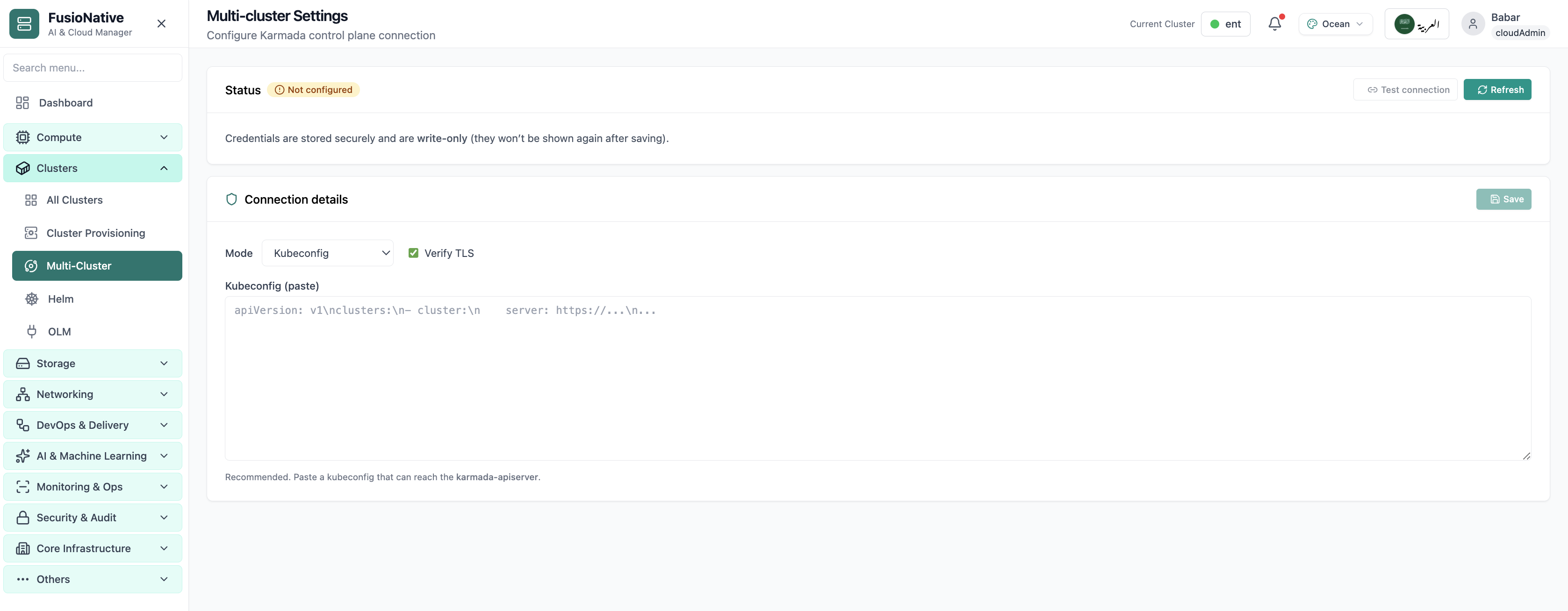
Multi-cluster Karmada-style control plane settings.
03 of 03 Cloud Admin

Multi-cluster Settings

Multi-cluster Karmada-style control plane settings. This is the same interface your team uses in production.

  • Same layout your operators see in production
  • Click to zoom in without losing detail
  • Works alongside the rest of Cloud Admin

Click the screenshot to open full size, zoom, and pan.

Day-2 Kubernetes

From inventory to incident response

Whether you are onboarding a new provider cluster or standardizing upgrades across tenants, Cloud Admin keeps connection security and operational velocity in the same product.

See posture first

Healthy badges and utilization bars make it obvious where pressure shows up before alerts fire everywhere.

Connect with confidence

Prerequisites and RBAC expectations are spelled up front; recommended paths reduce misconfiguration during attach.

Operate in one plane

Terminal, upgrades, and multi-cluster settings live beside the same cluster truth—fewer handoffs between tools.

Put cluster policy next to production reality

Use Cloud Clusters in Cloud Admin as the hub for attach, observe, and change—across providers and teams.

Get a demo