Storage · Data protection

Backup & Restore — Velero plus KubeVirt snapshots

Run cluster backups and VM snapshots from one place: Velero schedules, manual runs, history and restores, reported backup storage, export-friendly workflows, guided Velero install, and BackupStorageLocation targets—from MinIO and S3-compatible endpoints to NFS CSI, Longhorn, and Ceph.

Product walkthrough

See it in Cloud Admin

Screenshots from the live product. Each note explains what you are looking at and when you would open this screen.

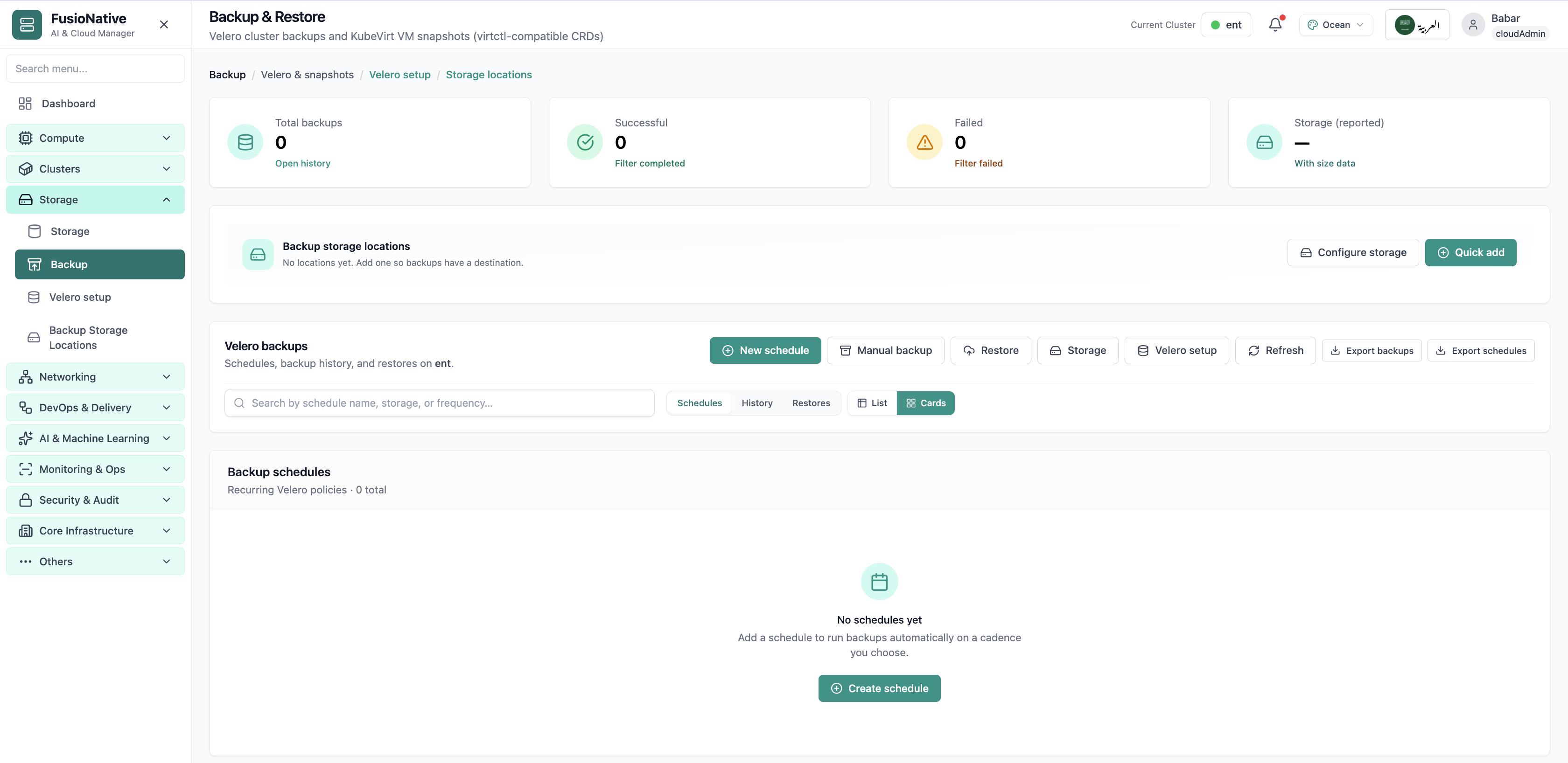
Velero backup and restore dashboard.
01 of 05 Cloud Admin

Backup & Restore

Velero backup and restore dashboard. This is the same interface your team uses in production.

  • Same layout your operators see in production
  • Click to zoom in without losing detail
  • Works alongside the rest of Cloud Admin

Click the screenshot to open full size, zoom, and pan.
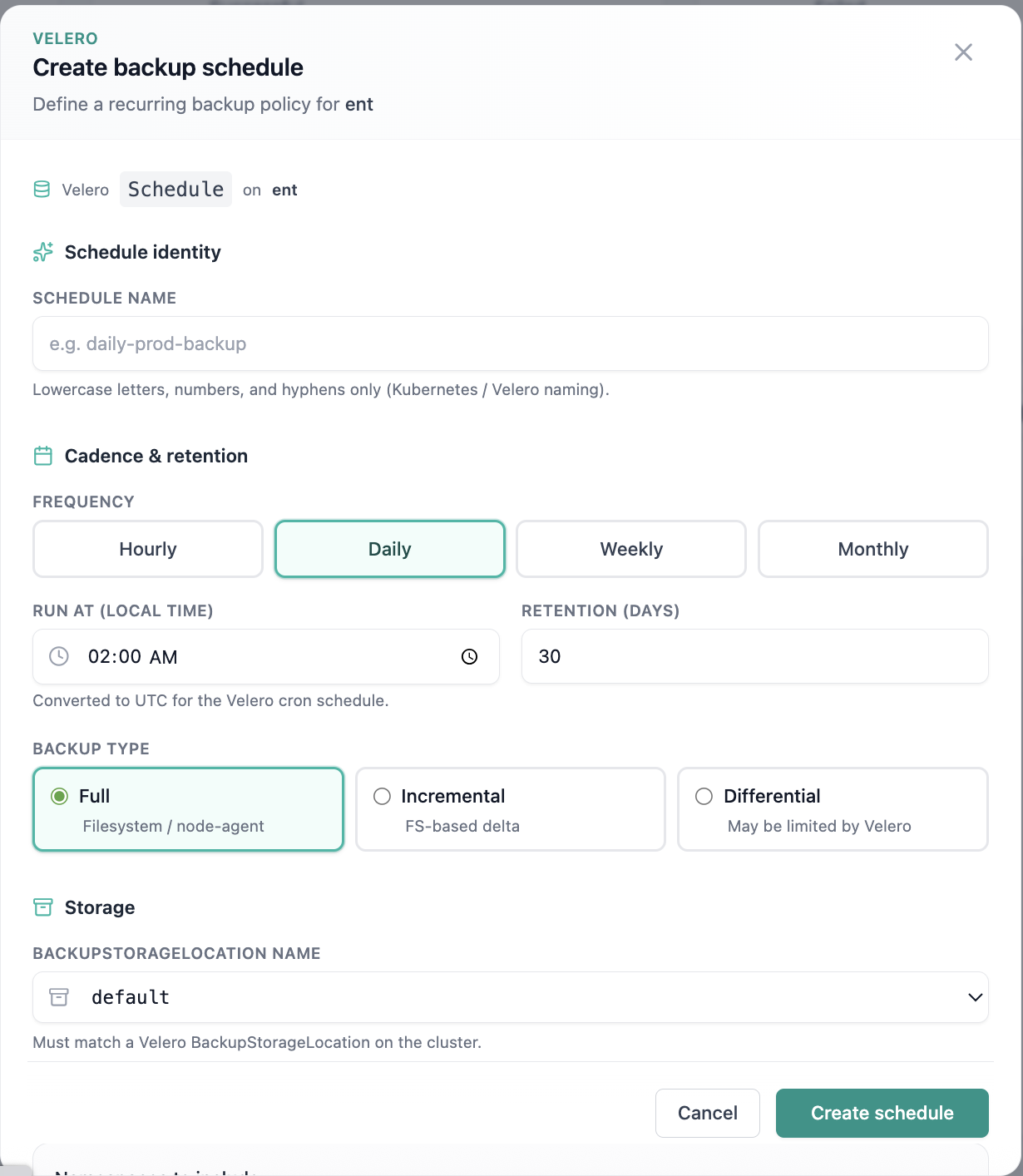
Create backup schedule form.
02 of 05 Cloud Admin

Backup schedule

Create backup schedule form. This is the same interface your team uses in production.

  • Same layout your operators see in production
  • Click to zoom in without losing detail
  • Works alongside the rest of Cloud Admin

Click the screenshot to open full size, zoom, and pan.
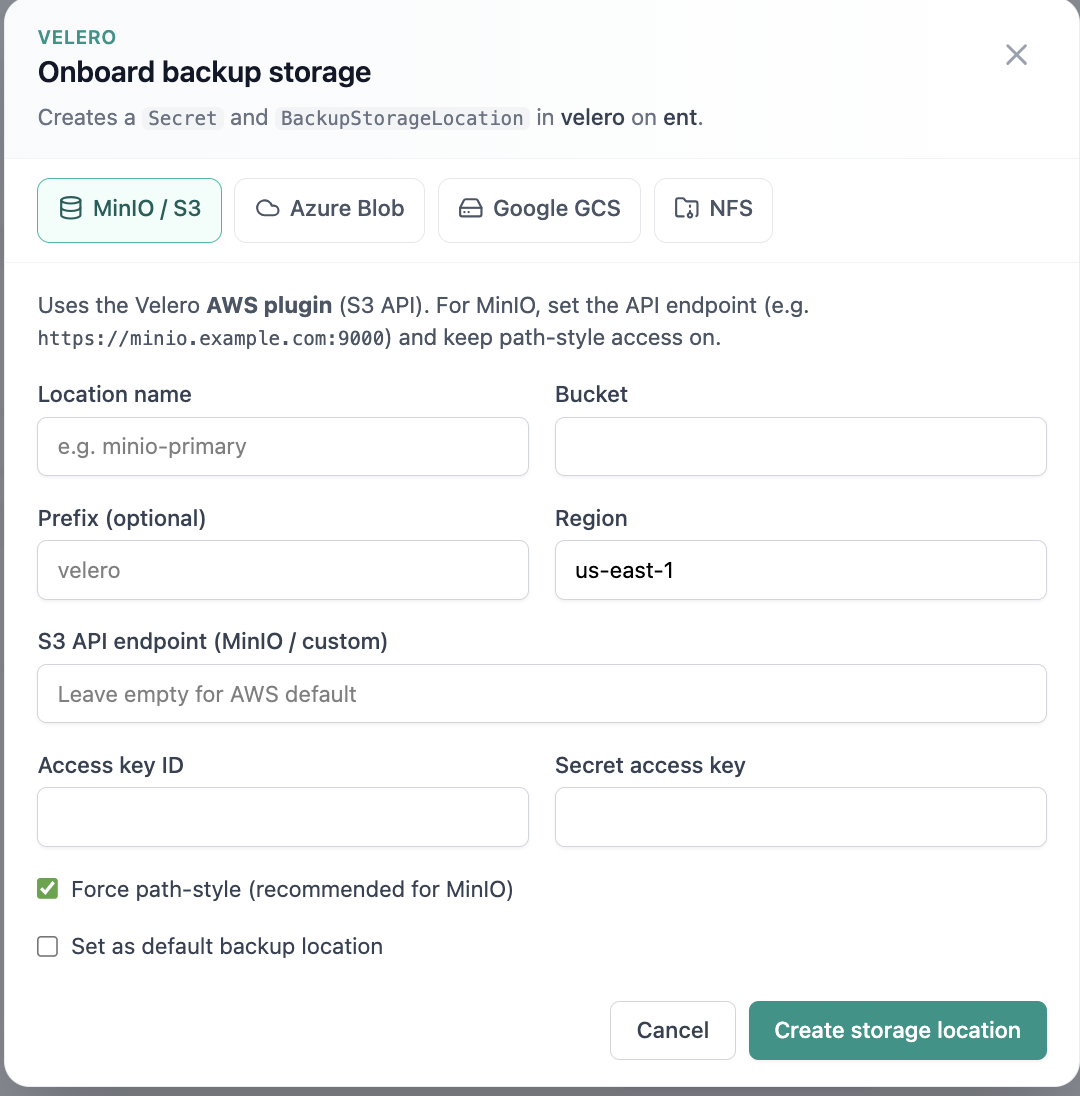
Onboard backup storage location.
03 of 05 Cloud Admin

Backup storage

Onboard backup storage location. This is the same interface your team uses in production.

  • Same layout your operators see in production
  • Click to zoom in without losing detail
  • Works alongside the rest of Cloud Admin

Click the screenshot to open full size, zoom, and pan.
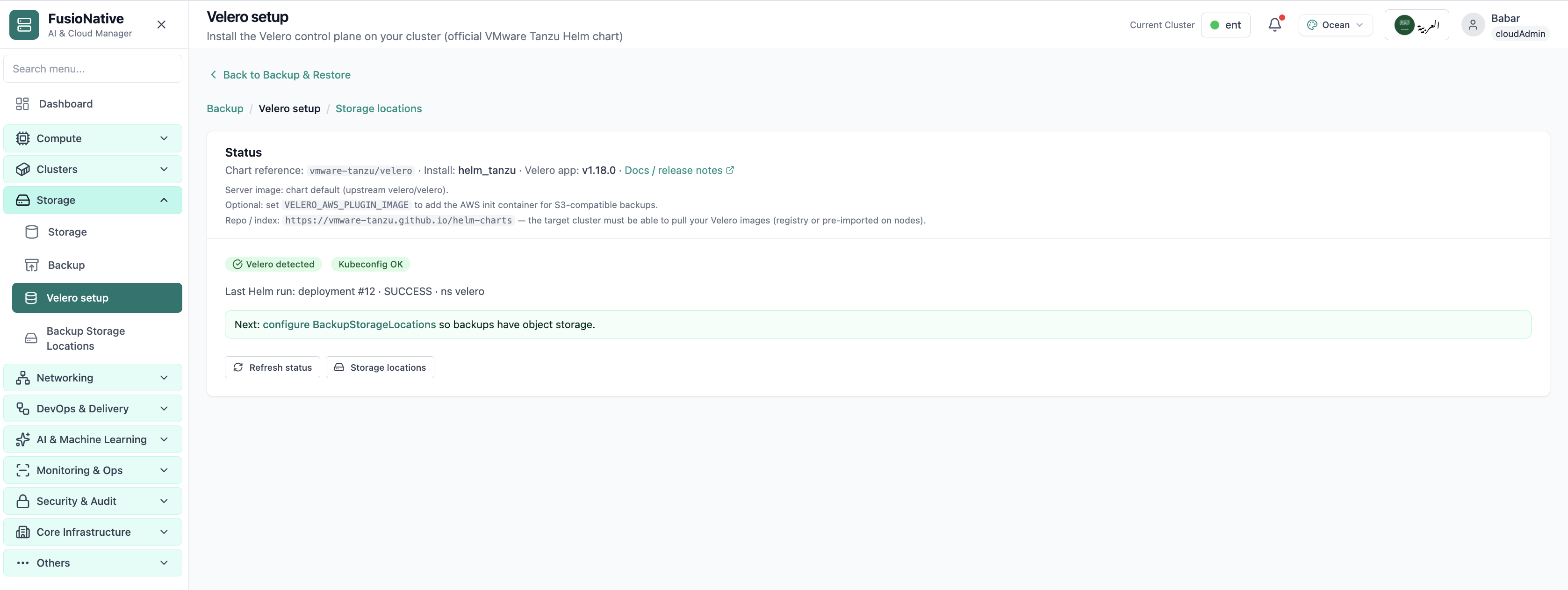
Velero installation and setup wizard.
04 of 05 Cloud Admin

Velero setup

Velero installation and setup wizard. This is the same interface your team uses in production.

  • Same layout your operators see in production
  • Click to zoom in without losing detail
  • Works alongside the rest of Cloud Admin

Click the screenshot to open full size, zoom, and pan.
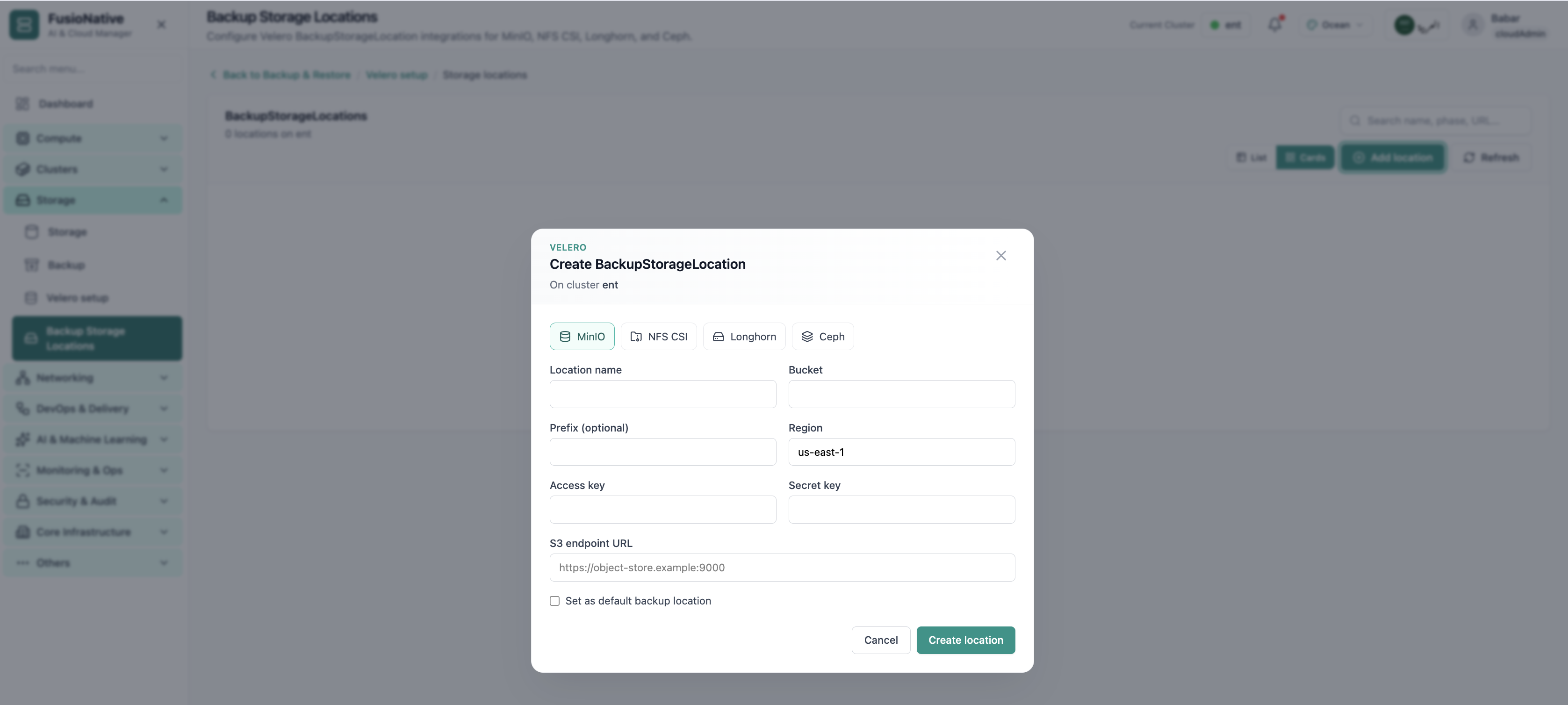
Backup storage locations configuration.
05 of 05 Cloud Admin

Backup Storage Locations

Backup storage locations configuration. This is the same interface your team uses in production.

  • Same layout your operators see in production
  • Click to zoom in without losing detail
  • Works alongside the rest of Cloud Admin

Click the screenshot to open full size, zoom, and pan.

Recoverability

Restore drills only work when backups were never “someone else’s YAML”

When schedules, targets, and snapshot workflows share one UI, platform teams rehearse failure modes instead of discovering gaps during incidents.

Automate the boring parts

Cadence, retention, and storage targets captured where admins already work—not buried in Git forks.

Unify clusters and VMs

Velero for Kubernetes plus KubeVirt snapshots reduces parallel runbooks for mixed estates.

Prove storage before backup day

Explicit BSL modeling for common backends keeps restore objectives tied to real object-store endpoints.

Put backup next to the clusters you protect

See Backup & Restore, Velero setup, and Backup Storage Locations inside Cloud Admin—alongside Storage and workloads.

Get a demo