Monitoring & Ops

Cluster Events — real-time warning and Normal signals

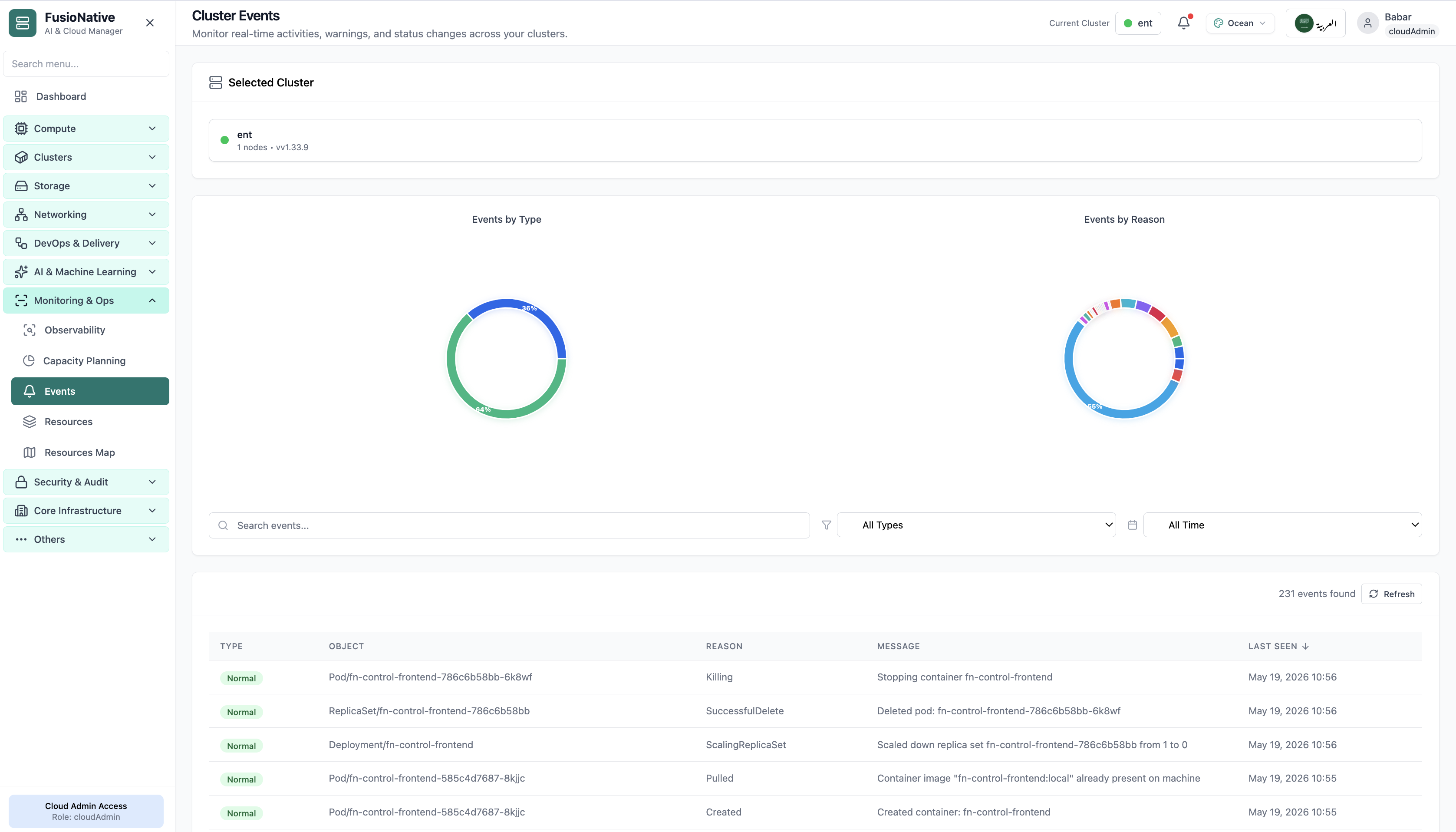
Open Monitoring & Ops → Events to watch Kubernetes events as they happen: cluster-scoped context, type/reason distributions, rich filters, and a searchable table—ideal when logs are noisy but the API surface tells the truth.

Product walkthrough

See it in Cloud Admin

Screenshots from the live product. Each note explains what you are looking at and when you would open this screen.

Cluster events charts and searchable event table.
01 of 01 Cloud Admin

Cluster Events

Cluster events charts and searchable event table. This is the same interface your team uses in production.

  • Same layout your operators see in production
  • Click to zoom in without losing detail
  • Works alongside the rest of Cloud Admin

Click the screenshot to open full size, zoom, and pan.

Incident tempo

Turn Kubernetes chatter into coordinated response

Events become actionable when everyone sees the same Normal/Warning profile, reasons cluster visibly, and filters isolate the blast radius—without copying kubectl output into chat.

Bridge-ready summaries

Donut charts give executives the headline mix while engineers stay in the detailed table.

Forensics without log roulette

Warning badges and reasons isolate kubelet and scheduler narratives before you grep terabytes of stdout.

Same cluster picker

Switch clusters without breaking context—Monitoring & Ops routes stay consistent.