Monitoring & Ops

Capacity Planning — AI-assisted capacity intelligence

In Cloud Admin, Monitoring & Ops → Capacity Planning turns Prometheus signals and Kubernetes inventory into snapshots, forecasts, and fleet-wide roll-ups—so finance and platform teams agree before spend or outages force the conversation.

Product walkthrough

See it in Cloud Admin

Screenshots from the live product. Each note explains what you are looking at and when you would open this screen.

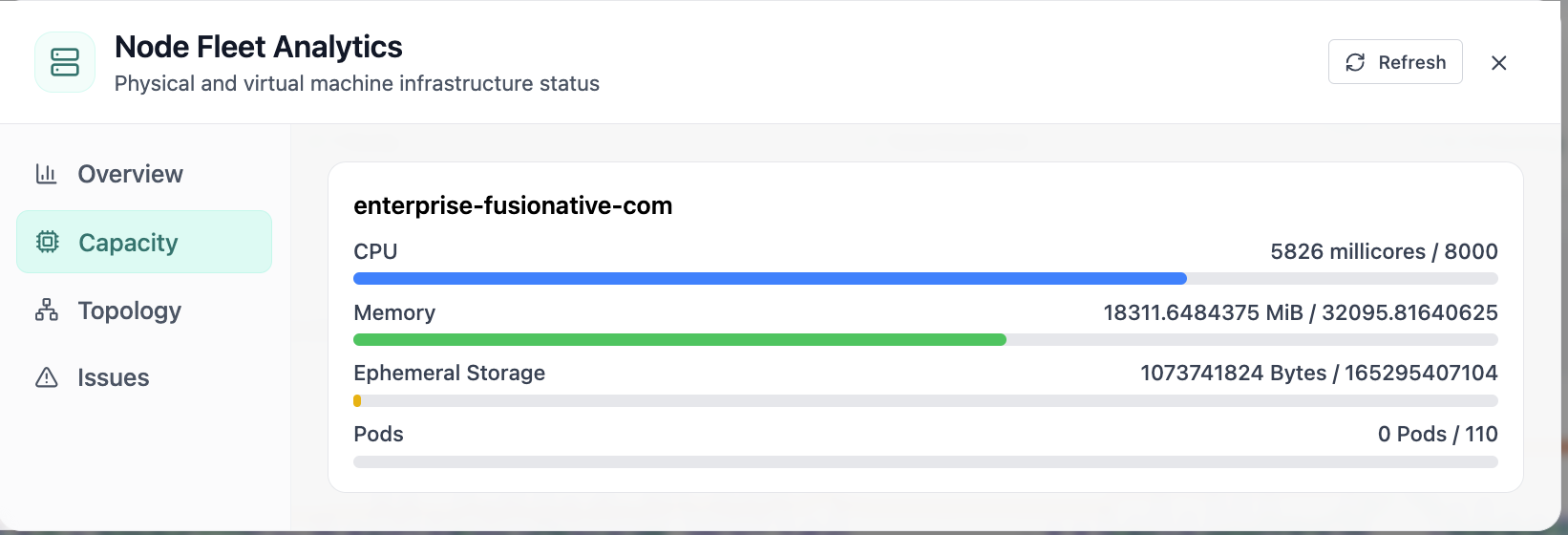
Node fleet capacity for CPU, memory, storage, and pods.
01 of 02 Cloud Admin

Node Capacity

Node fleet capacity for CPU, memory, storage, and pods. This is the same interface your team uses in production.

  • Same layout your operators see in production
  • Click to zoom in without losing detail
  • Works alongside the rest of Cloud Admin

Click the screenshot to open full size, zoom, and pan.
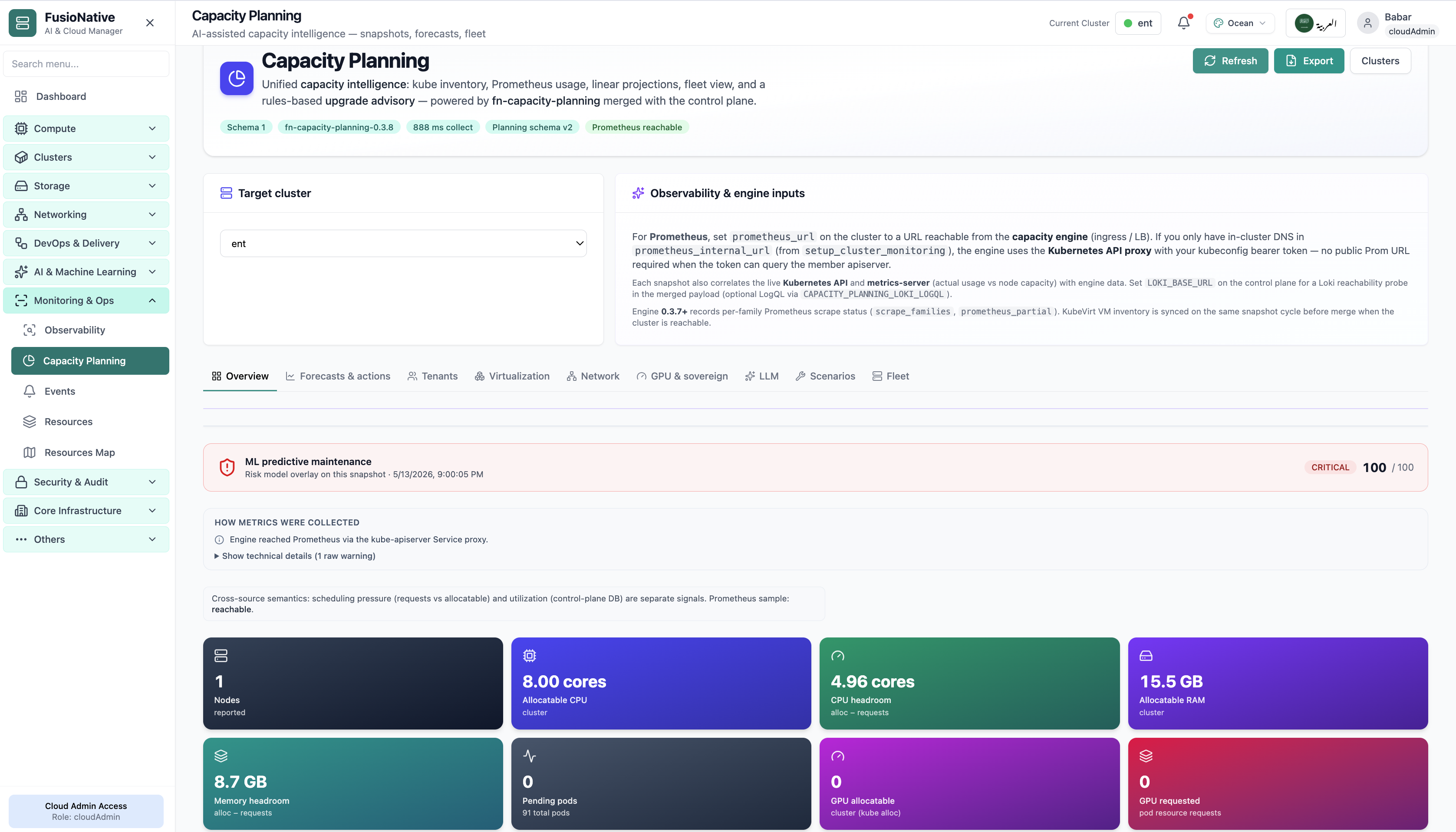
Capacity planning with headroom and predictive risk overlay.
02 of 02 Cloud Admin

Capacity Planning

Capacity planning with headroom and predictive risk overlay. This is the same interface your team uses in production.

  • Same layout your operators see in production
  • Click to zoom in without losing detail
  • Works alongside the rest of Cloud Admin

Click the screenshot to open full size, zoom, and pan.

Planning narrative

Give Finance and Platform the same denominators

When capacity tiles, forecasts, and tenant overlays reference identical Prometheus series and Kubernetes objects, debates shift from “whose export is right” to “which scenario do we fund.”

Forecasts that cite inputs

Forecasts & actions stay grounded because collectors, schemas, and Prometheus health are visible—not hidden jobs in another portal.

Fleet without flattening nuance

Fleet and scenario tabs compare clusters without stripping virtualization, network, or LLM-specific overlays.

Tenant fairness

Dedicated tenant lenses translate raw cluster metrics into chargeback-ready narratives.